

Contents
Feedback voting - Plugixa FAQ
Where this appears: under each answer on the front end, and the Feedback tab in the admin.
A “was this helpful?” control under an answer, and a screen that collects the verdicts. The whole feature is premium: the buttons, the optional comment and the admin screen.
A note about where it appears in the free build
The Feedback tab under Settings is visible on a free install. It configures this feature, which is not in that build. That is confusing, and it is better said here than discovered after switching it on and finding nothing renders.
Turning it on
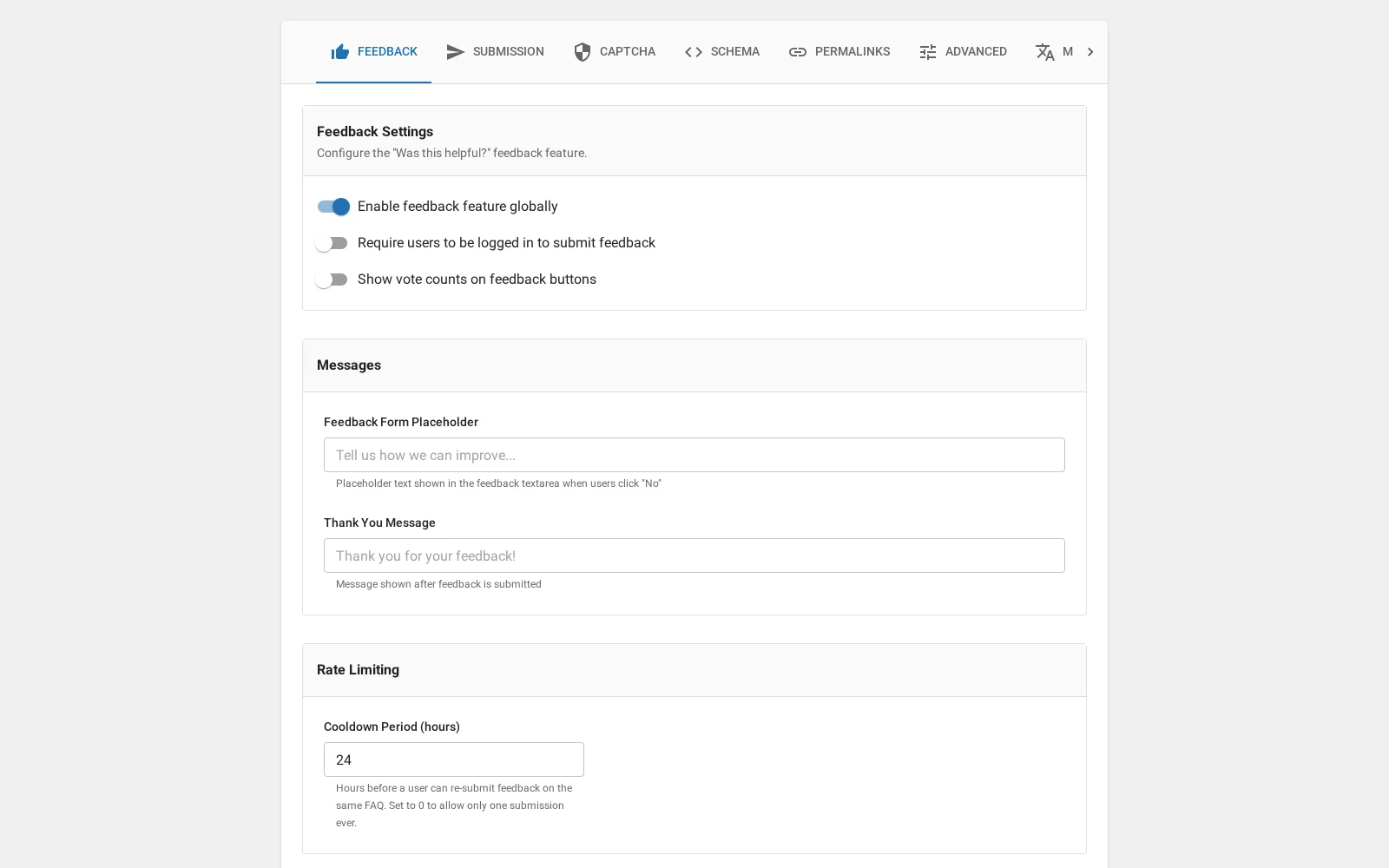
Three levels, each overriding the one above:
- Settings, Feedback turns it on for the site.
- A view can turn it off for one design.
- An individual answer can force it on or off, which is useful for a legal notice you do not want rated.
What a visitor sees
Two buttons under the answer. A not-helpful vote can optionally open a comment box, which is where the actual value is: knowing that fourteen people found an answer unhelpful is a signal, and knowing that six of them said “this does not say what happens after 30 days” is an instruction.
One vote per visitor per answer, enforced by a cooldown rather than by requiring an account.
Reading the results
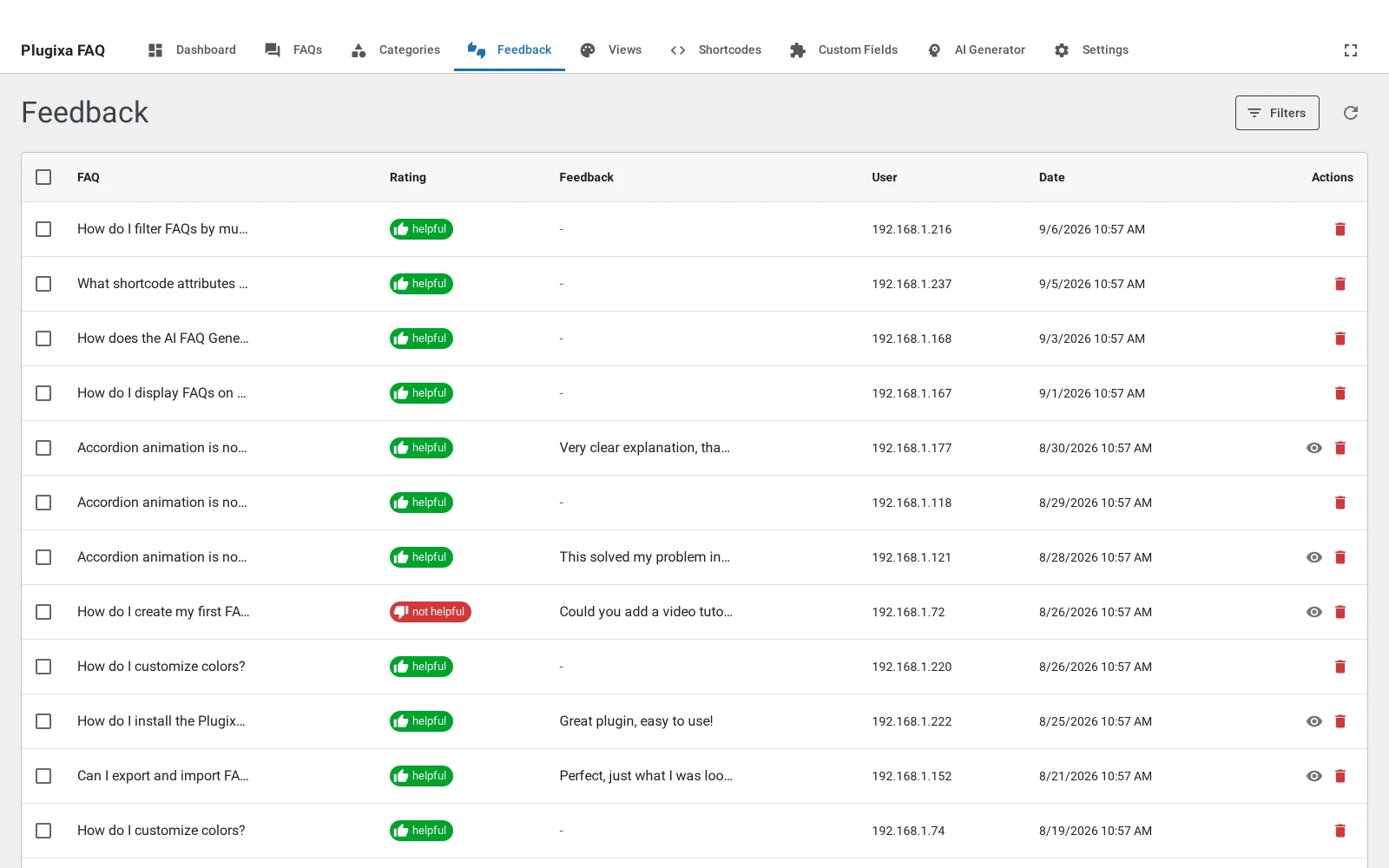
The Feedback screen lists every vote with its answer, verdict, comment and date, and filters by verdict. The FAQ list also carries the totals per answer, which is the faster way to spot the one answer that is not working.
What it is not
There is no analytics dashboard, no chart and no time series. It is a list of votes and a set of totals. We mention it because an earlier version of our own documentation promised a “feedback analytics dashboard”, and it does not exist.
Troubleshooting
| What you see | Why | What to do |
|---|---|---|
| No buttons on the front end | Off in Settings, on the view, or on the answer | Check all three |
| The Feedback tab does nothing | This is the free build | The feature is premium |
| A visitor cannot vote twice | One vote per answer, per visitor | Working as intended |
| Totals look low against views | Most readers never vote | Normal; treat the comments as the signal |
What to do next
The AI generator is the next premium feature.