

Contents
Submission form - Plugixa FAQ
Where this appears: the [plugixa_faq_form] shortcode, and Settings,
then the Submission tab.
A form for the questions you have not thought of. Submissions arrive as drafts in the FAQ list, never published unread.
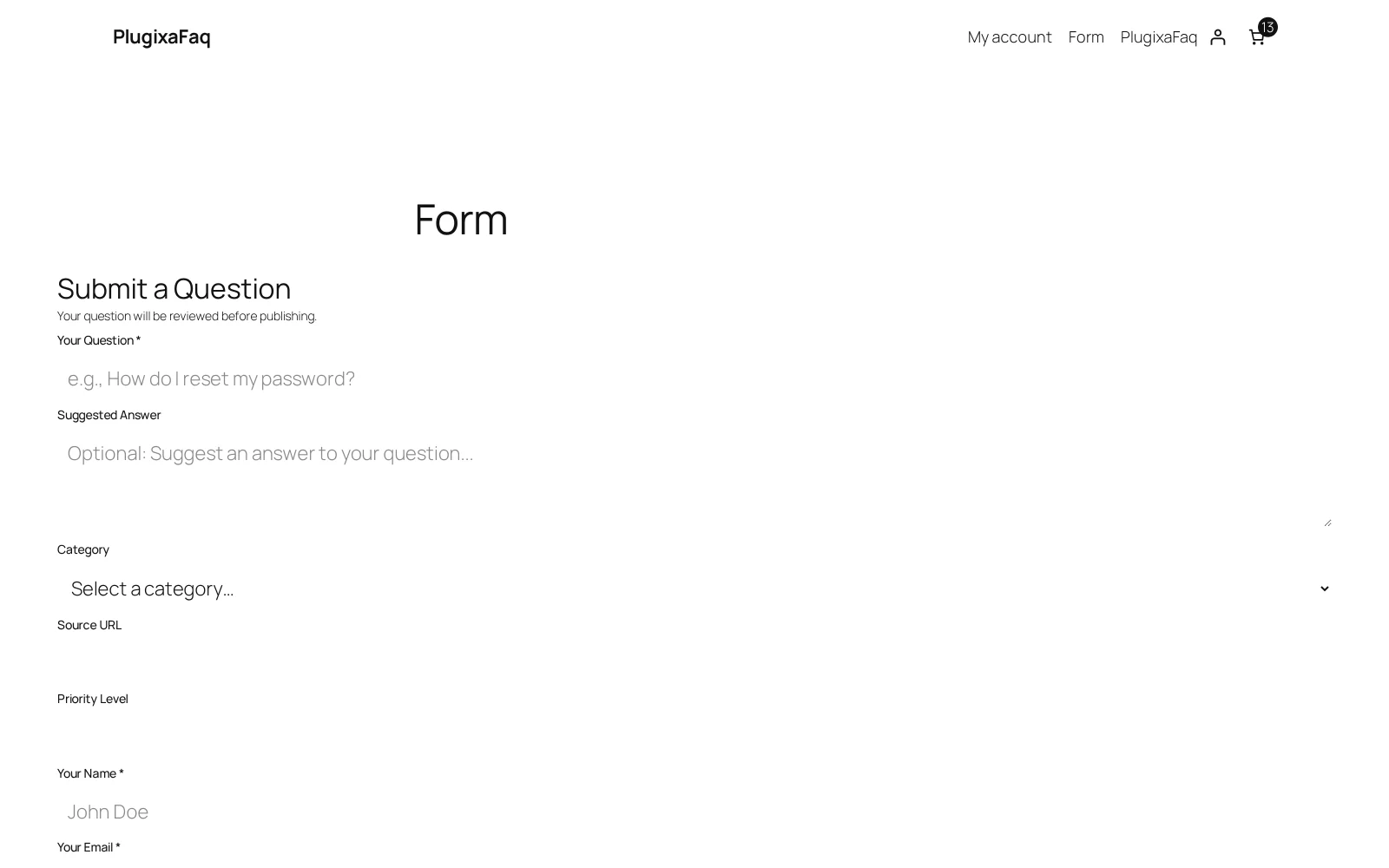
Putting it on a page
[plugixa_faq_form]
[plugixa_faq_form style="modal"]
inline renders it in place. modal renders a button that opens it in a
dialog, which suits sitting at the bottom of a FAQ page under “Still stuck?”.
What arrives
A submission becomes a FAQ record with its source marked as the form and its status set to whatever you chose in Settings, which defaults to draft. Filter the FAQ list to Draft to see the queue.
Nothing a visitor sends is visible on your site until you publish it. That is not a setting we recommend changing; it is the difference between a FAQ page and a comment section.
The fields
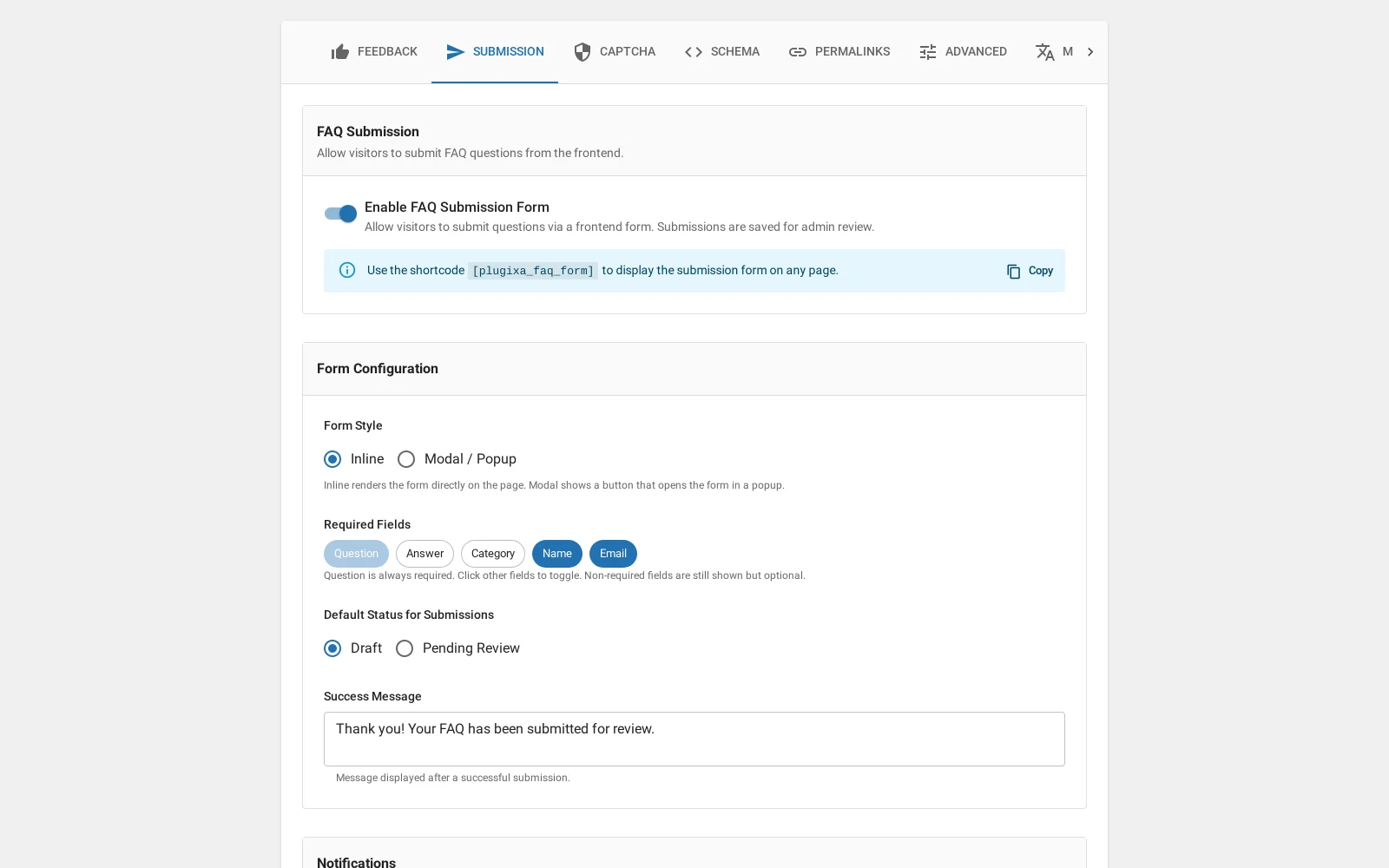
Which fields appear is configurable: the question, a longer description, a category chooser, the submitter’s name and email. Any custom fields you have marked required appear here too, and are enforced.
The email address is worth collecting. It is how you reply when the answer is “that depends”, and it is stored on the record rather than emailed away.
Keeping it clean
Cloudflare Turnstile can be turned on for this form. It fails closed: a missing or unverifiable token is rejected rather than waved through. See spam protection.
Rate limiting refuses repeat submissions from one visitor in a short window, which stops the form being used as a message bus.
Notification can email an administrator on each submission, so the queue does not need checking by habit.
Troubleshooting
| What you see | Why | What to do |
|---|---|---|
| The shortcode renders nothing | Submission is off, or this is the free build | Turn it on in Settings, Submission |
| Submissions never appear | They are drafts | Filter the FAQ list to Draft |
| Everything is rejected | Turnstile is on with the wrong keys | Check the keys, or turn Turnstile off to confirm |
| No notification email | The site cannot send mail | Test with any SMTP plugin; this is rarely our end |
What to do next
Feedback voting is the other way visitors tell you something.