

Contents
Typography - Plugixa FAQ
Where this appears: the FAQs tab of the view editor.
Questions and answers are set separately, because they are doing different jobs: a question is a heading somebody scans, an answer is prose somebody reads.
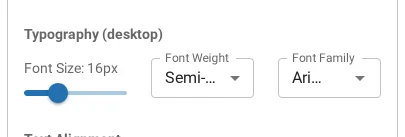
What you can set
Family, size, weight and line height, for the question and the answer independently.
Leaving the family as Inherit is usually right. Your theme has already chosen a typeface and a FAQ block in a different one announces itself as a plugin. Change it when you want the questions in the theme’s heading face and the answers in its body face, which most themes do not do for you.
Web fonts are self-hosted
If you pick a Google font, the plugin serves the files from your own server rather than requesting them from Google on every page view. That keeps the FAQ block from adding a third-party request, which matters for both page speed and for sites that have to say where their visitors’ requests go.
Sizes worth knowing
A question below about 16px stops being scannable at arm’s length. An answer below 16px is hard work for a lot of readers. Line height around 1.6 for the answer and 1.2 for the question is a reasonable starting point; the preview is there for the rest.
Long questions
Set your longest real question in the preview rather than a short one. A question that wraps to three lines changes the rhythm of the whole list, and it is better to find that out now than after publishing.
Troubleshooting
| What you see | Why | What to do |
|---|---|---|
| The font did not change | The theme sets it more specifically | Override the --pxf-* variable rather than the class |
| A weight is ignored | The chosen family does not ship that weight | Pick a weight the family actually has |
| Text is huge on a phone | The theme scales type by viewport | Check at phone width in the preview |
| The font loads slowly | It is being fetched rather than served locally | Self-hosting is automatic; check the Advanced settings |