

Contents
Schema and SEO - Plugixa FAQ
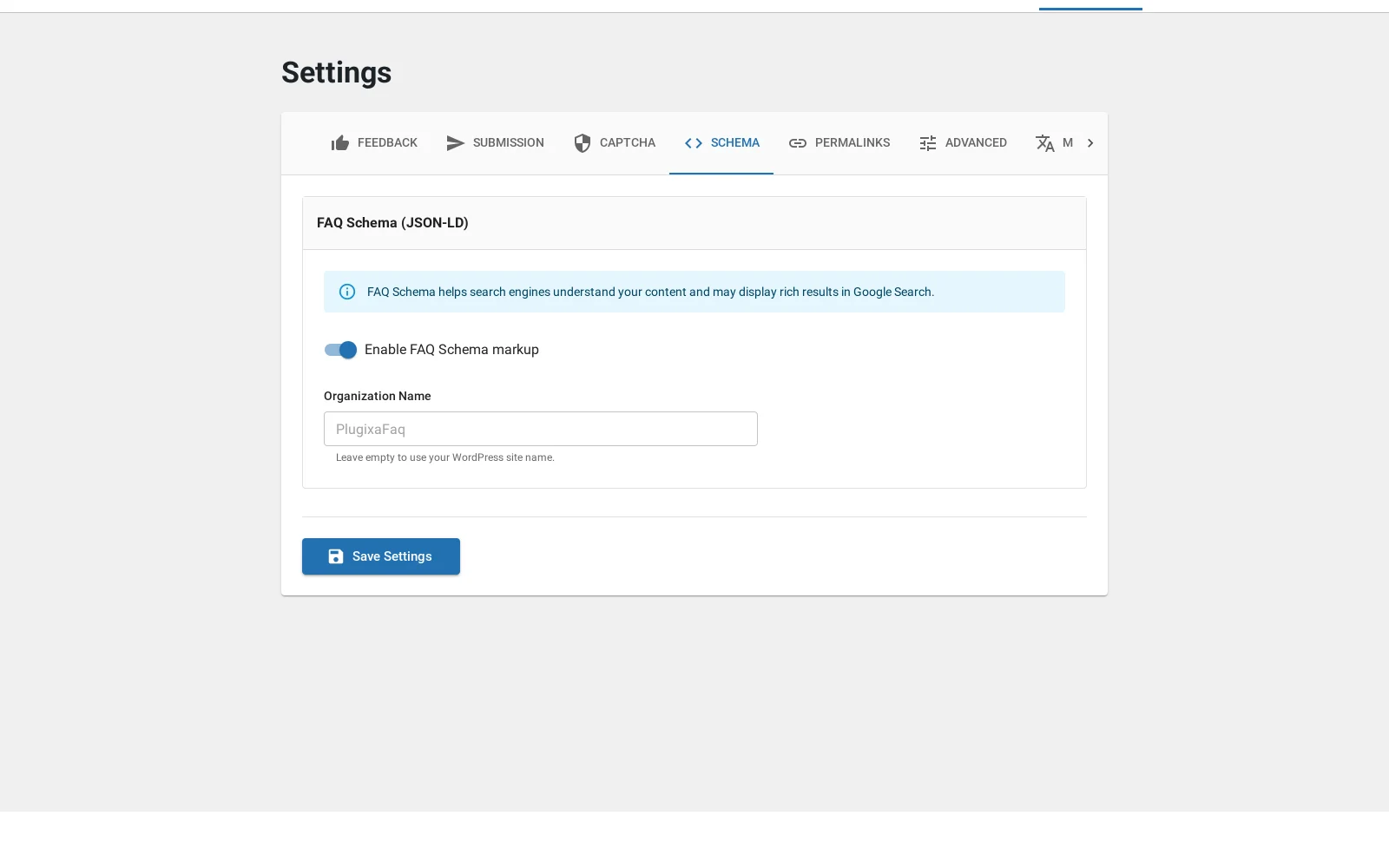
Where this appears: Settings, then the Schema tab, and the schema
attribute.
The plugin emits FAQPage JSON-LD for the answers it renders. It is free, it is
on by default, and it does not need an SEO plugin.
What it does
Search engines read the markup and can show your questions directly in the results, expandable, under your listing. That takes more vertical space than a plain result and answers the question before the click, which is usually a good trade.
The markup is generated from the answers actually rendered on that page, so it stays in step with what a visitor sees. Marking up answers you are not showing is a misrepresentation, and it is the thing Google penalises.
One FAQPage per page
The one rule worth remembering. If a page carries two FAQ placements, set
schema="false" on the second:
[plugixa_faq view="support-center-pro"]
[plugixa_faq category="billing" schema="false"]
Two FAQPage blocks on one URL makes a search engine guess which is the page’s real FAQ, and guessing is worse than being told once.
The same applies if your SEO plugin already outputs FAQ schema for the page. Turn one of them off; it does not matter which.
Where not to use it
Schema is a claim that the page is a FAQ. On a page where the FAQ block is a
small aside under a product description, that claim is false, and
schema="false" is the honest setting.
The organisation name
Set on the Schema tab and included in the markup where an organisation is referenced. It should match the name you use elsewhere in your structured data, because inconsistent names across a site are a signal of a different kind.
Checking it
Google’s Rich Results Test accepts a URL and tells you what it found. If it
reports no FAQ markup, the usual causes are that the page is not public, or that
schema="false" is set somewhere you had forgotten.
Troubleshooting
| What you see | Why | What to do |
|---|---|---|
| No markup is detected | Schema is off, or the page is not public | Check the Settings tab and the shortcode |
| Two FAQPage blocks | Two placements on one page | Set schema="false" on one |
| Rich results never appear | Markup makes you eligible, not guaranteed | Nothing to fix; it is Google’s decision |
| The SEO plugin also outputs it | Both are doing the same job | Turn one off |