

Contents
WooCommerce - Plugixa FAQ
Where this appears: Settings, then the WooCommerce tab, and the product editor.
Three separate things, which is worth separating because sites usually want one of them rather than all three.
1. A FAQ tab on the product page
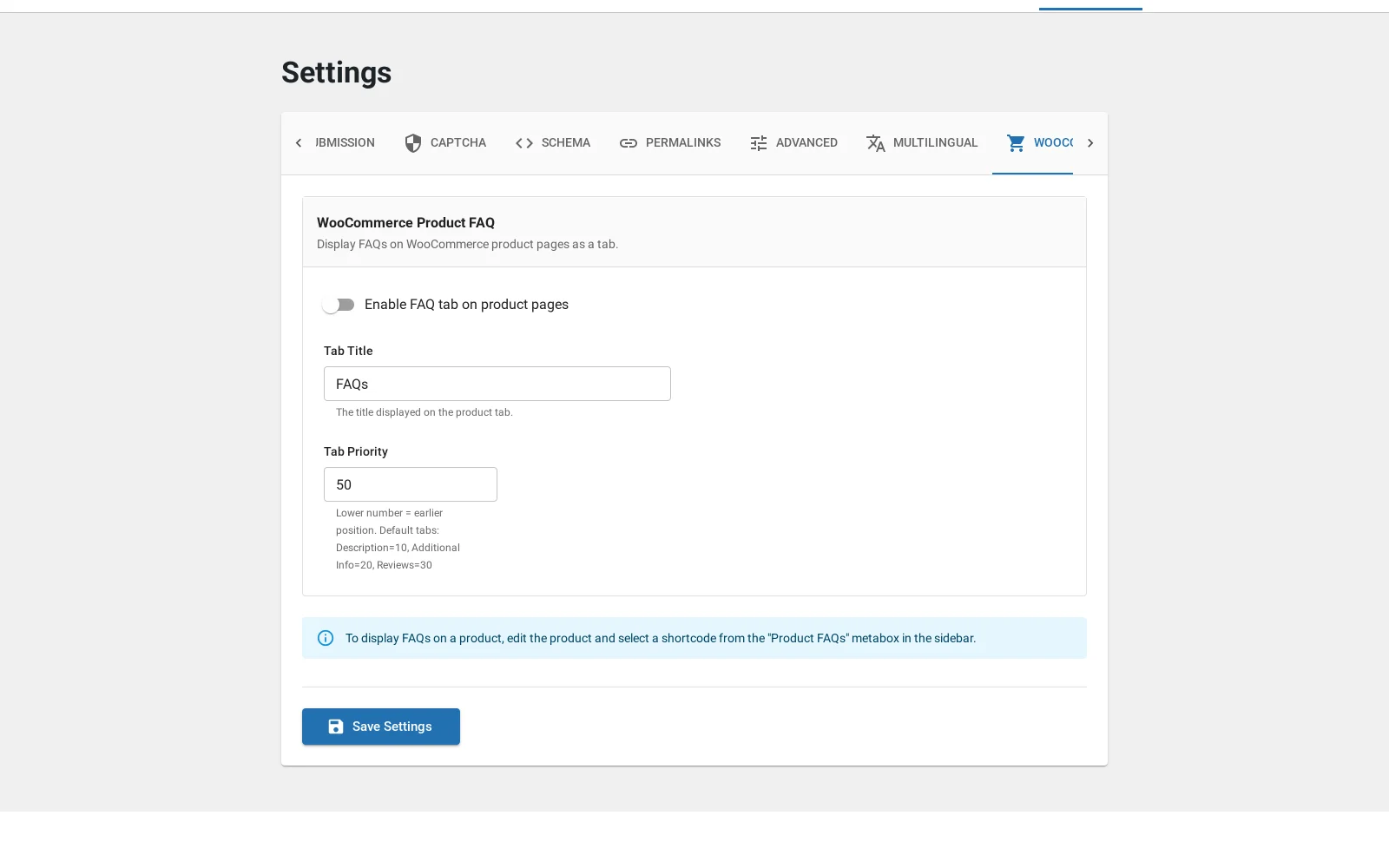
Adds a tab beside Description and Reviews, showing the answers attached to that product. The tab’s title and its position among the other tabs are both settings, so it can sit before Reviews or after them.
This is the one most stores want. Shipping and returns questions on the product page answer the objection at the moment somebody has it.
2. Per-product answers
A panel in the product editor lets you pick which answers belong to that product. Nothing is attached automatically, because a FAQ set that appears on every product is better handled by putting one shortcode in the tab template.
3. Products as a content source
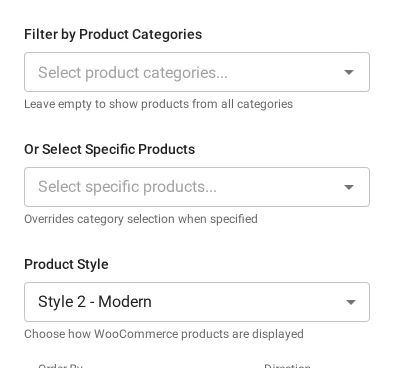
The other direction: a FAQ block whose items are products.
content_source="woocommerce_products" renders products in your chosen design,
filtered by product category, with three card styles: default, modern and
minimal.
[plugixa_faq content_source="woocommerce_products" product_style="modern" limit="6"]
Requirements
WooCommerce active, and a Pro licence. Without WooCommerce, the settings tab and the product source are hidden rather than shown as unavailable, so if the tab is missing that is the first thing to check.
Troubleshooting
| What you see | Why | What to do |
|---|---|---|
| No WooCommerce tab in Settings | WooCommerce is inactive, or this is the free build | Activate it; the tab is registered by the premium overlay |
| The product tab is empty | No answers are attached to that product | Attach them in the product editor |
| The tab is in the wrong place | Tab priority decides the order | Change the priority in the WooCommerce settings tab |
| Products render but look wrong | The card style does not suit the layout | Try product_style="minimal" with accordion |
What to do next
Custom fields is the next premium feature.