

Contents
The view editor - Plugixa FAQ
Where this appears: Views, then any view, or Add View.
Settings on the left, a live preview on the right. Nothing has to be published to be judged, which is the point: a colour that looks right in a swatch rarely looks right behind twelve rows of text.
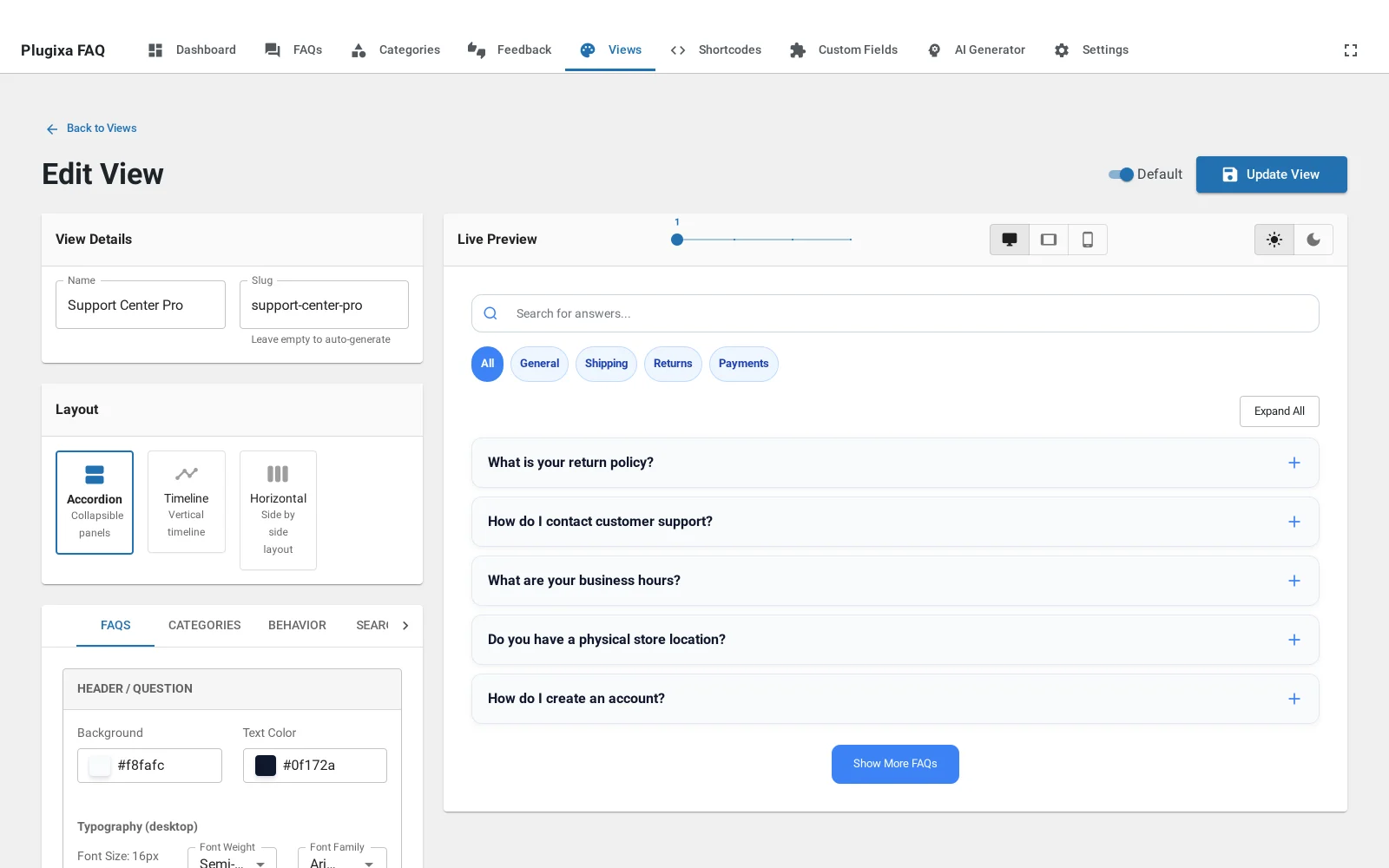
The live preview
The preview renders real answers from your site, not placeholder text, so you find out immediately that your longest question wraps onto three lines.
Above it are two controls worth knowing:
- Device width switches the preview between desktop, tablet and phone, which is how you check a column count without resizing the browser.
- Light and dark flips the preview so you can set dark values without changing your own operating system theme.
The layout picker
Sitting above the tabs, and outside them, because it changes what the tabs contain. Accordion is free; timeline and horizontal come with Pro.
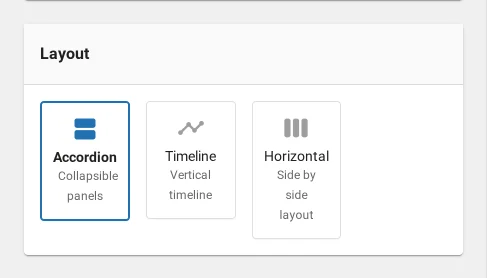
The six panels
| Tab | What it controls |
|---|---|
| FAQs | Colours, typography, icons, spacing and borders for the answers themselves |
| Categories | Whether the filter bar shows, and as tabs, pills, a dropdown or a sidebar |
| Behavior | Animation, whether one answer opens at a time, and whether the first is open |
| Search | Whether the search box shows, and its placeholder |
| Pagination | Numbered, load more, infinite scroll or none, and the page size |
| Feedback | Whether the helpful and not-helpful buttons appear PRO |
Each has its own page in this documentation: colours, typography, icons and animation, category filters, live search and pagination.
Default, duplicate, delete
The Default switch marks the view used by any shortcode that does not name one. Exactly one view is the default at a time.
Duplicate is the usual way to make a variant. Copy a design you like, change the palette, and point one page at the copy.
Troubleshooting
| What you see | Why | What to do |
|---|---|---|
| The preview is empty | No published answers match the filters | Publish something, or clear the category filter |
| A change does not show on the front end | The view was not saved | Use Update View; the preview updates before saving |
| Two views drifted apart | They were edited separately | Duplicate from one rather than editing both |
| The Feedback tab does nothing | Voting is a Pro feature | See feedback |
What to do next
Layouts explains what the picker at the top is choosing between.