

Contents
Locations - Plugixa Chauffeur
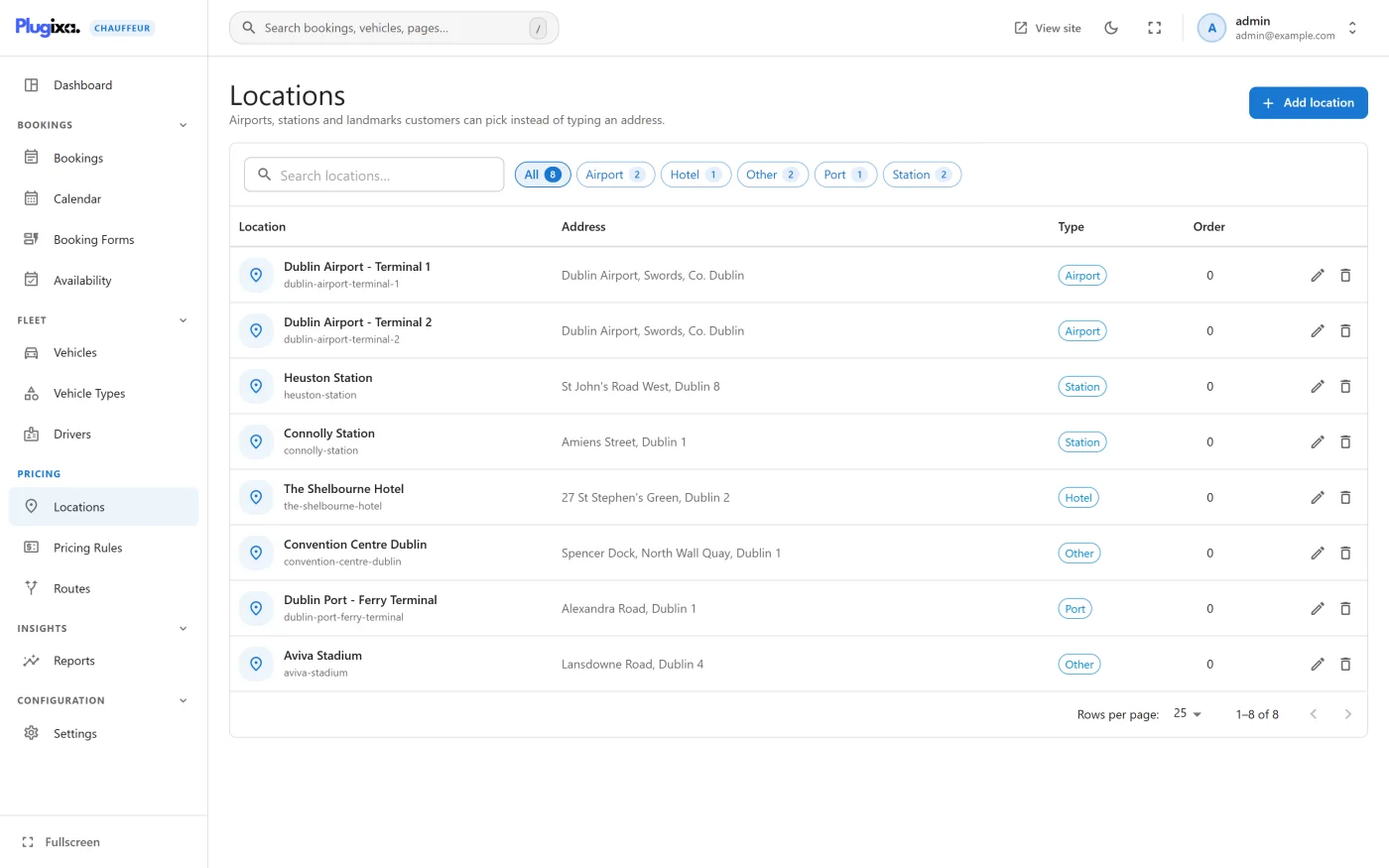
A location is a saved place: an airport, a station, a hotel, a port or any address you use often. Locations are managed under Plugixa Chauffeur -> Locations.
What locations are used for
In version 1.0.0 a location is used in one place: the Base location field of a vehicle, which records where that vehicle is kept.
The admin screens describe locations as places “customers can pick instead of typing an address.” The booking wizard in this version does not offer a location picker. Customers type the pickup and the drop-off as free text. A location’s coordinates and Google Place ID are stored, but they are not used to calculate a distance or a fare.
For fixed-price journeys between two named places, see Flat-rate routes PRO. Routes carry their own pickup and drop-off labels and do not depend on this list.
The list
| Column | What it shows |
|---|---|
| Location | The name and the slug. |
| Address | The address. |
| Type | The kind of place. |
| Order | The display order. |
Above the list are a search box and a Type filter with a chip for each type in use. Each row ends with Edit and Delete.
Adding a location
Press Add location.
Details
| Field | Notes |
|---|---|
| Name | Required. |
| Slug | Optional. “Generated from the name if left empty.” |
| Address | The postal address. |
Map position
All three fields are optional.
| Field | Notes |
|---|---|
| Latitude | Decimal degrees, for example 33.5731. |
| Longitude | Decimal degrees, for example -7.5898. |
| Google Place ID | The place’s identifier in Google Maps. |
When both coordinates are filled in, a View on map button opens that position on Google Maps in a new tab, so that you can check it. That link is the only contact with Google, and it is opened by you, not by the plugin.
Classification
| Field | Choices |
|---|---|
| Type | Point, Airport, Train station, Hotel, Port, Custom |
| Display order | “Lower numbers show first.” |
Press Create location, or Save changes when editing.
Deleting a location
Delete asks for confirmation and needs the delete permission. A vehicle that used the location as its base location keeps working and simply shows no base location.
The Google Maps API key
Settings -> Maps & booking has a Google Maps API key field. Version 1.0.0 stores the key but no feature reads it, and the plugin makes no request to Google. You can leave it empty.
Changing the order
The Order column shows each location’s Display order number, and the list opens with the lowest number first. To move a location, open it, change Display order under Classification and press Save changes. A new location has the number 0.
Version 1.0.0 has no drag handle in the list. Developers can set the order of
several locations in one call with POST /locations/reorder, see
REST API.