

Contents
Follow buttons - Plugixa Easy Social Share Buttons
Follow buttons are links to your own profiles, drawn like your share buttons. Plugixa Social Share -> Follow buttons holds the profiles and the look of the row. The row is then placed with a block, a shortcode or a template tag.
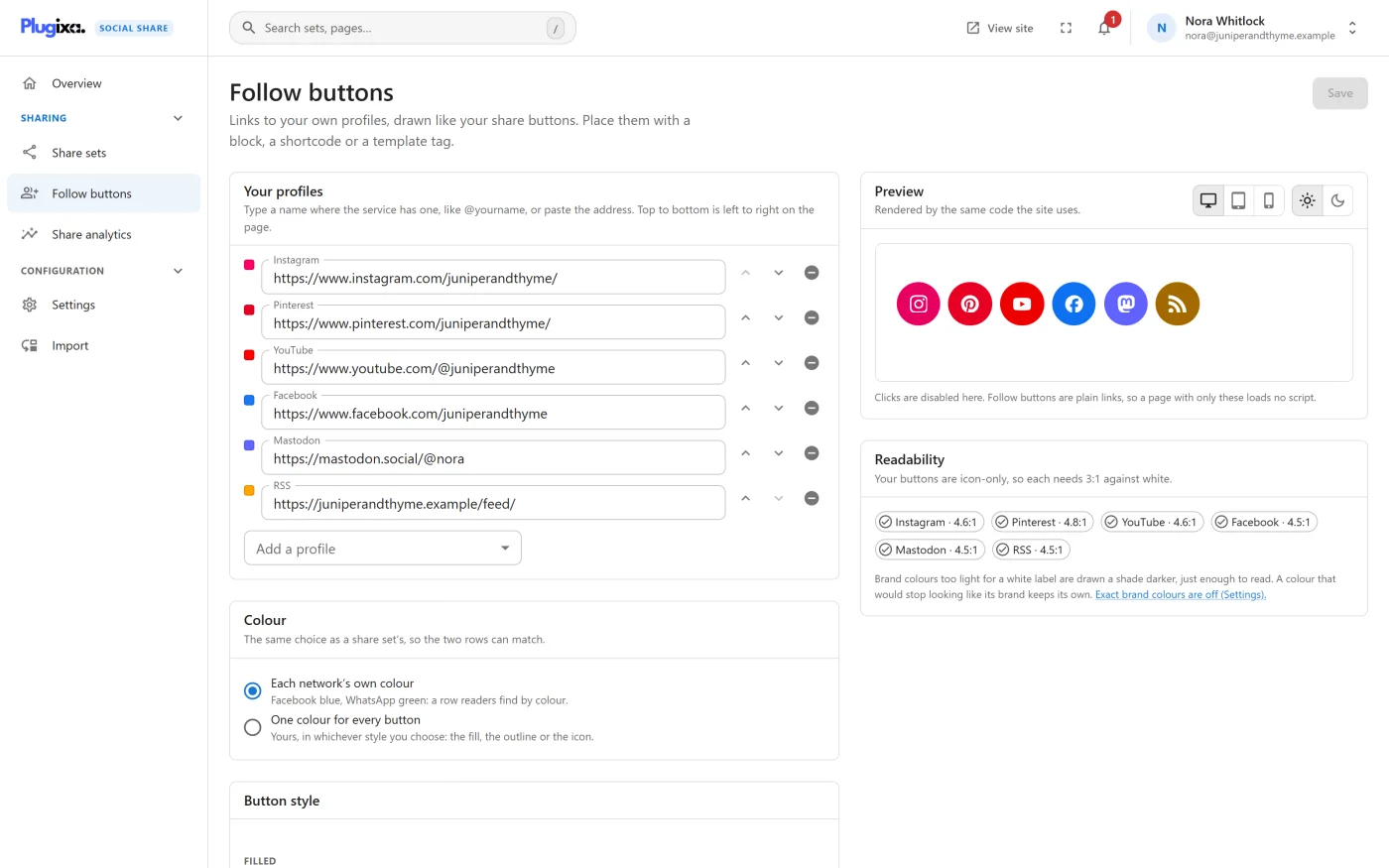
Every follow button is a plain link. There is no script, no follower count and no request to anyone, so a page with only follow buttons loads no JavaScript.
Adding your profiles
- Under Your profiles, open Add a profile and choose a service.
- Type a name where the service has one, like
@yourname, or paste the profile’s address. - Use Move up and Move down to set the order: top to bottom is left to right on the page.
- Press Save.
After saving, the field shows the full address the button will link to. A service can be added once.
An address on the wrong service is refused before it goes live. Pasting a Facebook link into the Instagram field fails the save with a message under that field, such as “That is not a Instagram profile. Paste its address, or type the name, like @yourname.”
RSS arrives filled in with your site’s own feed.
The 25 services
The slug is what the shortcode’s services attribute uses.
| Service | Slug | What you can type |
|---|---|---|
facebook |
A page name, or its address | |
instagram |
@yourname, or the address |
|
| X | x |
@yourname, or the address |
| Threads | threads |
@yourname, or the address |
| Bluesky | bluesky |
A handle such as yourname.bsky.social, or the address |
| Mastodon | mastodon |
@yourname@mastodon.social, or the profile’s address on any server |
linkedin |
The address | |
| YouTube | youtube |
@yourchannel, or the address |
| TikTok | tiktok |
@yourname, or the address |
pinterest |
A name, or the address | |
| Snapchat | snapchat |
A name, or the address |
reddit |
r/yourcommunity or u/yourname, or the address |
|
| Tumblr | tumblr |
The blog’s name, or the address |
| Twitch | twitch |
The channel’s name, or the address |
| Discord | discord |
An invite address |
| Telegram | telegram |
@yourchannel, or the address |
whatsapp |
A channel’s address | |
| GitHub | github |
A name, or the address |
| Medium | medium |
@yourname, or the address |
| Substack | substack |
The newsletter’s name, or the address |
| Spotify | spotify |
The address |
| VK | vk |
A page name, or the address |
xing |
The address | |
| RSS | rss |
A feed’s address |
email |
An email address |
A developer can add or remove services with the
plugixa_social_share_follow_services filter.
The look
The look uses the same controls as a share set, so the two rows can match.
| Panel | What it sets | Default |
|---|---|---|
| Colour | Each network’s own colour, or One colour for every button | Each network’s own |
| Button style | Any style from the gallery | Default |
| Layout and size | Heading, button layout, desktop and mobile size, alignment | Icon only, size M, left |
The heading field suggests “Follow us”. A follow row has no counts, no total and no “+” menu.
The preview on the right is drawn by the same code the site uses, from what is on the screen, before you save.
See Styles for the styles, colours and sizes.
Placing the row
The Place them panel lists the ways, with copy buttons.
| Way | What to use |
|---|---|
| Block | The Follow buttons block, in a post, a widget area or a template part |
| Shortcode | [plugixa_follow] |
| Theme template | <?php plugixa_follow(); ?> |
| Elementor | Elementor’s Shortcode widget with [plugixa_follow] |
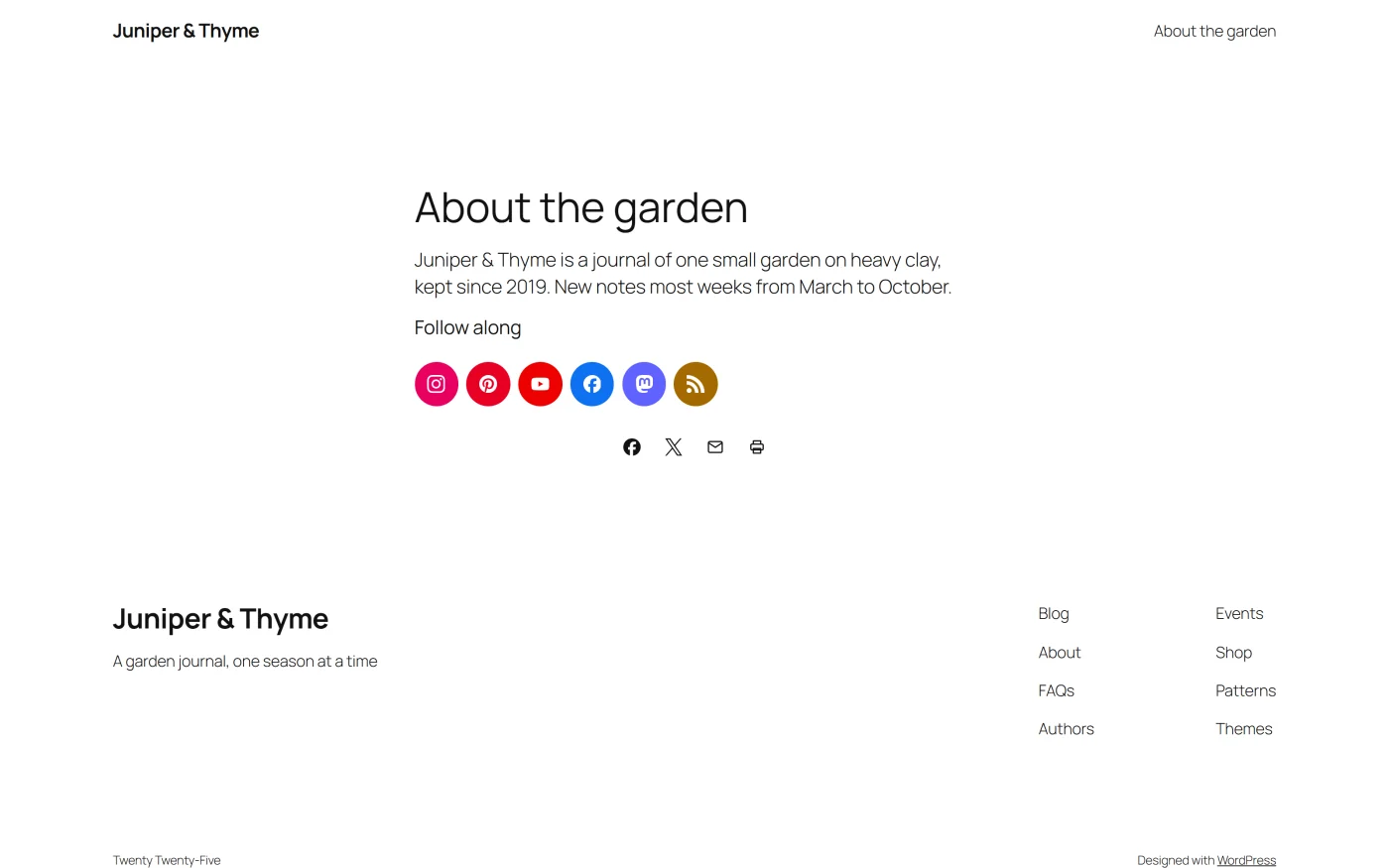
A footer widget area is the usual place.
Any look can be changed in one place: [plugixa_follow layout="full" size="large"]. services="instagram,youtube" draws a subset in your own
order. Every attribute is listed in
Shortcodes.
What the links carry
- Each link has
rel="me". A Mastodon profile that lists your site then shows it as verified. - Each button has an accessible name, “Follow us on” and the service. RSS reads “Subscribe by RSS” and Email reads “Email us”.
- Clicks on follow buttons are not recorded in the click analytics and are not sent to Google Analytics as share events: following is not sharing.
Who can do what
| Action | Permission needed |
|---|---|
| Open the screen | plugixa_social_share_view |
| Save profiles and the look | plugixa_social_share_edit |
Good to know
- There is one row for the site, not a set per place. Your profiles are site-wide; each block or shortcode can still override the look.
- While Show share buttons is off in Settings, the follow row is not drawn either.
- The Overview’s Follow profiles tile shows how many profiles are linked.