

Contents
Shortcodes - Plugixa Easy Social Share Buttons
Shortcodes place buttons anywhere WordPress runs them: posts, pages, text widgets and page builders. The PHP template tags do the same from a theme template.
| Shortcode | Draws | Edition |
|---|---|---|
[plugixa_share] |
A share set | Free |
[plugixa_follow] |
Your follow buttons | Free |
[plugixa_quote] |
A quote box with its own share row | Pro PRO |
[plugixa_save] |
The “Save this post” email form | Pro PRO |
plugixa_share
[plugixa_share id="2"]
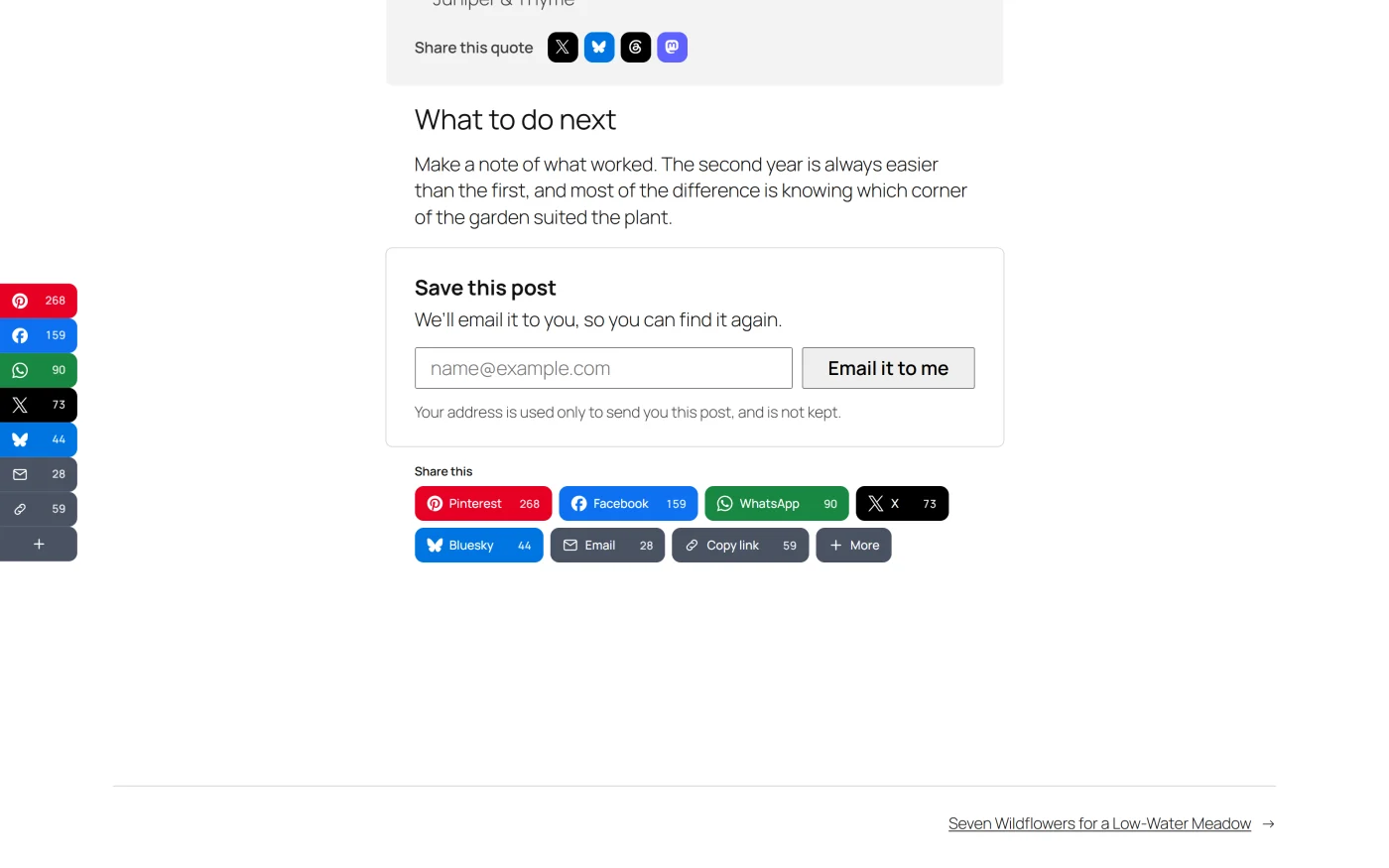
Draws share set 2. A bare [plugixa_share] draws the default set, the one with
the lowest number. Each set’s own shortcode is on the Share sets list and
on the screen shown after saving a set, ready to copy.
Every attribute except id overrides the saved set for this one place.
An attribute you leave out keeps the set’s own value.
| Attribute | Values | What it does |
|---|---|---|
id |
A share set’s number | Which set to draw. Empty or 0 means the default set |
networks |
Comma-separated slugs, for example facebook,x,whatsapp |
The networks, in this order. Slugs are listed in Networks |
template |
A style’s slug, for example pill |
The button style. Slugs are listed in Styles |
layout |
full, icon, stacked |
Icon and name, icon only, or icon above name |
align |
start, center, end, stretch |
Left, centre, right, or fill the width |
counts |
true or false |
Show the number beside each button |
total |
true or false |
Show the combined total |
label |
Any text | The heading above the buttons |
vertical |
true or false |
Stack the buttons in a column |
more |
true or false |
End the row with a “+” that opens every other destination |
color |
Six hex digits such as #0a66c2, or brand |
One colour for every button. brand gives a coloured set its networks’ colours back |
ink |
Six hex digits | The label colour on color |
Examples:
[plugixa_share id="2" layout="icon" align="center"]
[plugixa_share networks="whatsapp,telegram,email,copy" label="Send this to a friend"]
[plugixa_share id="3" color="#0a66c2" more="true"]
How the attributes behave
- A set that does not exist draws nothing, even with other attributes given. Visitors see nothing and no files load. People who can edit posts see a note naming the missing set.
- A colour that is not a colour is ignored. A typing mistake in
colorleaves the set’s own colour in place. A newcolorwithout aninkhas its label colour chosen for it. - A network slug that does not exist is skipped. The rest of the row is drawn.
counts="true"shows the numbers already stored and your own click counts. On its own it does not start requests to the count services. Those begin only when a saved share set has counts or the total switched on. See Share counts.- Size and the number positions are not attributes. They come from the saved set. For a different size, make another set.
- Clicks on a hand-placed row are recorded under the placement
manual, which the Pro placement report shows as “Shortcode or block”. - While Show share buttons is off in Settings, the shortcode prints nothing.
To show the shortcode itself as text, write it with doubled brackets:
[[plugixa_share]].
plugixa_follow
[plugixa_follow]
Draws the profiles saved under Plugixa Social Share -> Follow buttons, with their saved look. The attributes override the look for this one place.
| Attribute | Values | What it does |
|---|---|---|
services |
Comma-separated slugs, for example instagram,youtube |
A subset of your profiles, in this order. Slugs are listed in Follow buttons |
template |
A style’s slug | The button style |
layout |
full, icon, stacked |
Icon and name, icon only, or icon above name |
align |
start, center, end, stretch |
Alignment |
size |
xsmall, small, medium, large, xlarge, xxlarge |
Button size |
label |
Any text | The heading above the row |
vertical |
true or false |
Stack the buttons in a column |
color |
Six hex digits, or brand |
One colour for every button |
ink |
Six hex digits | The label colour on color |
Examples:
[plugixa_follow layout="full" size="large"]
[plugixa_follow services="instagram,youtube" label="Follow us"]
A service you have no profile for is skipped. With no profiles at all, the shortcode prints nothing.
plugixa_quote PRO
[plugixa_quote cite="Ada Lovelace" networks="x,bluesky" style="line"]The words to share.[/plugixa_quote]
The text between the tags is the quote. It is the classic editor’s way to add a quote box; the block editor has the Quote to share block.
| Attribute | Values | Default | What it does |
|---|---|---|---|
cite |
Any text | Empty | Who said it. Shown under the quote and shared after it |
networks |
Comma-separated slugs | x,bluesky,threads,mastodon |
Where the quote can be shared. Only networks that take a text are kept |
style |
card, line |
card |
How the box is drawn |
See Quote boxes.
plugixa_save PRO
[plugixa_save]
Draws the “Save this post” email form for the post being viewed. It has no attributes: what the form does is set under Settings -> General. One form is drawn per page.
See Email capture.
PHP template tags
For theme templates. Each has a version that prints and a version that returns the markup.
| Function | What it does |
|---|---|
plugixa_share( int $id = 0 ) |
Prints a share set. 0 is the default set |
plugixa_get_share( int $id = 0 ) |
Returns a share set’s markup as a string, or an empty string |
plugixa_follow( array $look = array() ) |
Prints your follow buttons |
plugixa_get_follow( array $look = array() ) |
Returns the follow buttons’ markup, or an empty string when there are no profiles |
<?php plugixa_share( 2 ); ?>

<?php plugixa_share(); ?>

<?php $html = plugixa_get_share( 2 ); ?>

<?php plugixa_follow(); ?>

<?php plugixa_follow( array( 'layout' => 'full' ) ); ?>
plugixa_share() draws the set exactly as saved; it takes no look options.
plugixa_follow() accepts look keys to override: template, layout,
align, label, size and vertical.
If the theme should keep working when the plugin is deactivated, check first:
<?php
if ( function_exists( 'plugixa_share' ) ) {
	plugixa_share( 2 );
}
?>
Stylesheets and timing
Shortcodes in the post being viewed are found before the page is drawn, so their stylesheet goes in the head like any other placement.
A theme template, a widget area and an Elementor Theme Builder template are drawn after the page’s files were decided. Buttons placed there get their stylesheet at the end of the page, which can show them unstyled for a moment on first paint. On a page that also has an automatic placement, or a set placed in the post’s own content, the stylesheet is already in the head and there is no such moment. See Performance.
What to do next
- Find each set’s shortcode in Share sets.
- Prefer a block? Blocks.