

Contents
Popup and fly-in - Plugixa Easy Social Share Buttons
Popup and fly-in PRO are two more places a share set can go. Both are shown over the page when a trigger fires, at most once per visitor in the period you choose.
| Spot | What it is |
|---|---|
| Popup | A window over the page. While it is open the page behind cannot be used |
| Fly-in | A small box that slides into a corner and lets the reader go on reading |
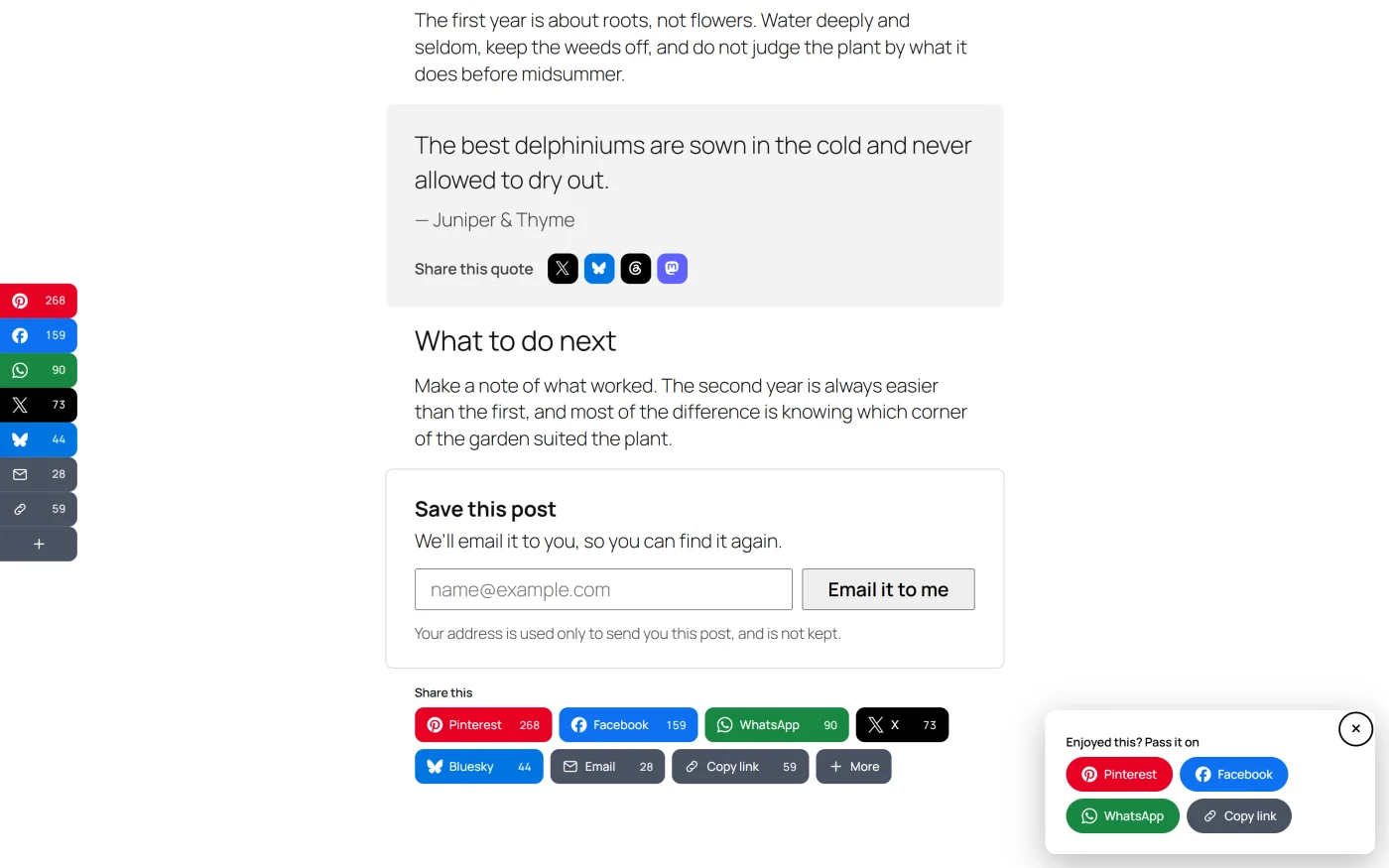
Setting one up takes two steps: place a share set in the spot, then choose when it opens.
Step 1 - Place a share set in it
Popup and fly-in are spots like any other. They are chosen in the share set wizard’s Where it appears step, on the diagram, under Over the page.
- Open a share set, or create one, and go to Where it appears.
- Tick the post types under Show on.
- Click Popup or Fly-in under Over the page.
- Save.
The usual rules apply: one set per spot per post type, a save moves the spot from another set and says so first, and a post can drop the spot in its own Share buttons panel. See Placements and Per-post controls.
Step 2 - Choose when it opens
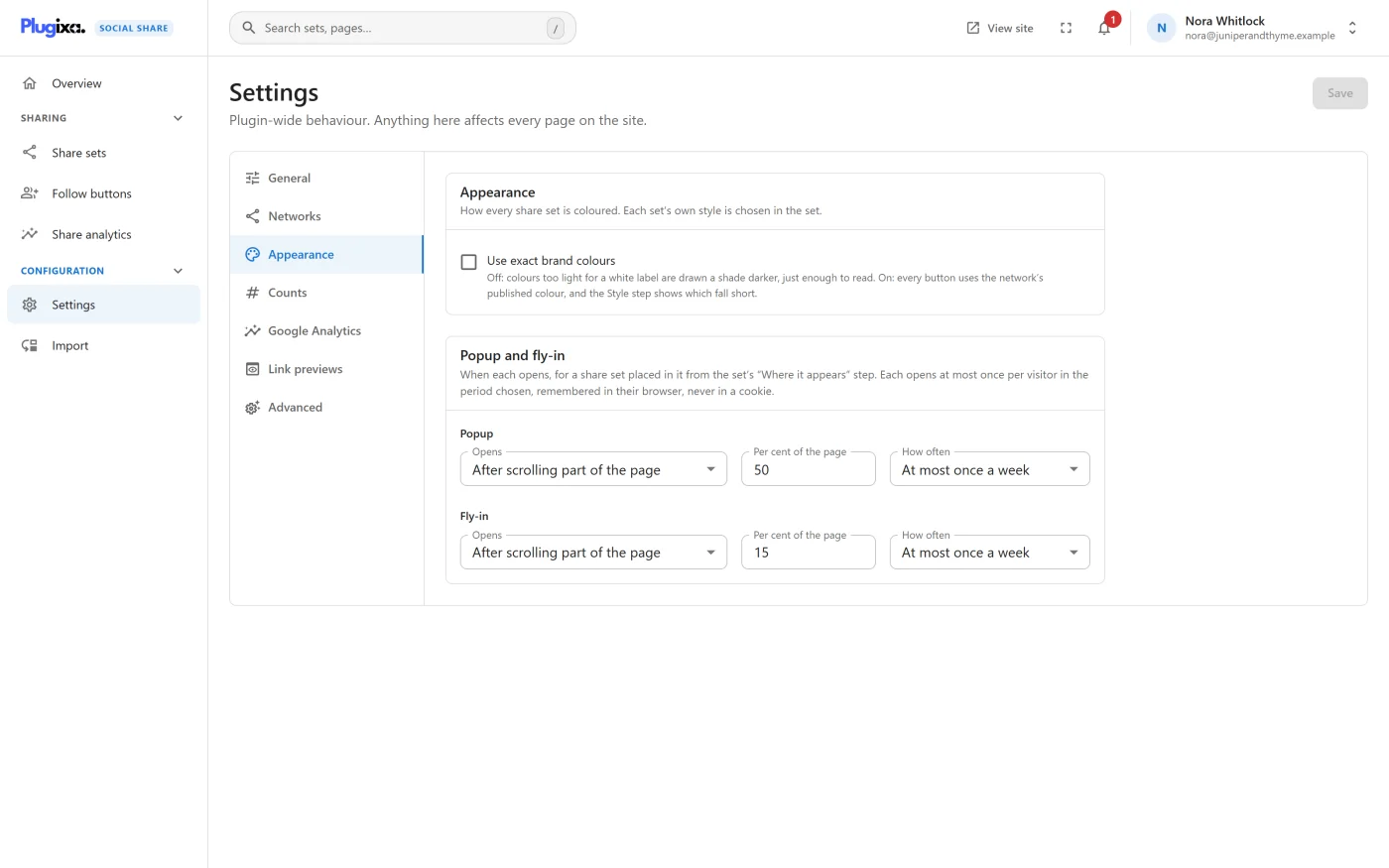
Go to Settings -> Appearance. Pro adds a Popup and fly-in panel with one row for each.
| Setting | Choices | Popup default | Fly-in default |
|---|---|---|---|
| Opens | After a few seconds, After scrolling part of the page, When the reader moves to leave the page | After scrolling | After a few seconds |
| Seconds or Per cent of the page | 1 to 120 seconds, or 5 to 100 per cent | 50 per cent | 15 seconds |
| How often | Once per visit, At most once a day, At most once a week, At most once a month | Once a week | Once a week |
These settings apply to the whole site. Which set appears in each spot, and on which post types, is the wizard’s.
The triggers
| Trigger | When it opens |
|---|---|
| After a few seconds | The number of seconds after the page loads |
| After scrolling part of the page | When the reader has scrolled that percentage of the page |
| When the reader moves to leave the page | When the pointer leaves through the top of the window |
“On phones and tablets, which have no pointer to leave with, it opens at 70% of the page instead.”
How often
“Once per visit” means once per browser session. The other choices are a number of days. What a visitor has already seen is remembered in their own browser’s storage, never in a cookie, and separately for the popup and the fly-in.
Where a browser blocks storage, such as some private windows, nothing can be remembered and the box simply opens on its trigger.
How it behaves for a visitor
| Popup | Fly-in | |
|---|---|---|
| Focus | Moves into the popup and stays there | Stays on the page |
| Escape key | Closes it | Closes it |
| Close button | Yes | Yes |
| Click outside it | Closes it | The page stays in reach |
| After a share | Closes | Closes |
Both are built on the browser’s own dialog element, so focus handling and the Escape key are the browser’s. A browser without it shows neither. When a popup closes, focus returns to where it was.
Both carry the accessible name “Share this post”.
What it costs
The script and stylesheet are 1.3 KB gzipped together. They load only on pages where a set is placed in a popup or a fly-in. Both spots also need the plugin’s main script, as the diagram’s cost mark says.
Analytics
Clicks in a popup or fly-in are recorded under their own placement, Popup or Fly-in, so the placement report shows what each earns. See Analytics.
If Pro is removed
The two spots are registered by Pro. Without it they no longer exist: nothing is drawn in them and they are not offered in the wizard. The trigger settings stay stored and nothing reads them.
What to do next
- Build the set that goes in the box: Share sets.
- Read the other Appearance options: Settings.