

Contents
Short links - Plugixa Easy Social Share Buttons
Short links PRO replace the address your buttons share with a short one made by a service you choose. The link is made in the background and kept with the post, so no visitor ever waits for it.
The options are on the Google Analytics tab of the Settings screen, in a Short links panel below the UTM tags.
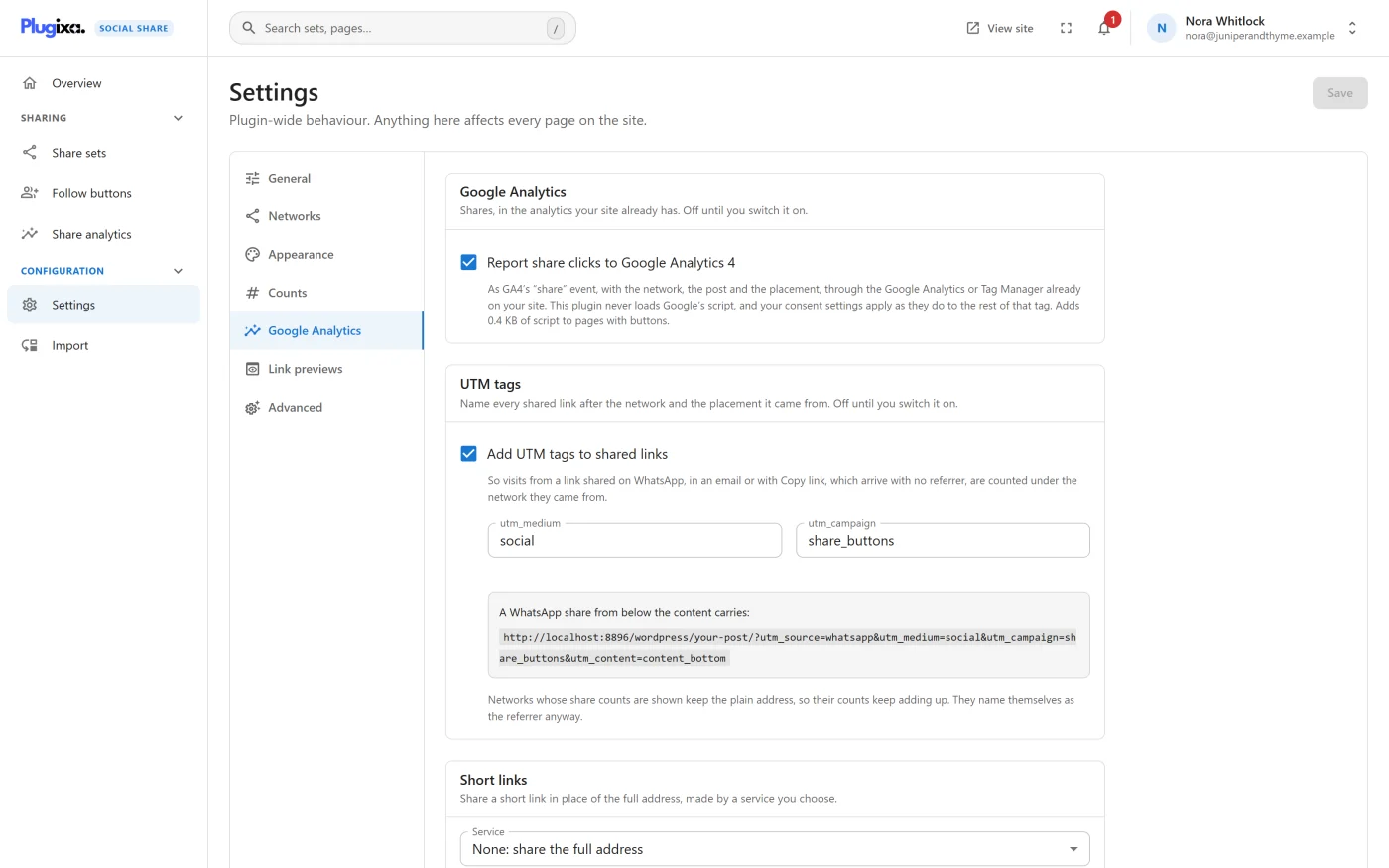
Choosing a service
Under Service, choose one:
| Choice | What it is | What it needs |
|---|---|---|
| None: share the full address | Short links are off. The default | Nothing |
| Bitly | Bitly’s link shortener | Bitly access token |
| Rebrandly, on a domain of your own | Short links on a branded domain | Rebrandly API key, and optionally Branded domain (optional) |
| YOURLS, on your own server | A shortener you host yourself | YOURLS API address, the address of yourls-api.php on your YOURLS site, and YOURLS signature token |
Then press Save.
Short links start working once the chosen service has what it needs. A service that is chosen but missing its token or key shortens nothing, and the full address goes on being shared.
Tokens and keys
Each token or key is write-only. After saving, the field reads “Saved. It is never shown again; type a new one to replace it.” Use Remove the saved one to delete it. The keys are never sent back to your browser.
A branded domain typed with https:// or a path is reduced to the domain
name alone.
How a link is made
The panel names the host of the service you chose and explains the rule: each address is sent to it once, from your server in the background, and the short link is kept with the post. Until it exists, the full address is shared.
In practice:
- A visitor opens a post. Its buttons need short links the post does not have yet, so they share the full address this time.
- After the page has been sent, the plugin notes the addresses that were wanted and schedules a background job about a minute later.
- The job asks the service for up to 20 links per run and stores each answer with its post. If more are waiting, it runs again five minutes later.
- The next visitor gets the short links.
When a post is published, its address is queued straight away, so the first visitor may already get the short link.
If the service is slow, down or out of quota, nothing breaks: those addresses keep being shared in full, and are queued again when the post is next viewed. A post’s addresses are queued from page views at most once an hour. A request times out after five seconds.
One link per address
Links are kept per post, per service and per full address.
- With UTM tags on, each network and placement has a different tagged address, so each gets its own short link. The tagged address is the one that is shortened, so the tags survive.
- Switching to another service never reuses the first service’s links. New ones are made as posts are viewed.
Which links are not shortened
| Case | Why |
|---|---|
| A network whose share count is shown, while counts are on | That network counts the plain address. A short link would send new shares somewhere the count never looks |
| It is not a destination | |
| Buttons that share a list page, such as a sidebar on an archive | Links are kept with a post, and a list page has none |
What is sent to the service
Only the address being shortened, with your token or key, from your server. Nothing about a visitor is sent. The request names the plugin and your site in its User-Agent.
| Service | Host contacted |
|---|---|
| Bitly | api-ssl.bitly.com |
| Rebrandly | api.rebrandly.com |
| YOURLS | Your own YOURLS address |
The panel adds: “The service’s terms and privacy policy apply to the addresses it is sent.” With YOURLS on your own server, no third party sees them.
How it is stored
| Where | What |
|---|---|
Custom field _plugixa_share_short_links on each post |
The links made for it |
Custom field _plugixa_share_short_queue on each post |
Addresses still waiting for a link |
| The plugin’s settings | The chosen service, the branded domain, the YOURLS address and the keys |
The background job is cleared when the plugin is deactivated or uninstalled.
If Pro is removed
The buttons go back to sharing full addresses. The settings and the stored links stay in the database and nothing reads them; installing Pro again finds them.
What to do next
- Tag the links first: Google Analytics and UTM.
- Read what is sent to whom: Privacy and uninstall.