

Contents
Overview - Plugixa Easy Social Share Buttons
Plugixa Social Share -> Overview is the first screen you see. It answers two questions: how your share buttons are doing, and what they cost a visitor to load.
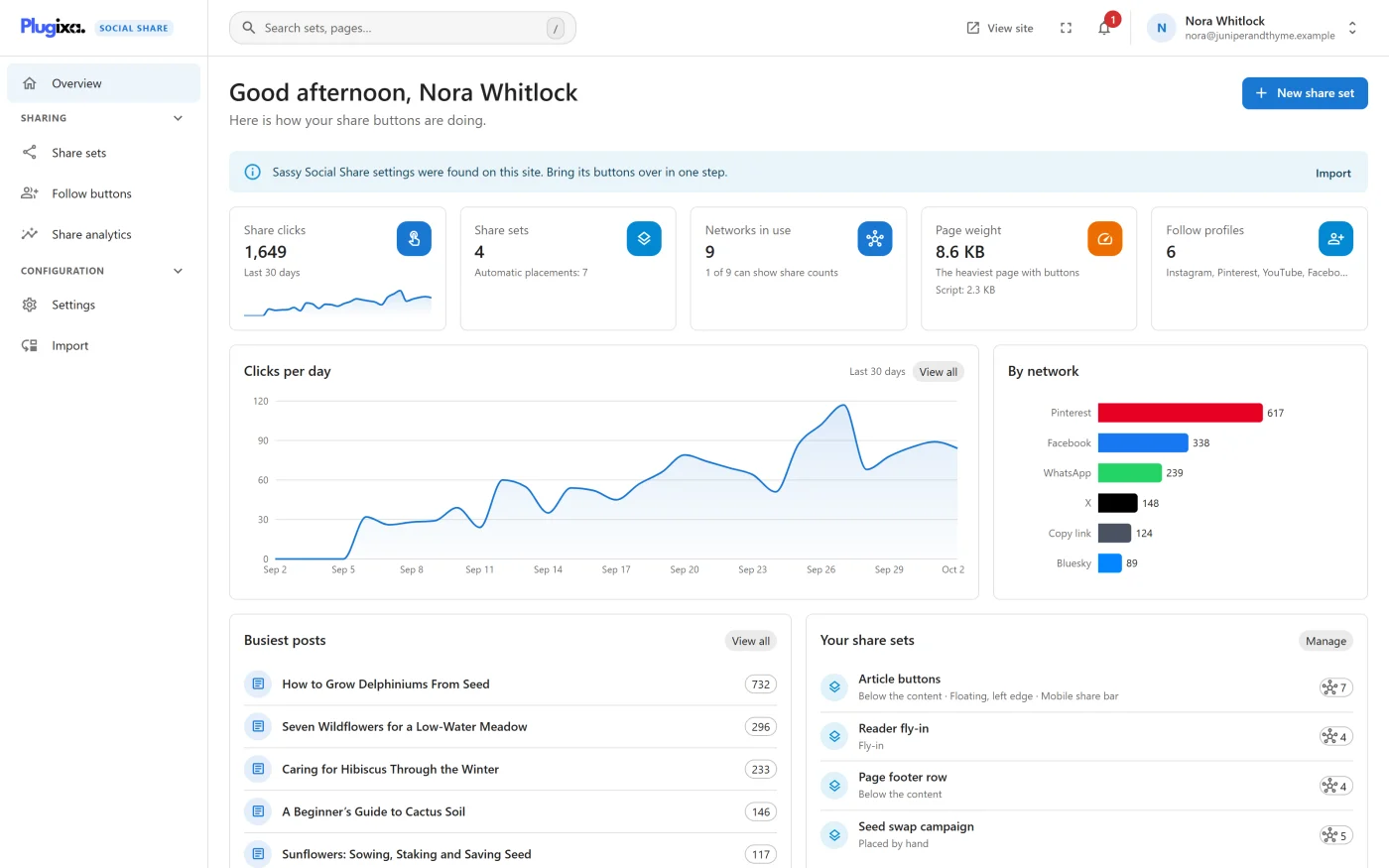
The page opens with a greeting, the line “Here is how your share buttons are doing.” and a New share set button.
Alerts
Notices at the top name anything about the setup that needs a click. Each one has a button that goes to its fix.
| Alert | When it shows | Button |
|---|---|---|
| “Share buttons are switched off.” | Show share buttons is unticked in Settings. Nothing is drawn and no assets load on any page. | Settings |
| “No share sets yet, so no buttons appear anywhere.” | Every share set has been deleted. | New share set |
| “… settings were found on this site. Bring its buttons over in one step.” | Sassy Social Share or AddToAny settings exist on the site. | Import |
The same alerts are listed under the bell in the header, on every screen. An alert you have not seen yet counts on the bell’s badge. Mark all as seen clears the count without hiding anything: an alert stays until its cause is fixed. Which alerts you have seen is remembered in your browser.
The tiles
Each tile is a link to the screen behind its number.
| Tile | What it shows | Opens |
|---|---|---|
| Share clicks | Clicks on your share buttons in the last 30 days, with the rise or fall against the previous 30 days | Share analytics |
| Share sets | How many sets you have, and “Automatic placements:” with the number of spots they fill, or “shortcode only” | Share sets |
| Networks in use | How many different networks your sets offer, and how many of them can show share counts | Share sets |
| Page weight | The gzipped stylesheet and script of the heaviest page with buttons. The hint reads “No JavaScript” or “Script:” and its size | Settings, Advanced tab |
| Follow profiles | How many profiles you have linked, or “None linked yet” | Follow buttons |
The comparison beside Share clicks is left out when the previous 30 days had no clicks, because there is nothing to compare with.
The Page weight tile turns amber when the stylesheet and the script together pass 4 KB.
The cards
| Card | What it shows |
|---|---|
| Clicks per day | A chart of the last 30 days. View all opens Share analytics. |
| By network | Clicks in the last 30 days for each network. |
| Busiest posts | The posts whose buttons were clicked most. |
| Your share sets | Each set with where it appears, or “Placed by hand”. Manage opens the list. |
| What this costs a visitor | The measured cost of your configuration. See below. |
A card with nothing to show says so, for example “No share clicks yet. They appear here as visitors share.”
What this costs a visitor
This card is the plugin’s own account of what your configuration makes a visitor download: “Gzipped, on a page that shows the buttons. Nothing at all is loaded on pages that do not.”
| Line | Meaning |
|---|---|
| Total | Stylesheet, script and icons together |
| Stylesheet | The base stylesheet, and any parts your placements add: “base only” or “base plus” the part names |
| Script | The size of the script, or “none”, with the reason it is needed |
| Icons | An estimate for the icons, which are printed inline, only for the networks you use |
The reason beside Script is one of:
- “a placement you chose needs it”
- “a button you chose needs it”
- “share counts need it”
- “GA4 events, which you switched on”
- “no placement needs it”
When nothing needs the script the card says “This configuration ships no JavaScript at all.” The rule is stated under the figures: “Popups, Copy link, print, the share sheet and share counts all need the script. Buttons that are plain links need none.”
See Performance for the size of every file.
What to do next
- Build or change a set in Share sets.
- Read the full click report in Analytics.