

Contents
Networks - Plugixa Easy Social Share Buttons
A network is one destination a visitor can share to. The plugin has 41, chosen per share set in the first step of the wizard, and all of them are in the free edition.
Choosing and ordering
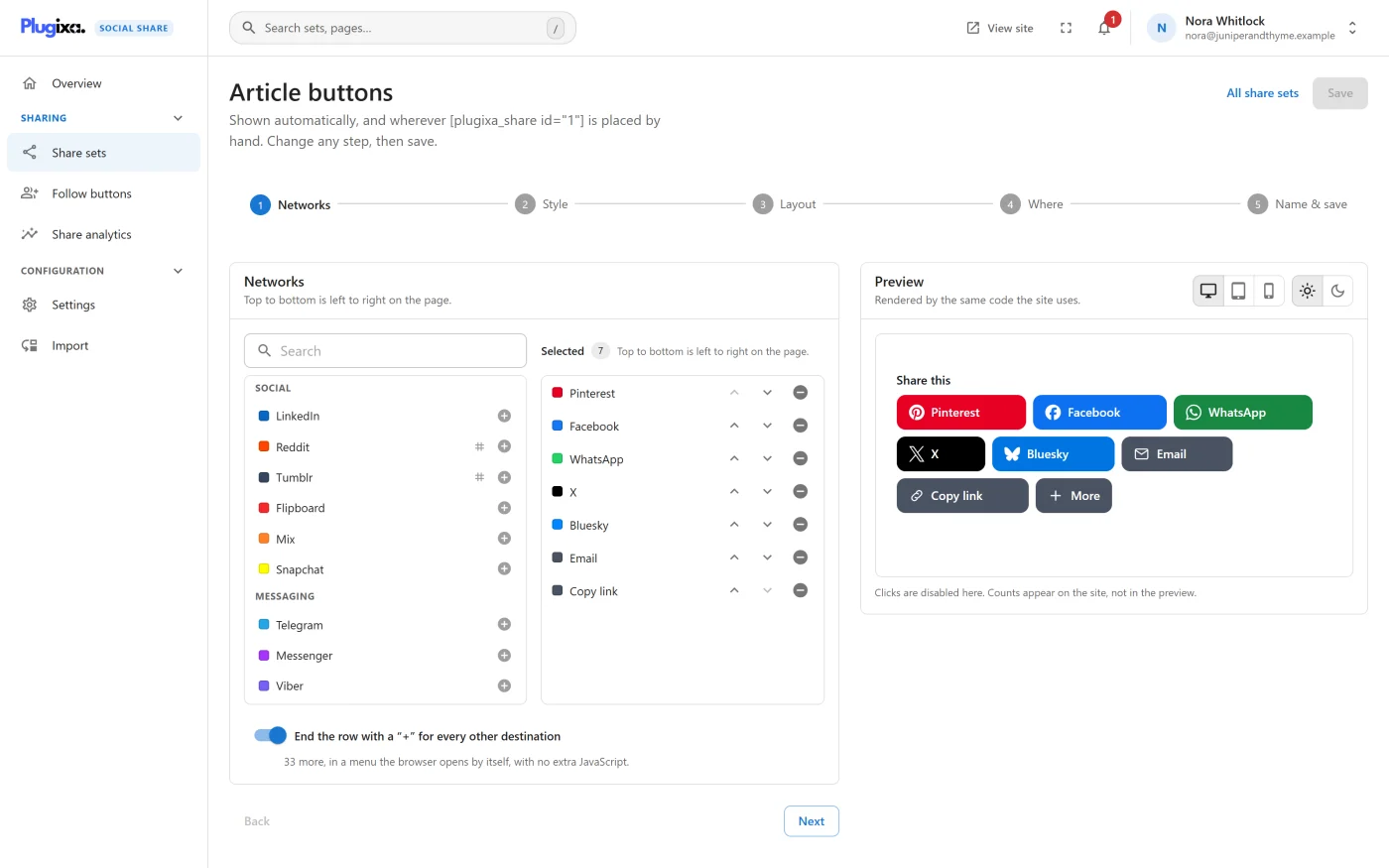
In the wizard’s Networks step, the Available column lists every network under its group, with a search box. Click one to move it to Selected. The order in Selected is the order on the page, and Move up and Move down change it. The plugin never re-sorts your list.
A new share set starts with six: Facebook, X, LinkedIn, WhatsApp, Email and Copy link.
The 41 networks
The slug is what the shortcode’s networks attribute and the developer hooks
use.
Social
| Network | Slug | Share counts |
|---|---|---|
facebook |
Yes, with your own Facebook app token | |
| X | x |
No |
linkedin |
No | |
pinterest |
No | |
reddit |
Yes | |
| Tumblr | tumblr |
Yes |
flipboard |
No | |
| Mix | mix |
No |
| Snapchat | snapchat |
No |
Messaging
| Network | Slug | Notes |
|---|---|---|
whatsapp |
Opens the app directly on touch devices | |
| Telegram | telegram |
Opens the app directly on touch devices |
| Messenger | messenger |
Needs a Facebook app ID on computers. See below |
| Viber | viber |
A link to the Viber app |
| LINE | line |
Opens the app directly on touch devices |
| SMS | sms |
Opens the device’s messages app |
Fediverse
| Network | Slug | Notes |
|---|---|---|
| Bluesky | bluesky |
|
| Mastodon | mastodon |
Asks each visitor for their own server, once |
| Threads | threads |
|
| Lemmy | lemmy |
Asks each visitor for their own server, once |
AI assistants
| Network | Slug |
|---|---|
| ChatGPT | chatgpt |
| Claude | claude |
| Perplexity | perplexity |
| Grok | grok |
| Copilot | copilot |
Each opens the assistant in a new tab with the page’s address and a short request: “Summarise this page and tell me what is interesting about it:”.
Bookmarking
| Network | Slug |
|---|---|
| Buffer | buffer |
| Instapaper | instapaper |
| Hacker News | hackernews |
| Evernote | evernote |
| Raindrop | raindrop |
Regional
| Network | Slug | Share counts |
|---|---|---|
| VK | vk |
Yes |
| Odnoklassniki | odnoklassniki |
Yes |
weibo |
No | |
| QZone | qzone |
No |
| Naver | naver |
No |
| Hatena | hatena |
No |
| Douban | douban |
No |
xing |
No |
Utility
| Button | Slug | What it does |
|---|---|---|
email |
A mailto: link with the title and address. Needs no script |
|
| Copy link | copy |
Copies the page’s address and shows “Link copied” |
print |
Opens the browser’s print dialog | |
| Share | native |
Opens the device’s own share sheet |
The Share button is hidden, before the page is first drawn, in a browser that has no share sheet. Without JavaScript, Copy link is still a real link to the page that a visitor can copy by hand.
How a share opens
By default a share opens in a small popup window. Settings -> General -> Opening a share changes that for the whole site to a new tab or the same tab. See Settings.
Some networks always behave their own way: the AI assistants, Viber and SMS
open as ordinary links, Email is a mailto: link, and Copy link, Print and
Share never open a window.
Which networks need the plugin’s script matters for page weight. Popup networks, Copy link, Print and Share need it. Email, the AI assistants, Viber and SMS do not, so a set made only of those loads no JavaScript. See Performance.
Every share link carries rel="nofollow", and noopener where it opens a new
window.
The “+” menu
Tick End the row with a “+” for every other destination in the Networks step to keep the row short and still offer everything. The row then ends with a “+” button that opens a menu titled “More ways to share”, listing every destination the row does not show, under the headings Social, Messaging, Fediverse, AI assistants, Save for later, Regional and Other.
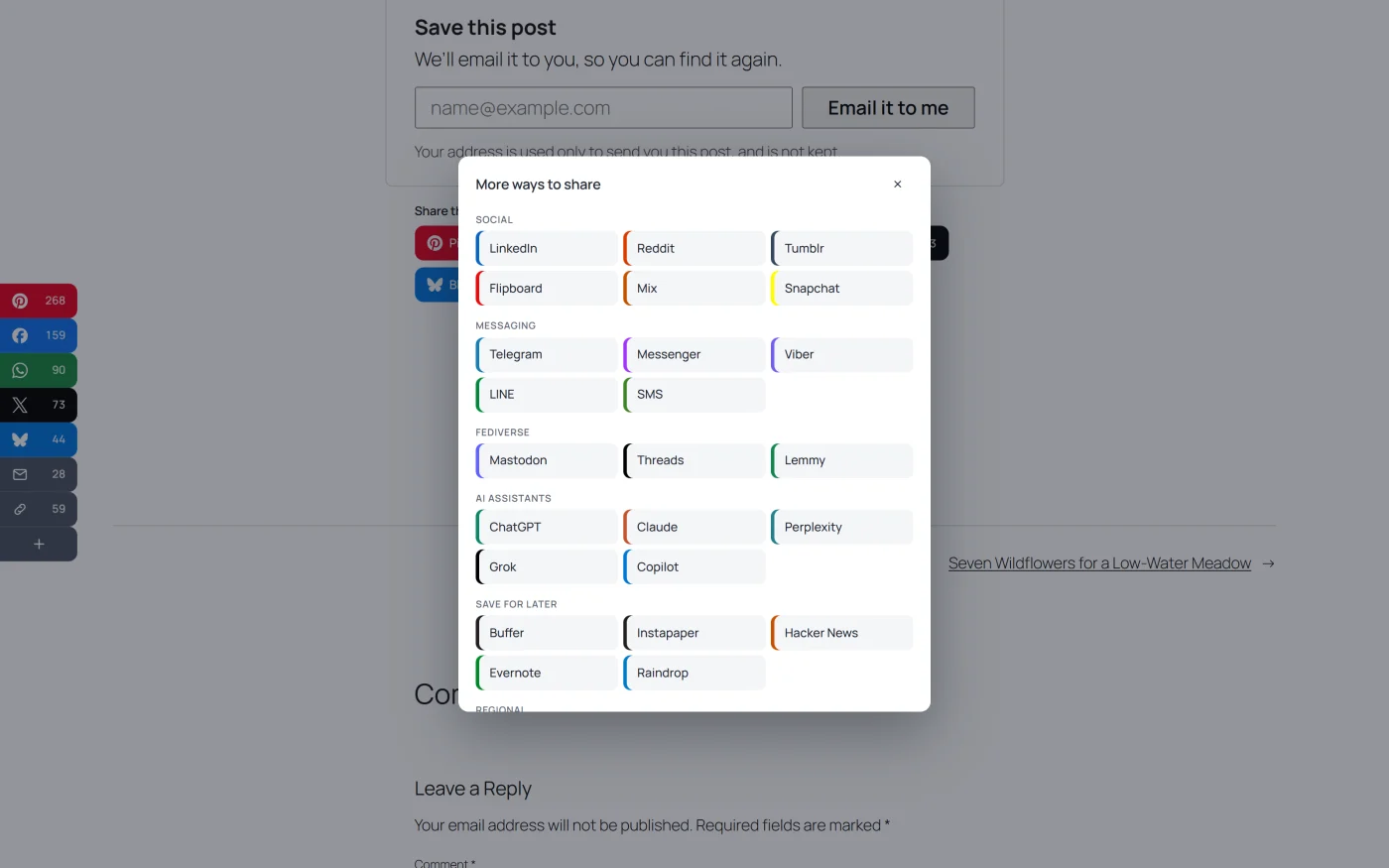
- The menu is the browser’s own popover. It opens, closes on Escape and stays above sidebars and bars without any JavaScript of its own. A browser without popovers does not show the “+”.
- The device share sheet is never listed in the menu.
- A share made from the menu is recorded under the placement the menu was opened from.
- The menu adds a 0.8 KB stylesheet part, only on pages whose set has one.
- In a list of posts, a row under each post does not get a “+”. A sidebar or a bar on that page keeps its own.
The wizard says how many destinations the menu will hold, or “Every destination is already in the row.”
The shortcode can switch the menu on for one place: [plugixa_share more="true"].
Settings a few networks use
These are under Settings -> Networks.
| Setting | Used by | What it does |
|---|---|---|
| X account to credit | X | Adds “via @yourhandle” to posts shared on X. Leave empty to credit nobody |
| Add the post’s tags as hashtags on X (up to three) | X | Sends up to three of the post’s tags as hashtags |
| Facebook app ID | Messenger | Needed for Messenger on computers. Without one, Messenger appears on phones only, where it opens the app |
| Default Mastodon server | Mastodon | Used when a visitor has not said which server they are on. Default: mastodon.social |
Mastodon and Lemmy
These networks have no single address to share to: each visitor has an account
on a server of their own. The first time a visitor clicks the button, the
browser asks which server they are on. The answer is remembered in that
visitor’s browser and used from then on. Until they answer, Mastodon links
point at your Default Mastodon server and Lemmy links at lemmy.world.
Share counts
Only five networks still report a count: Facebook, Reddit, Tumblr, VK and Odnoklassniki. Every other network shows your own visitors’ clicks in its place. See Share counts.
Adding a network
A developer can add, change or remove a network with the
plugixa_social_share_networks filter, without a plugin update. See the
Hooks reference.