

Contents
Access - Plugixa Activity Log
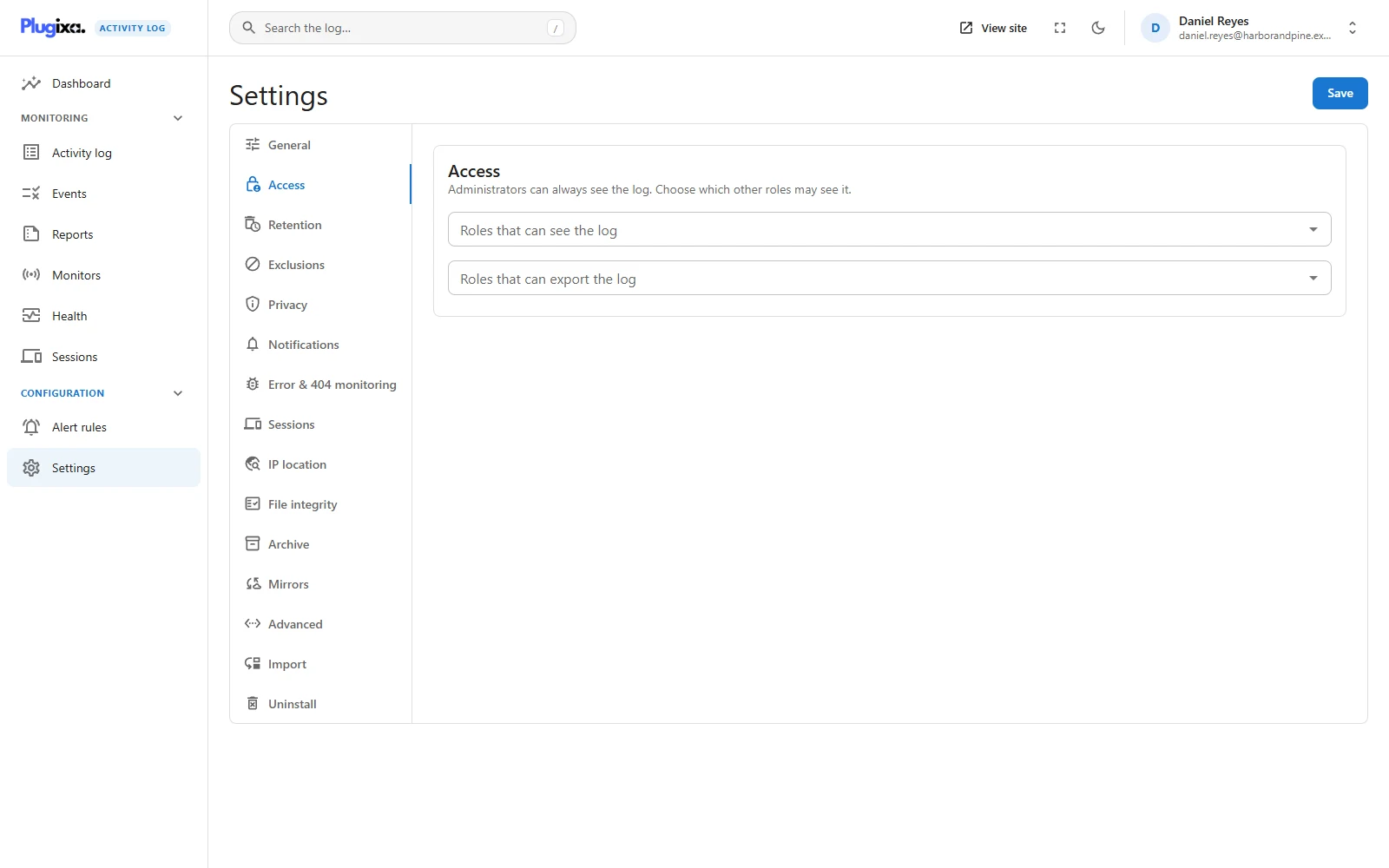
Who should read an audit trail is a policy decision, and the plugin keeps it in one place: Settings -> Access.
Three levels
| Level | Who holds it | What it allows |
|---|---|---|
| Manage settings | Administrators. On a network, network administrators | Everything: settings, monitors, events, health, import, and every Pro configuration screen |
| View | Administrators, plus the roles you list | Read the log and the dashboard |
| Export PRO | Administrators, plus the roles you list | Download the log as CSV, and run a report |
“Administrator” here means anybody whose role can manage options in WordPress. Administrators always have full access. There is no setting that locks them out, on purpose: the people who can install and delete plugins can already read the database.
Giving a role read-only access
Add the role to Roles that can see the log and save. From the next page load, everybody in that role has the plugin’s menu and can:
- open the activity log, filter it, search it and watch it live;
- open any event and see everything that was captured;
- open the dashboard;
- look at the Events screen, to see what the plugin can record and what is on;
- save views for themselves. See Saved views.
What a granted role cannot do, however the screens are reached:
| It cannot | Because |
|---|---|
| Change any setting | Retention, exclusions and access itself would be the first things an intruder changed |
| Switch a monitor or an event on or off | That decides what is recorded from now on |
| Open the Monitors or Health screens | Both are part of managing the log |
| Start or stop an import | It writes a large number of rows |
| Share a saved view with everybody, or change somebody else’s shared view | Shared views are a managed list |
| Create or change alert rules, mirrors or report schedules PRO | Each can send log data off the site |
| Change the archive, run it, or start a file scan PRO | Same level as settings |
The app hides the controls a person cannot use. That is a courtesy, not the protection: every request is checked again on the server, so a hidden button that was called anyway is refused.
The list accepts only roles that exist on the site. A role that is later deleted simply stops matching.
Nobody can edit or delete an event
Not a viewer, and not an administrator. There is no permission for it because there is no screen and no route that does it. Events leave the log in three ways only: Retention removes the oldest, Archive PRO moves them, and the personal-data eraser anonymises one person’s entries. See Privacy.
Export has its own setting PRO
Reading the log on a screen and walking away with a file of it are different levels of trust, so they are separate lists. Roles that can export the log sits on the same tab in Plugixa Activity Log Pro.
A role with export access can download the CSV and run a report. Scheduling a report is a managing task and stays with administrators. Every download is itself recorded in the log (event 9003, with the number of rows). See Export.
A role given only export access, and not view access, still gets the plugin’s menu.
Nothing is stored on your roles
The plugin’s capabilities are worked out at the moment they are checked, from the Access setting. They are never written onto a role.
That has consequences worth knowing:
- There is one place the answer lives. A role editor plugin cannot drift out of step with what the Access tab shows, because there is nothing in the roles table to edit.
- A change applies immediately. Remove a role from the list and its members lose access on their next request. Nobody has to sign out.
- Removing the plugin leaves nothing behind. No orphaned capabilities sit in your roles waiting for another plugin to check a name it does not own.
For developers, the capability names are plugixa_activity_log_view,
plugixa_activity_log_manage_settings (the Manage settings level above),
plugixa_activity_log_manage and, in Pro, plugixa_activity_log_export.
Despite its name, plugixa_activity_log_manage is the widest of them, not the
strongest: it only means “may open the app”, and anybody holding one of the
others has it. Check them with
current_user_can() like any other. Granting one with add_cap() has no effect:
the derived answer replaces it.
Multisite
Settings are network-wide, so the bar for changing them is higher on a network.
| Person | Reads | Manages settings |
|---|---|---|
| Network (super) administrator | Events from every site | Yes |
| Administrator of one site | Events from their own site only | No |
| A role listed under Access | Events from the site they are on | No |
The confinement to one site is applied to the query itself, on the server. An event that belongs to another site answers “not found” to a subsite administrator, so they cannot even learn that the id exists.
Reading the log from outside WordPress
The REST API follows exactly the same rules, because it is the same code the screens call.
To let a script or a monitoring tool read the log:
- Create a WordPress user for it, with a role you have listed under Access. A dedicated role with no other abilities is the tidy choice.
- On that user’s profile, under Application Passwords, create a password. WordPress requires HTTPS for these, except on a local site.
- Send it as HTTP Basic authentication.
curl -u 'logreader:abcd efgh ijkl mnop qrst uvwx' \
  'https://example.com/wp-json/plugixa-activity-log/v1/events?min_severity=high'
The script can then read exactly what that role can read, and nothing else. It cannot change a setting with a viewer’s password, and no password of any level can alter an event. Creating and revoking application passwords are themselves recorded in the log.
Troubleshooting
| Symptom | Usual cause |
|---|---|
| Somebody has no Plugixa Activity Log menu | Their role is not an administrator and is not listed under Access. |
| A viewer sees the log but no Settings | Correct. View is read-only. |
| A site administrator on a network cannot open Settings | Settings are network-wide and need a network administrator. |
| A site administrator sees fewer events than expected | They see their own site only. |
| A capability granted in a role editor did nothing | Capabilities are derived from the Access setting, not stored. Use the Access tab. |
| The Export button is missing for a viewer | Export is a separate list, and a Pro feature. |
| An API call answers 401 or 403 | The account’s role is not listed, or the route needs permission to change settings. |
What to do next
- The rest of the Settings screen: Settings.
- Read the log from a script: REST API.
- What each edition includes: Free vs Pro.