

Contents
Alert Rules - Plugixa Activity Log
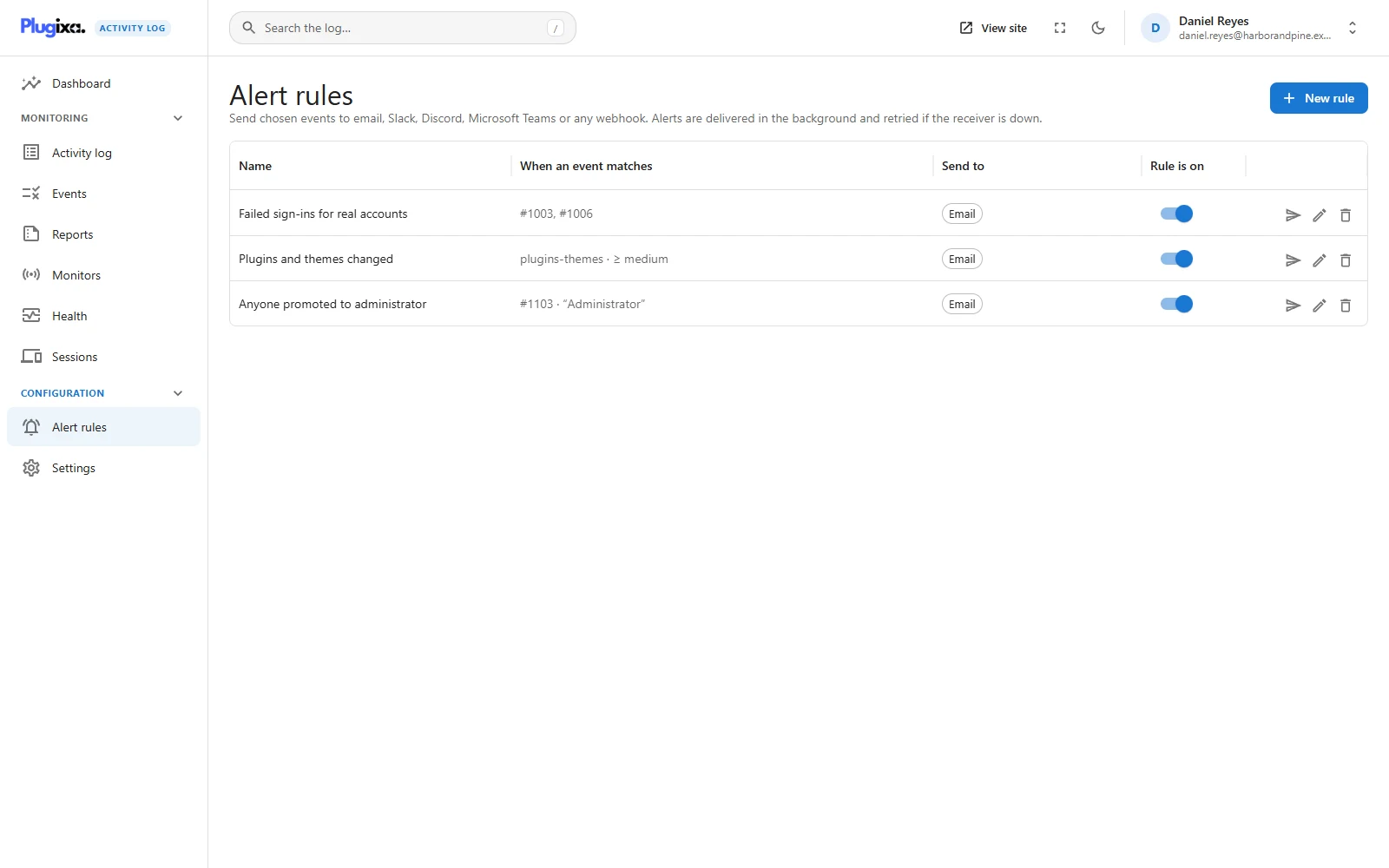
An alert rule says when this happens, tell them, there. Where free notifications decide by severity alone, a rule lets Priya hear about refunds in Slack while Daniel gets failed administrator sign-ins by email.
Pro feature. Alert rules are part of Plugixa Activity Log Pro. See the Free vs Pro matrix.
A rule is conditions plus channels
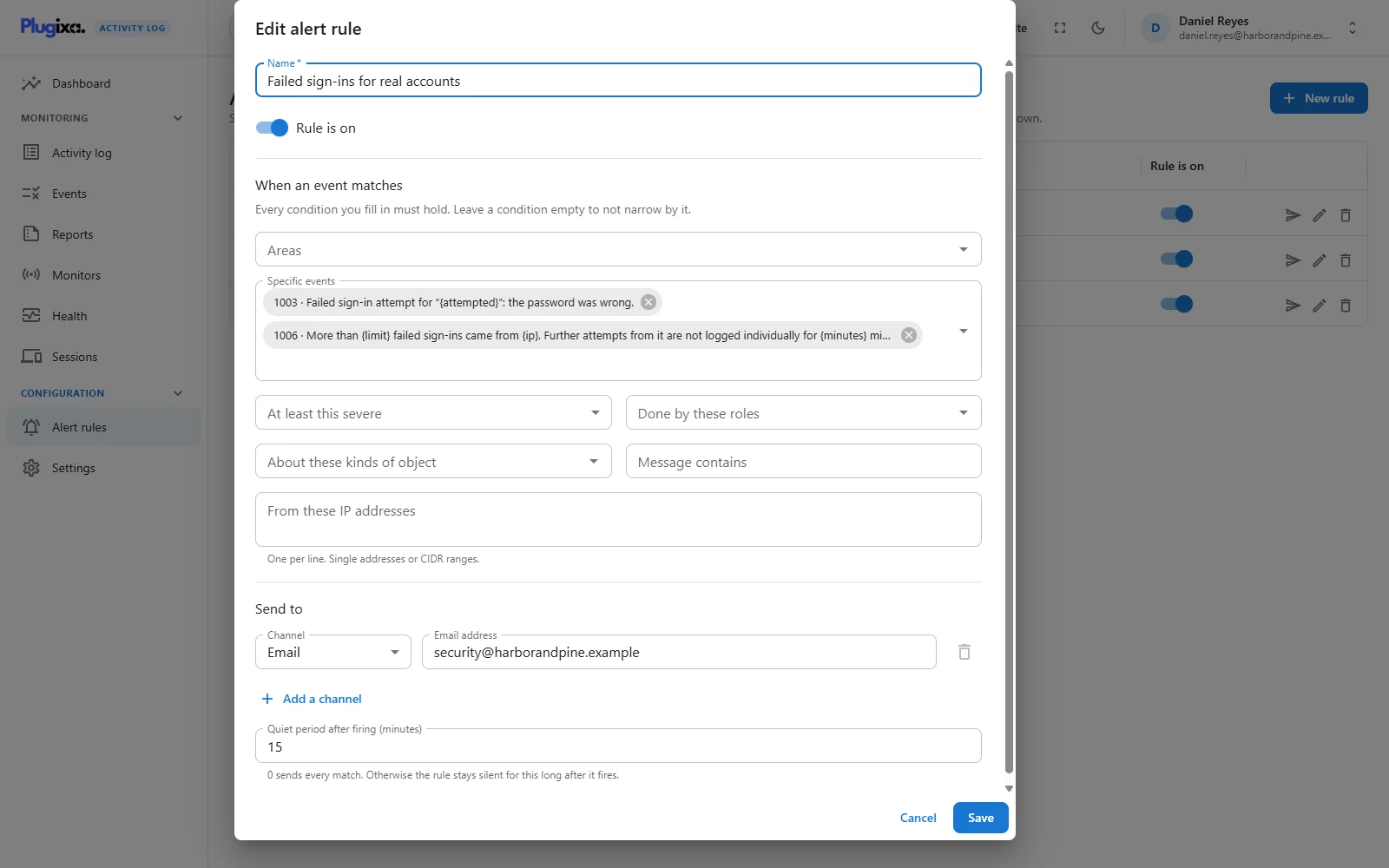
Open Alert rules and choose New rule. A rule needs a name and at least one channel. Everything else narrows it.
Conditions
| Condition | Matches when |
|---|---|
| Areas | The event belongs to one of these areas (sign-ins, users, content…). |
| Specific events | The event has one of these codes. |
| At least this severe | The event’s severity is this or higher. |
| Done by these roles | The person who did it has one of these roles. |
| About these kinds of object | The event is about one of these object types. |
| Message contains | The text appears in the message, the object’s name or the username. Not case sensitive, up to 100 characters. |
| From these IP addresses | The event came from one of these. One per line, single addresses or CIDR ranges. |
Every condition you fill in must hold. An empty one does not narrow. Within one condition, any of the listed values is enough. So Areas: Sign-ins plus Done by these roles: Administrator means administrator sign-in events only.
A rule with no conditions matches every event. That is allowed, and it is occasionally what somebody wants, but it is rarely what somebody meant.
Two more conditions exist only through the REST API, not in the editor: an exact
list of severities (severities) and a list of user IDs (user_ids).
Channels
A rule can send to up to 10 places, in any mix.
| Channel | You give it |
|---|---|
| An email address | |
| Slack | A Slack incoming webhook URL |
| Discord | A Discord webhook URL |
| Microsoft Teams | A Teams incoming webhook URL |
| Webhook (signed JSON) | Any https:// URL of your own, and optionally a signing secret |
Chat messages list the first 10 events of a batch and summarise the rest as “and
N more”. Text is sent as plain text with markup neutralised, so a username like
@everyone typed into a failed sign-in cannot ping a whole channel.
Email sent by rules counts against the same hourly email cap as Notifications.
URLs must be public and https
A webhook URL is a request your server makes to an address somebody typed. Without a guard, that is a way to probe the private network behind the site. So a URL is refused when:
- it is not
https://; - it points at
localhost, or a name ending in.localhost,.localor.internal; - it is an IP address in a private, loopback, link-local or reserved range.
The check runs when you save and again when sending, where the host name is resolved and refused if it now points into one of those ranges. Redirects are not followed.
Signed webhooks
Give a webhook channel a Signing secret and every request carries:
X-Plugixa-Signature: sha256=<hex HMAC-SHA256 of the raw request body, keyed with the secret>
Compute the same value on your side and compare before trusting the payload. The
body is JSON with source, site, rule (id and name) and events.
The secret is never shown again. After saving it appears as •••• followed by
its last four characters. Leave that as it is to keep the secret, or type a new
one to replace it. Clearing the field removes it, and so does switching the
channel to another type.
Changing the URL keeps the secret. Edit the address, leave the masked secret alone, and the alerts sent to the new address are signed with the same secret. That is safe because the secret never travels: it only keys the signature, so the new address learns nothing from it.
Quiet period
Quiet period after firing (minutes) is the throttle. 0 sends every match.
Otherwise, after the rule fires it stays silent for that long, up to 1440 minutes
(a day).
Events that match during the quiet period are not sent later. They are in the log; the rule simply does not announce them. Use it for noisy rules where one message means “go and look”, not for rules where every event matters.
Delivery and retries
Rules deliver through the same background queue as free notifications. Nothing is sent on the request that recorded the event; WP-Cron sends a moment later.
- Any 2xx answer is success. The plugin waits up to 5 seconds for a receiver.
- A failure is retried after 1, 2, 4 and 8 minutes.
- After the fifth failure the delivery is dropped and event 9011 is recorded, naming the channel and the receiving host.
Because rules use that queue, they need the Notifications module to be on. The free email switch in Settings can stay off; the module itself cannot.
The Test button
Send a test on a rule’s row delivers a sample alert to every channel of that rule, now, and reports how each one went: Delivered, or the reason it was not. The test ignores the conditions and the quiet period, so it tells you about the channels and nothing else.
What never triggers a rule
The plugin’s own events, codes 9000 and above, never trigger alerts. They cannot be chosen under Specific events, and a rule with no conditions still skips them. Changing a rule is itself recorded (event 9120), so the trail of who edited the alerting is in the log.
Managing rules needs the permission to change the plugin’s settings.
Troubleshooting
| Symptom | Usual cause |
|---|---|
| “Alert URLs must use https://” | The URL is http://. Only https is accepted. |
| “Alerts cannot be sent to this machine or the private network” | The URL points at localhost or a private address. |
| The rule fired once and went quiet | The quiet period. Set it to 0 to send every match. |
| A rule matches nothing | Every filled condition must hold. Empty one and try again. |
| The test works but real events do not arrive | The conditions do not match, or WP-Cron is not running. |
| The receiver rejects the signature | Sign the raw body, not re-encoded JSON, and check both ends hold the same secret. |
| A settings change did not alert | Codes 9000 and above never alert. |
| “Add at least one place to send the alert” | A rule needs a channel with an address or URL. |
What to do next
- The free email option: Notifications.
- Find the code of an event: Events.
- Send every event off the site instead: Mirrors PRO.