

Contents
Plugixa Chat - User Documentation
Welcome to the official documentation for Plugixa Chat. It adds a floating chat button to your site. A visitor presses it and chooses how to reach you: WhatsApp, Messenger, Telegram, a phone call, an email, a contact form that saves the message on your own site, or any of 44 channels.
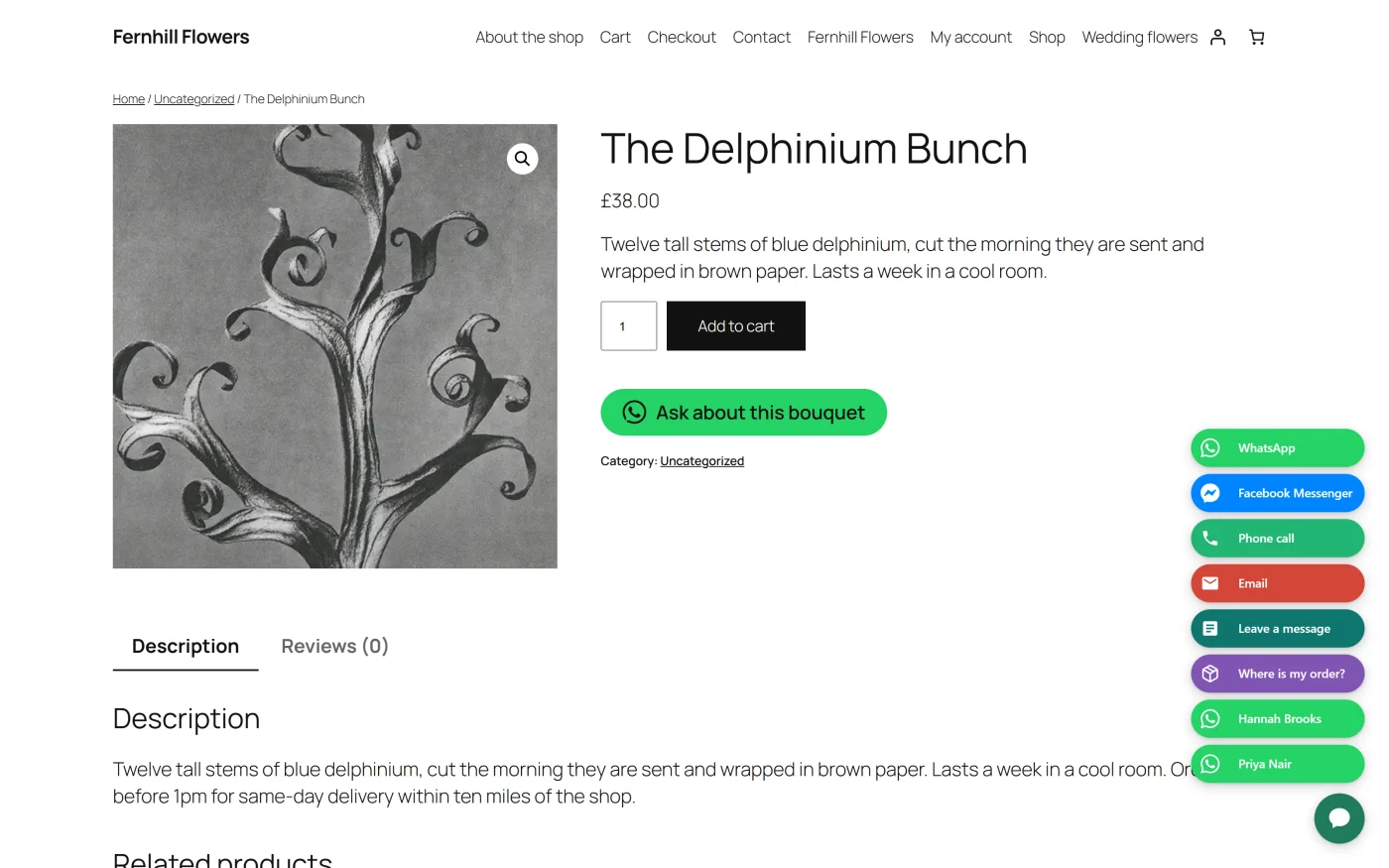
The plugin has an admin app inside WordPress, where you build widgets, and a small front-end script that draws them. Nothing appears on your site until you create a widget and make it active.
The plugin ships in two editions:
- Free - unlimited widgets, 44 channels, the step-by-step widget builder
with a live preview, the contact form channel with stored leads, email
notifications and CSV export, page and visitor targeting, display triggers,
the analytics dashboard, events for Google Analytics 4, Tag Manager and the
Meta Pixel, the QR code on computers, the WeChat panel, the WooCommerce
product page button, and the Chat button block and
[plugixa_chat]shortcode. - Pro PRO - everything in Free, plus business hours per widget and per channel, country and language rules, agents with photos, hours and rotation, your own questions on the contact form with conditional logic, webhooks, Mailchimp, Brevo and FluentCRM connections, A/B tests, a WooCommerce order status channel, a per-widget filter on the dashboard, and a dark theme for the admin screens.
The free edition has no visitor cap and no limit on widgets, channels or leads. See the complete Free vs Pro comparison.
What makes it different
A few decisions shape every screen. They are worth knowing before you build your first widget.
| Decision | What it means for you |
|---|---|
| Nothing is shown until you say so | Activating the plugin creates no widget. A new widget starts Inactive, and visitors see it only after you choose Active on the Review step. |
| Correct behind a page cache | Rules about the page (which post, which address) are decided when the page is built. Rules about the visitor (signed in, device, where they came from, opening hours, country) are decided in the browser, so one cached page still shows the right widget to each visitor. |
| The button is drawn with the page | The launcher is real HTML printed in the footer, so it does not jump into place after scripts load. |
| Your theme cannot break it | The widget is drawn inside a shadow root. Your theme’s CSS does not reach in, and the widget’s CSS does not leak out. |
| A page with no widget loads nothing | If no widget targets a page and no chat button is placed on it, the plugin prints no script, no stylesheet and no data on that page. |
| Leads stay on your site | Contact form messages are stored in your own database. Nothing is sent to Plugixa. |
| No tracking script | Analytics are counted on your own site. Events for Google and Meta are handed to tags you already have; the plugin loads none itself. |
Key concepts
| Term | What it is |
|---|---|
| Widget | One floating button with its list of channels, its look, and the rules for where and when it appears. A site can have any number. |
| Launcher | The round button a visitor presses to open the widget. |
| Channel | One way to reach you, shown as a row in the open widget: WhatsApp, Phone call, Email, Contact form and so on. |
| Destination | Where a channel goes: a phone number, a username, an email address or a link. |
| Panel | A channel that opens inside the widget instead of following a link: the contact form, the WeChat QR code, the QR code on computers, and the Pro order status form. |
| Rule | One condition that shows or hides a widget, such as “Show on: Front page” or “Except on: Page address contains /checkout”. |
| Trigger | What makes the launcher appear on a page: straight away, after a delay, after scrolling, or when the visitor is about to leave. |
| Lead | One message sent through the contact form channel. |
| Merge tag | A placeholder such as {title} or {product} in a pre-filled message, replaced with the page’s details. |
| Chat button | A button inside your content, placed by a block or a shortcode, that opens one of a widget’s channels. |
Getting started
| Section | Description |
|---|---|
| Getting started | Install, activate, and publish your first widget |
| Dashboard | The opening screen: the figures, the chart and your latest leads |
| Free vs Pro | What each edition contains |
Widgets
| Section | Description |
|---|---|
| Widgets | The list of widgets: create, duplicate, delete |
| Builder: Channels | Step 1: pick channels and fill in where each one goes |
| Channels catalogue | All 44 channels, what each needs, and merge tags |
| Builder: Design | Step 2: colour, size, position, icon, badge and greeting |
| Builder: When and where | Step 3: display triggers and targeting rules |
| Builder: Review | Step 4: the checklist, the summary and going live |
| QR codes | The QR code on computers and the WeChat panel |
| Business hours PRO | Show a widget or one channel only during opening hours |
| Country and language rules PRO | Target visitors by country or browser language |
| Agents PRO | Put your team in the widget, with hours and rotation |
| A/B tests PRO | Split visitors between two widgets and keep the better one |
Contact form and leads
| Section | Description |
|---|---|
| Contact form | The form channel, its fields, spam protection and emails |
| Leads | Read, search, export and delete the messages you receive |
| Custom form fields PRO | Your own questions, with conditional logic |
| Webhooks PRO | Post every lead to Zapier, Make, n8n or your own endpoint |
| CRM connectors PRO | Send contacts to Mailchimp, Brevo or FluentCRM |
Buttons in your content
| Section | Description |
|---|---|
| Blocks | The Chat button block |
| Shortcodes | The [plugixa_chat] shortcode and its builder |
| WooCommerce product button | A contact button below Add to cart |
| Order status PRO | Customers check a WooCommerce order inside the widget |
Measuring
| Section | Description |
|---|---|
| Analytics | What is counted, how, and where it is stored |
| Tracking events | Events for Google Analytics 4, Tag Manager and the Meta Pixel |
| Dashboard filter and dark mode PRO | The dashboard for one widget, and a dark admin theme |
Configuring
| Section | Description |
|---|---|
| Settings | Every setting, tab by tab, with its default |
| Translations and RTL | Translating the plugin and right-to-left sites |
| Accessibility and performance | Keyboard use, reduced motion, caching and what a page loads |
| Privacy and uninstall | What is stored, what is sent, and what uninstalling removes |
For developers
| Section | Description |
|---|---|
| Hooks reference | Actions, filters and browser events |
| REST API | The plugin’s REST routes |
Support
| Section | Description |
|---|---|
| Troubleshooting | Common problems and their causes |
System requirements
- WordPress: 6.6 or higher
- PHP: 8.2 or higher
- Database: MySQL 5.7 or higher, or MariaDB 10.3 or higher
- Browsers: a current version of Chrome, Firefox, Safari or Edge. The admin app needs JavaScript switched on.
- WooCommerce: optional. Needed only for the product page button and the Pro order status channel.
Getting help
- Check Troubleshooting first.
- Read the page for the screen you are using.
- Contact support at plugixa.com/contact.
License
Plugixa Chat is licensed under the GPL v2 or later. Licences and updates for the Pro edition are handled by Freemius.