

Contents
Settings - Plugixa Chat
Plugixa Chat -> Configuration -> Settings holds the options that apply to the whole site. Options that belong to one widget are in the builder.
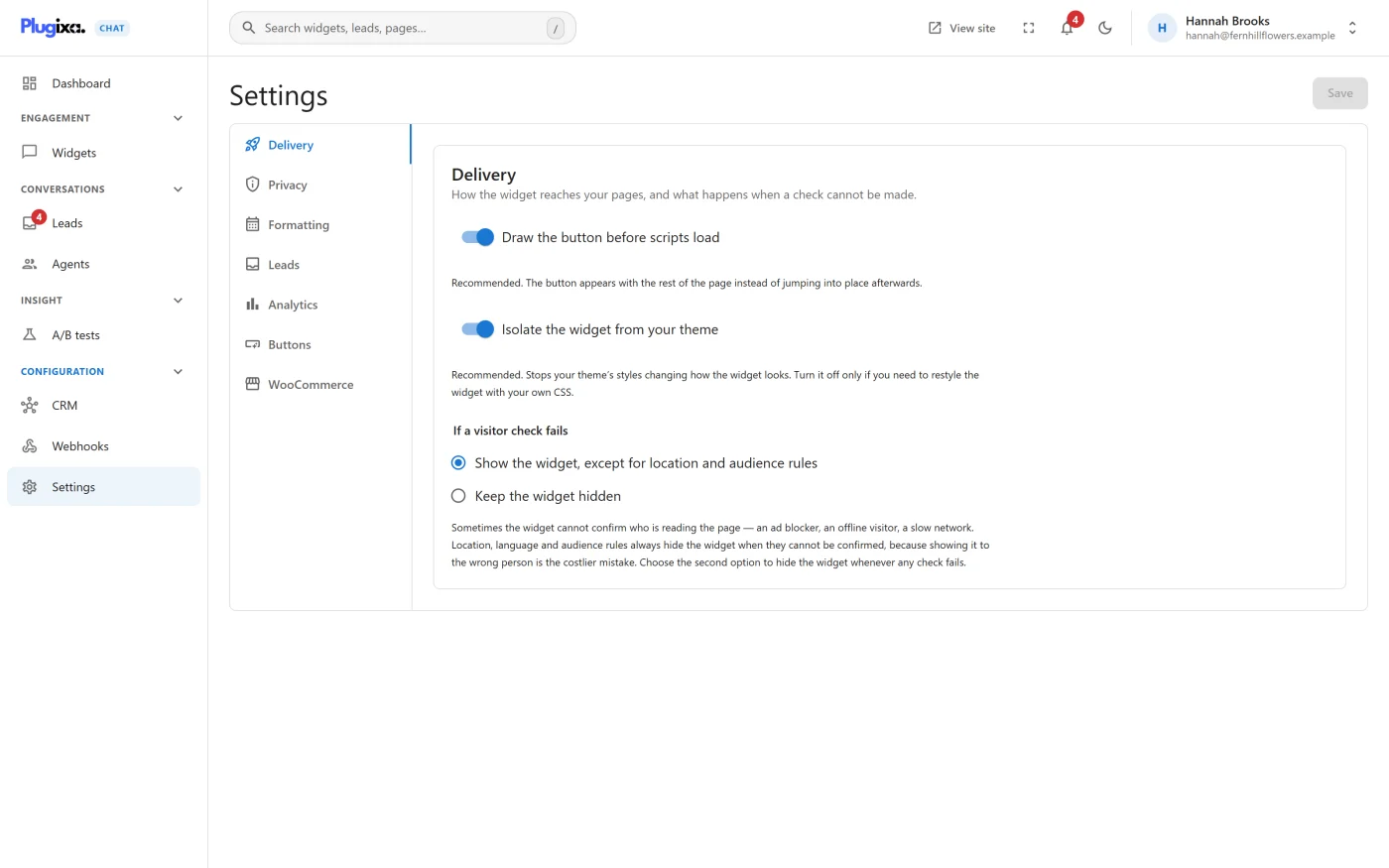
The screen has seven tabs, listed down the side on a wide screen and across the top on a narrow one.
| Tab | What it holds |
|---|---|
| Delivery | How the widget reaches your pages |
| Privacy | What is kept about visitors, and for how long |
| Formatting | How dates, times and lists are shown |
| Leads | Email notifications and Turnstile |
| Analytics | Events for Google and Meta tags |
| Buttons | The shortcode builder |
| WooCommerce | The product page button |
Every setting on this screen is in the free edition.
Saving
- Delivery, Privacy and Formatting are saved together with the Save button at the top right of the screen.
- Leads, Analytics and WooCommerce each have their own Save button at the bottom of the tab.
- Buttons saves nothing.
The screen needs the permission to manage the plugin’s settings. Administrators have it. Anyone else sees “You do not have permission to change these settings.”
Delivery
“How the widget reaches your pages, and what happens when a check cannot be made.”
| Setting | Default | What it does |
|---|---|---|
| Draw the button before scripts load | On | “Recommended. The button appears with the rest of the page instead of jumping into place afterwards.” While off, the launcher is drawn by the script once it has loaded |
| Isolate the widget from your theme | On | “Recommended. Stops your theme’s styles changing how the widget looks. Turn it off only if you need to restyle the widget with your own CSS.” |
| If a visitor check fails | Show the widget, except for location and audience rules | See below |
If a visitor check fails
Some rules are decided in the visitor’s browser: Signed in, Came from, and the Pro rules Business hours, Country and Language. For these the widget asks your site one short question. “Sometimes the widget cannot confirm who is reading the page - an ad blocker, an offline visitor, a slow network.” The request is given three seconds.
| Choice | When a check cannot be made |
|---|---|
| Show the widget, except for location and audience rules | A rule that could not be checked is treated as matching, so a Show on rule still shows the widget. The exception is Country and Language rules, which are treated as not matching. This is the default |
| Keep the widget hidden | Every rule that could not be checked is treated as not matching, so a Show on rule hides the widget |
“Location, language and audience rules always hide the widget when they cannot be confirmed, because showing it to the wrong person is the costlier mistake.”
The setting has no effect on a widget with no such rules, on rules about the page, or on Device rules, none of which need the request.
Developers can change the answer for one kind of rule with the
plugixa_chat_unevaluable_rule filter. See
Hooks reference.
Privacy
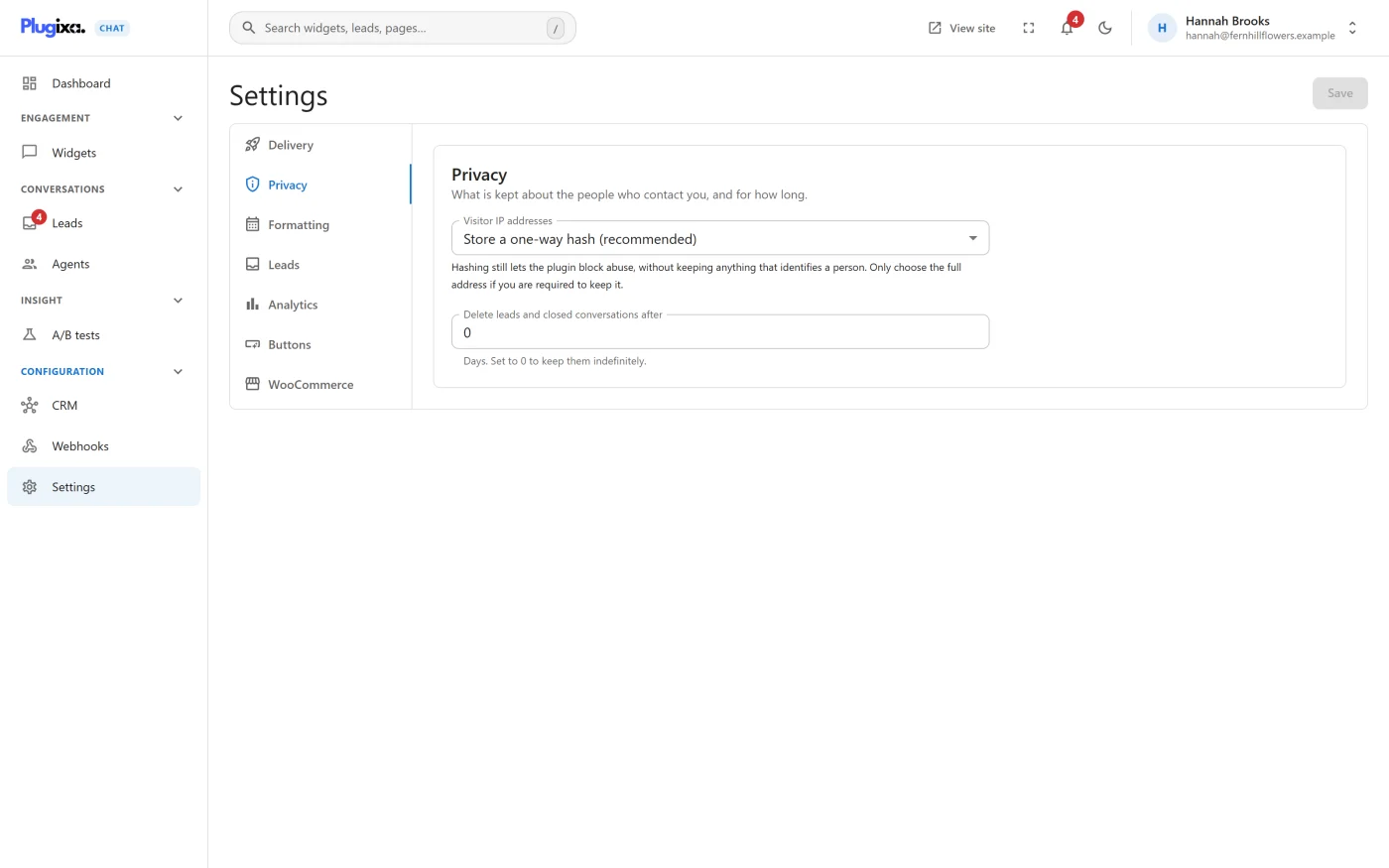
“What is kept about the people who contact you, and for how long.”
| Setting | Default | What it does |
|---|---|---|
| Visitor IP addresses | Store a one-way hash (recommended) | What is kept with each lead. See below |
| Delete leads and closed conversations after | 0 | “Days. Set to 0 to keep them indefinitely.” Accepts 0 to 3650 |
Visitor IP addresses
| Choice | What is stored with a lead |
|---|---|
| Store a one-way hash (recommended) | A salted hash of the address. It cannot be turned back into the address |
| Store a shortened address | The address with its last part removed: the last number of an IPv4 address, or the last 80 bits of an IPv6 address |
| Store nothing | Nothing |
| Store the full address | The address as it is |
“Hashing still lets the plugin block abuse, without keeping anything that identifies a person. Only choose the full address if you are required to keep it.”
The choice applies to leads stored from then on. It does not change leads already stored. Whatever is chosen, the stored value is never shown on any screen and is not part of the CSV export.
The limits that stop a visitor flooding the form or the analytics work the same with every choice, including Store nothing.
Retention
With a number of days set, once a day the plugin permanently deletes:
- leads older than that, including ones already deleted from the list,
- analytics figures older than that.
With 0, nothing is deleted automatically.
Formatting
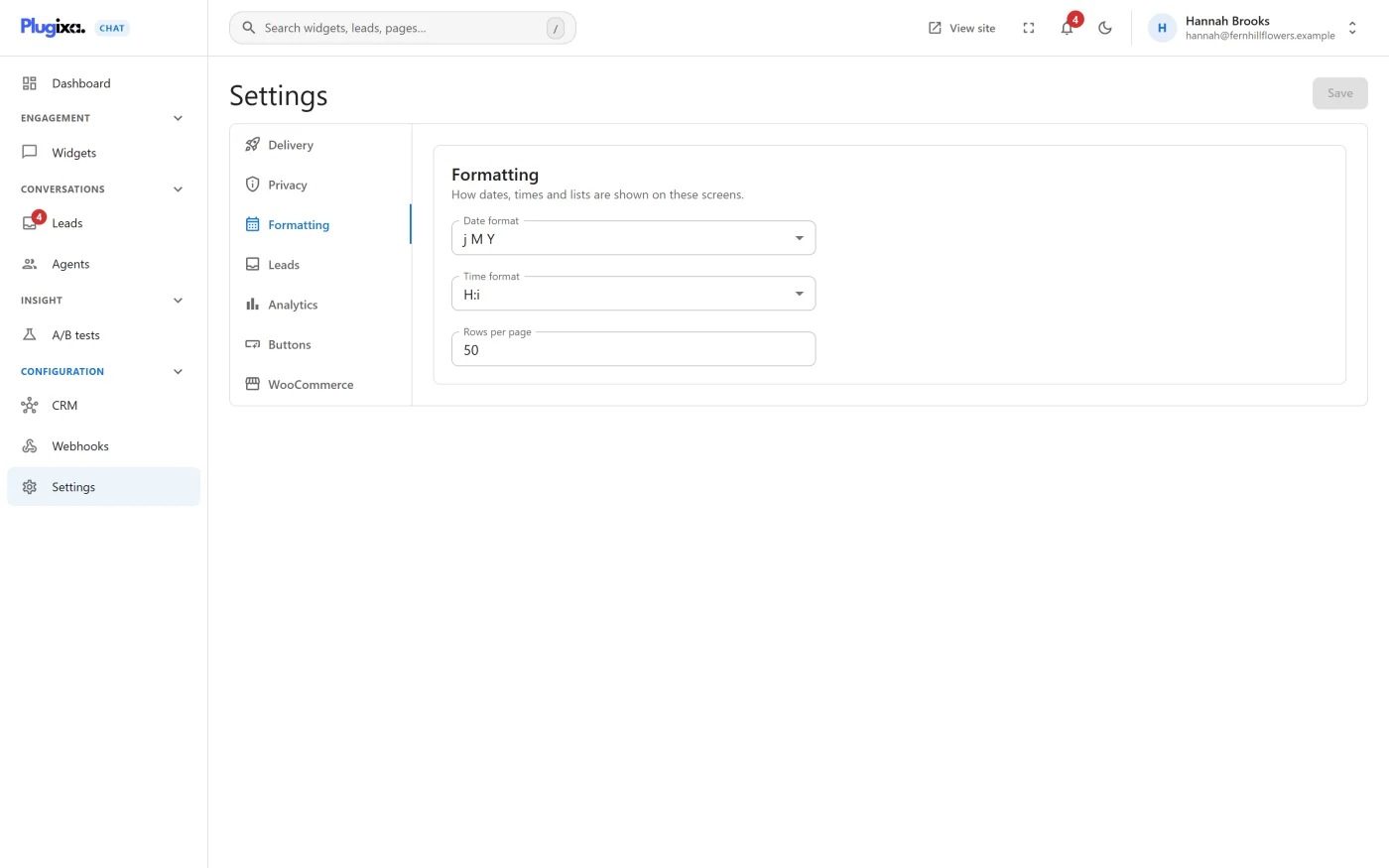
“How dates, times and lists are shown on these screens.”
| Setting | Default | Choices |
|---|---|---|
| Date format | Y-m-d |
Y-m-d, d/m/Y, m/d/Y, d.m.Y, d-m-Y, j M Y, M j, Y |
| Time format | H:i |
H:i, g:i a, g:i A |
| Rows per page | 50 | 10 to 200 |
The formats use PHP’s date letters: Y is the four-digit year, m the
month, d the day, j the day without a leading zero, M the short month
name, H:i the 24-hour time, and g:i a the 12-hour time with am or pm.
Dates are shown in the timezone set under WordPress Settings -> General. The plugin has no timezone setting of its own.
These settings affect the admin screens and the CSV export only. They change nothing visitors see.
Leads
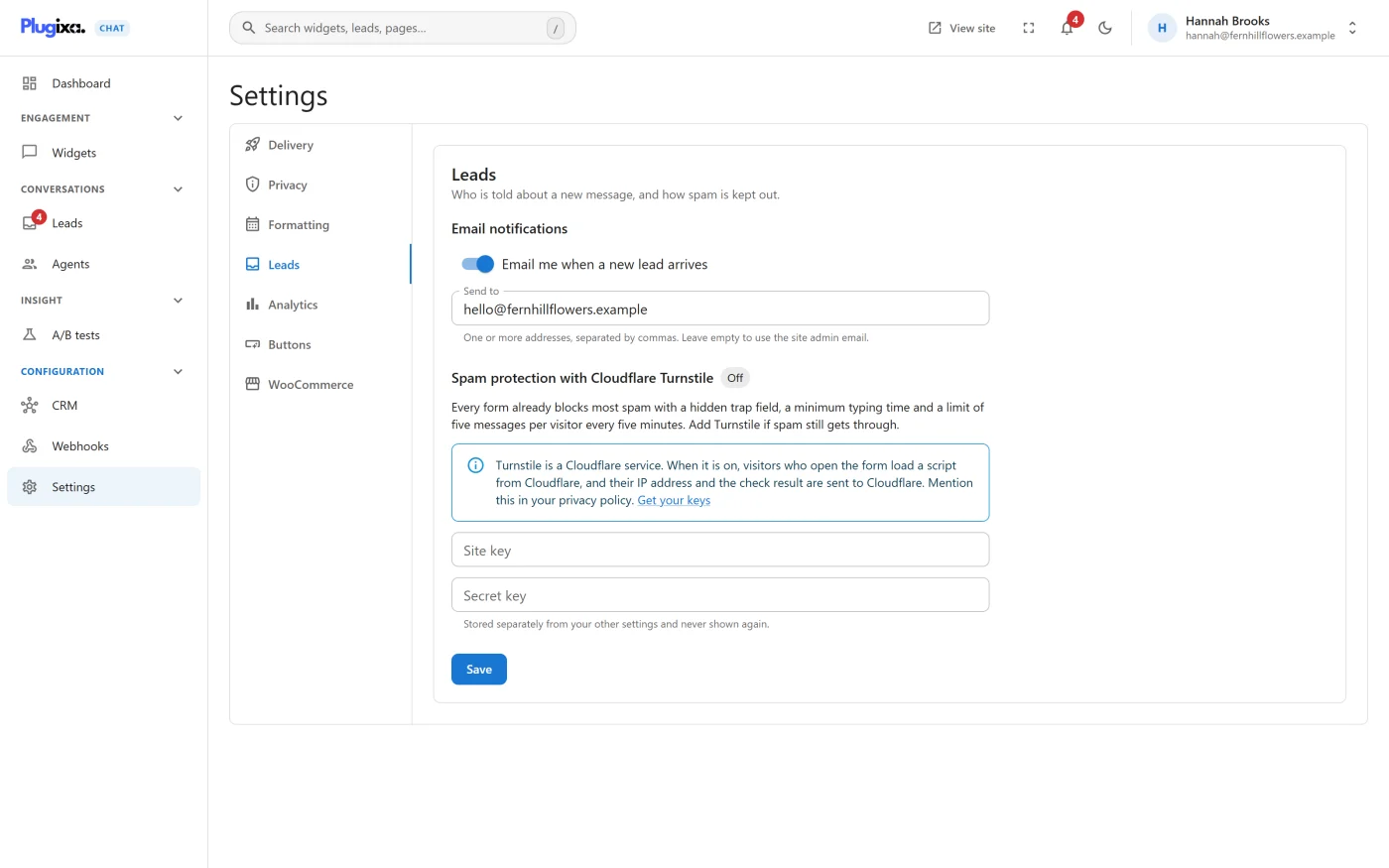
“Who is told about a new message, and how spam is kept out.”
Email notifications
| Setting | Default | What it does |
|---|---|---|
| Email me when a new lead arrives | On | Sends an email for every stored message |
| Send to | Empty | “One or more addresses, separated by commas. Leave empty to use the site admin email.” Up to 10 addresses. Anything that is not a valid address is dropped when you save |
Spam protection with Cloudflare Turnstile
A label beside the heading shows On or Off.
“Every form already blocks most spam with a hidden trap field, a minimum typing time and a limit of five messages per visitor every five minutes. Add Turnstile if spam still gets through.”
| Setting | What it is |
|---|---|
| Site key | The public key from your Cloudflare Turnstile widget |
| Secret key | The private key. “Stored separately from your other settings and never shown again.” Once one is saved the field reads “A secret key is saved. Enter a new one to replace it.” |
Turnstile is on when both keys are saved. Turn off Turnstile removes both. Get your keys opens the Turnstile page of your Cloudflare account.
See Contact form for what visitors see and what is sent to Cloudflare.
Analytics
“Hand widget events to the analytics tags already on your site.”
| Setting | Default | What it does |
|---|---|---|
| Send widget events to Google Analytics, Tag Manager and Meta Pixel | On | “Uses the tags already installed on your site. Plugixa Chat loads no tracking script and sends nothing to Google or Meta itself, so a site without these tags is not affected.” |
The tab also lists the Event names. See Tracking events.
Buttons
A shortcode builder for chat buttons inside your content. Nothing on this tab is saved. See Shortcodes.
WooCommerce
“A contact button on your product pages.”
| Setting | Default |
|---|---|
| Show a contact button below Add to cart on product pages | Off |
| Widget | None |
| Channel | None |
| Button text | Empty, which uses “Ask about this product” |
| Pre-filled message | Empty, which uses “Hi! I have a question about {product}: {url}” |
See WooCommerce product button.
Settings that are elsewhere
| Looking for | It is here |
|---|---|
| A widget’s colour, size, position, greeting | Builder: Design |
| Where and when a widget appears | Builder: When and where |
| The contact form’s fields and wording | Contact form |
| How several agents share visitors PRO | The Agents screen |
| Webhooks and CRM connections PRO | Their own screens under Configuration |
Settings and page caches
Changing a setting that affects the front of your site rebuilds the data the widget reads. If you use a full-page cache, clear it after changing Delivery settings, Turnstile keys or the WooCommerce button, so cached pages pick up the change.
How settings are stored
All settings are kept in one WordPress option, plugixa_chat_settings. The
Turnstile secret key is kept apart, in plugixa_chat_secrets, and is never
sent to a browser. See
Privacy and uninstall.
What to do next
- Understand what is stored in Privacy and uninstall.
- Fix a setting that is not taking effect with Troubleshooting.