

Contents
Tracking events - Plugixa Chat
If Google Analytics 4, Google Tag Manager or the Meta Pixel is installed on your site, the plugin hands them an event when a visitor opens a widget, clicks a channel or sends the contact form.
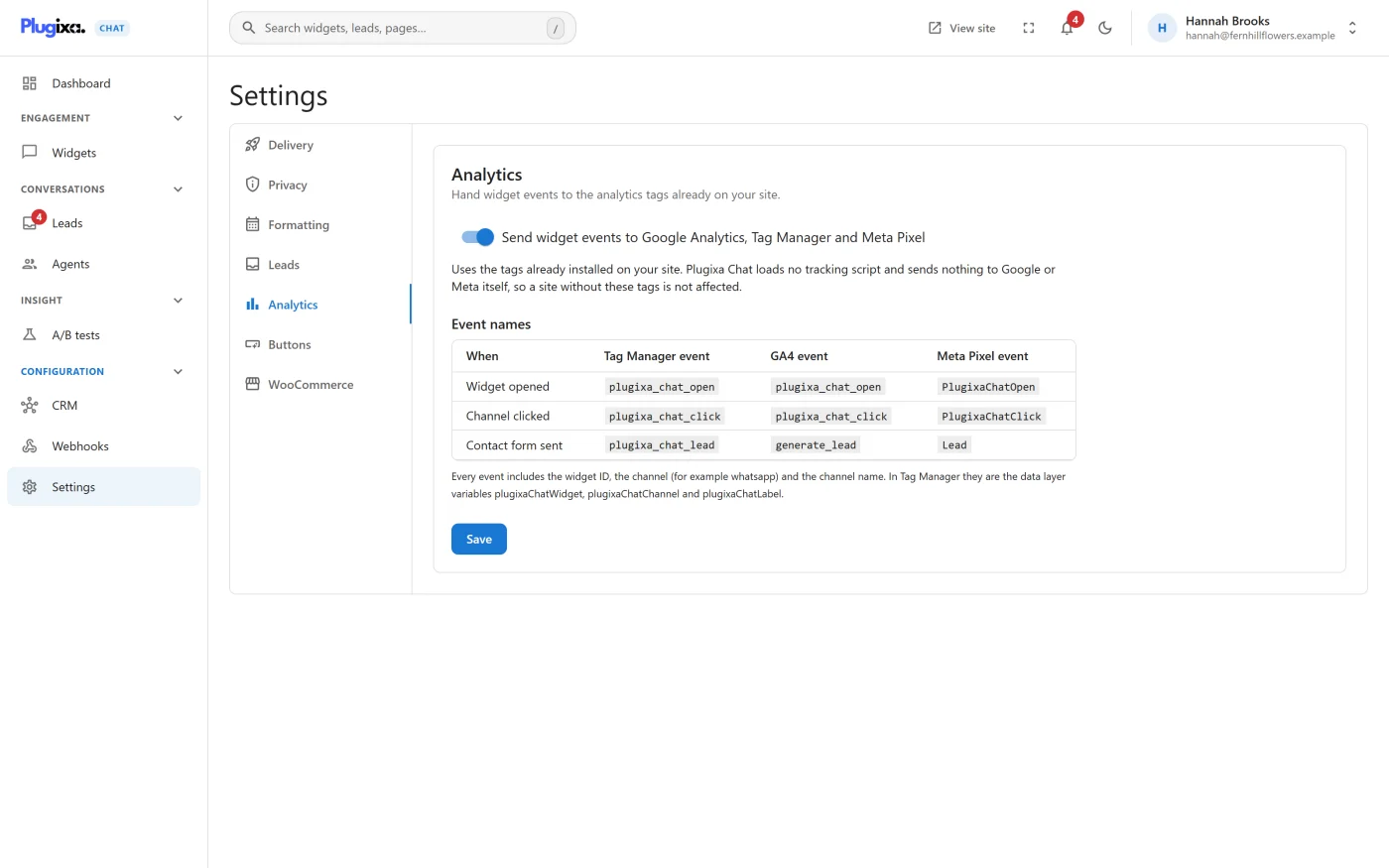
The plugin loads no tracking script and sends nothing to Google or Meta itself. It calls the tags that are already on the page. A site without these tags is not affected.
The setting
Plugixa Chat -> Settings -> Analytics has one switch.
| Setting | Default | What it does |
|---|---|---|
| Send widget events to Google Analytics, Tag Manager and Meta Pixel | On | While on, the events below are handed to whichever of the three tags is present. While off, none are |
Press Save after changing it. The tab also shows the event names, for reference.
This switch does not affect the plugin’s own Analytics, which is always counted.
Event names
| When | Tag Manager event | GA4 event | Meta Pixel event |
|---|---|---|---|
| Widget opened | plugixa_chat_open |
plugixa_chat_open |
PlugixaChatOpen (custom) |
| Channel clicked | plugixa_chat_click |
plugixa_chat_click |
PlugixaChatClick (custom) |
| Contact form sent | plugixa_chat_lead |
generate_lead |
Lead (standard) |
generate_lead is GA4’s recommended event for a lead, and Lead is the
Meta Pixel’s standard one, so both appear in those tools’ own lead reports
without extra setup.
What each event carries
Google Tag Manager
Pushed to the data layer as an event with four variables.
| Data layer variable | Value |
|---|---|
plugixaChatWidget |
The widget’s ID |
plugixaChatChannel |
The channel’s slug, for example whatsapp. Empty for a widget-opened event |
plugixaChatLabel |
The channel’s label as visitors see it. For a button in your content, the button’s text |
plugixaChatPlacement |
widget, product or inline |
To use them in Tag Manager:
- Create a Custom Event trigger for each event name you want, for
example
plugixa_chat_click. - Create a Data Layer Variable for each variable you want to read.
- Attach the trigger to your tag, for example a GA4 event tag.
Google Analytics 4
Sent with gtag('event', ...) and these parameters:
| Parameter | Value |
|---|---|
widget_id |
The widget’s ID |
channel |
The channel’s slug |
channel_label |
The channel’s label |
placement |
widget, product or inline |
To report on a parameter in GA4, register it as a custom dimension in your GA4 property.
Meta Pixel
Sent with fbq('trackCustom', ...) for the two custom events and
fbq('track', 'Lead', ...) for the lead, with the same four parameters as
GA4.
Placement
The placement tells a click in the floating widget from a click on a button in a page.
| Placement | The click was on |
|---|---|
widget |
A channel in the floating widget |
product |
The WooCommerce product button |
inline |
A Chat button block or the plugixa_chat shortcode |
How each tag is detected
The plugin checks for each tag at the moment of the event.
| Tag | Detected when the page has |
|---|---|
| Google Tag Manager | A dataLayer array |
| Google Analytics 4 | A gtag function |
| Meta Pixel | An fbq function |
A site that has more than one receives the event in each. If your GA4 is installed through Tag Manager and you also forward the data layer event to GA4 yourself, make sure the same event is not recorded twice.
Things to know
- Consent. The plugin calls your tags; it does not decide whether they may run. If a consent tool holds your tags back until the visitor agrees, events before that are handled by that tool’s own rules.
- The lead event fires when a contact form message has been accepted. It does not fire for the Pro Order status form, which stores no lead.
- The channel-clicked event fires for every channel, including those that open a panel such as the contact form.
- Nothing personal is sent. The events carry the widget, the channel, its label and the placement. They never carry a name, an email address, a phone number or a message.
Listening in your own code
Developers who do not use any of these tags can listen for the same moments in the browser. See Hooks reference.