

Contents
Shortcodes - Plugixa Chat
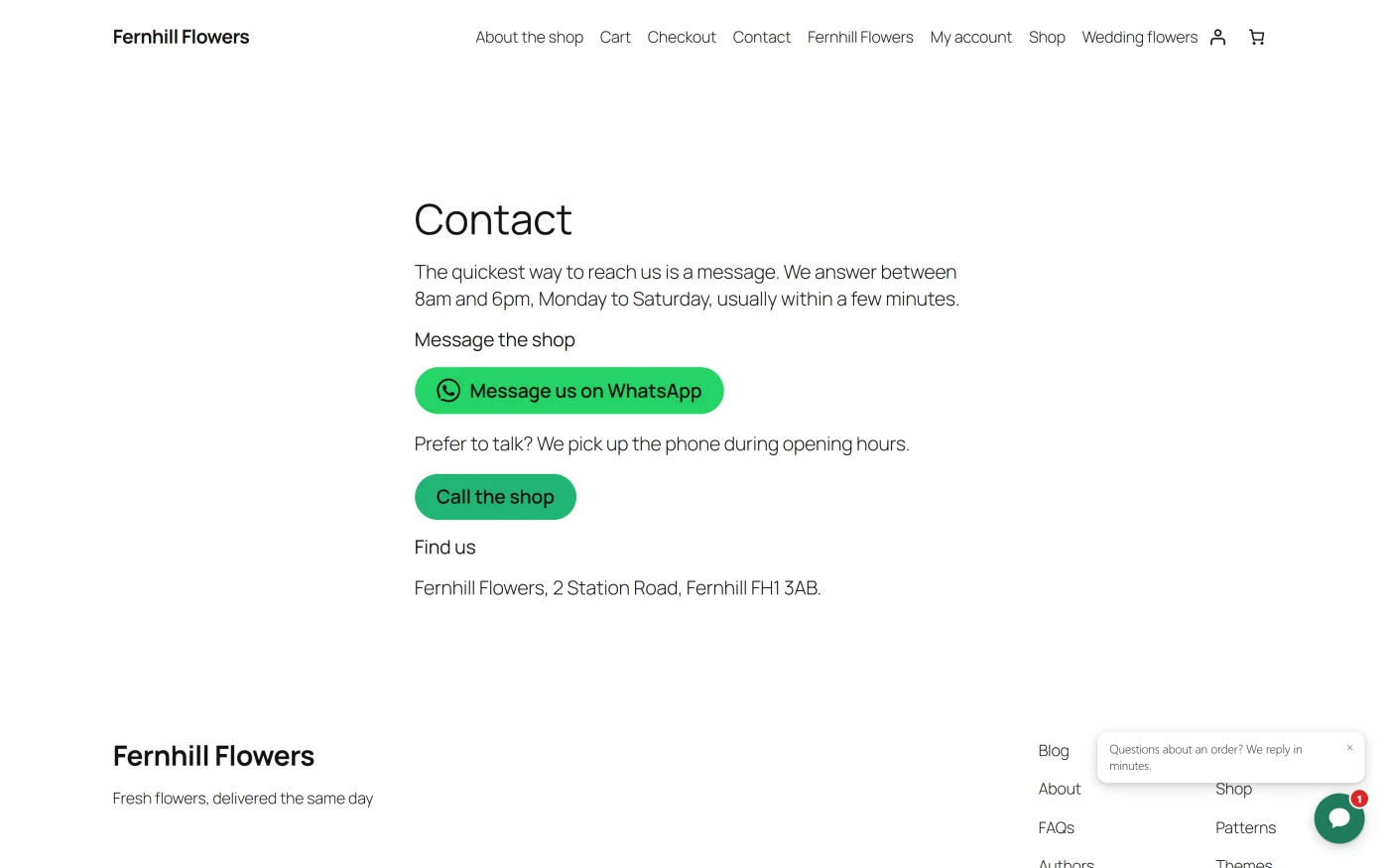
The plugin has one shortcode, [plugixa_chat]. It places a chat button
anywhere WordPress runs shortcodes: the classic editor, Elementor, Divi, a
text widget or a widget area. It draws the same button as the
Chat button block.
| Shortcode | Draws | Edition |
|---|---|---|
[plugixa_chat] |
A button that opens one of a widget’s channels | Free |
plugixa_chat
[plugixa_chat]
On its own, the shortcode opens the first channel of your first widget that a button can open, with the text “Chat with us”.
Every attribute is optional.
| Attribute | Values | Default | What it does |
|---|---|---|---|
widget |
A widget’s ID | 0 |
Which widget to borrow the channel from. 0 means the first widget that has the channel |
channel |
A channel slug, for example whatsapp, phone, email, telegram |
Empty | Which channel to open. Empty means the widget’s first channel a button can open |
text |
Any text, up to 60 characters | “Chat with us” | The button’s label |
message |
Any text, up to 500 characters | The channel’s own message | The pre-filled message. Merge tags such as {title}, {url} and {site} are filled in for the page the button is on |
Examples:
[plugixa_chat channel="whatsapp"]
[plugixa_chat channel="whatsapp" text="Chat with us" message="Hi! I'm on {title}"]
[plugixa_chat widget="2" channel="phone" text="Call the shop"]
How the attributes behave
- The button borrows the channel. The number, the colour and the logo come from the widget. Changing the number in the widget changes every button.
- Only link channels can be opened. Contact form, WeChat and the Pro Order status open a panel inside the widget, which a button in the page cannot do.
- The channel must be switched on and have a destination. The widget does not have to be Active.
messageonly matters for channels that accept one: WhatsApp, SMS and Email. For Email it becomes the subject line.- A button with nothing to open draws nothing. Visitors see nothing. People who can edit posts see the note “Chat button: no widget has a channel this button can open. Only editors see this note.”
- Presses are counted on the Dashboard, and reported to your analytics tags
with the placement
inline.
Channel slugs are the lower-case names used by the plugin, such as
whatsapp, messenger, telegram, viber, signal, line, sms,
phone, email, google_maps, calendly, instagram and custom_link.
The shortcode builder writes the right slug for you.
To show the shortcode itself as text, write it with doubled brackets:
[[plugixa_chat]].
The shortcode builder
Plugixa Chat -> Settings -> Buttons builds the shortcode for you.
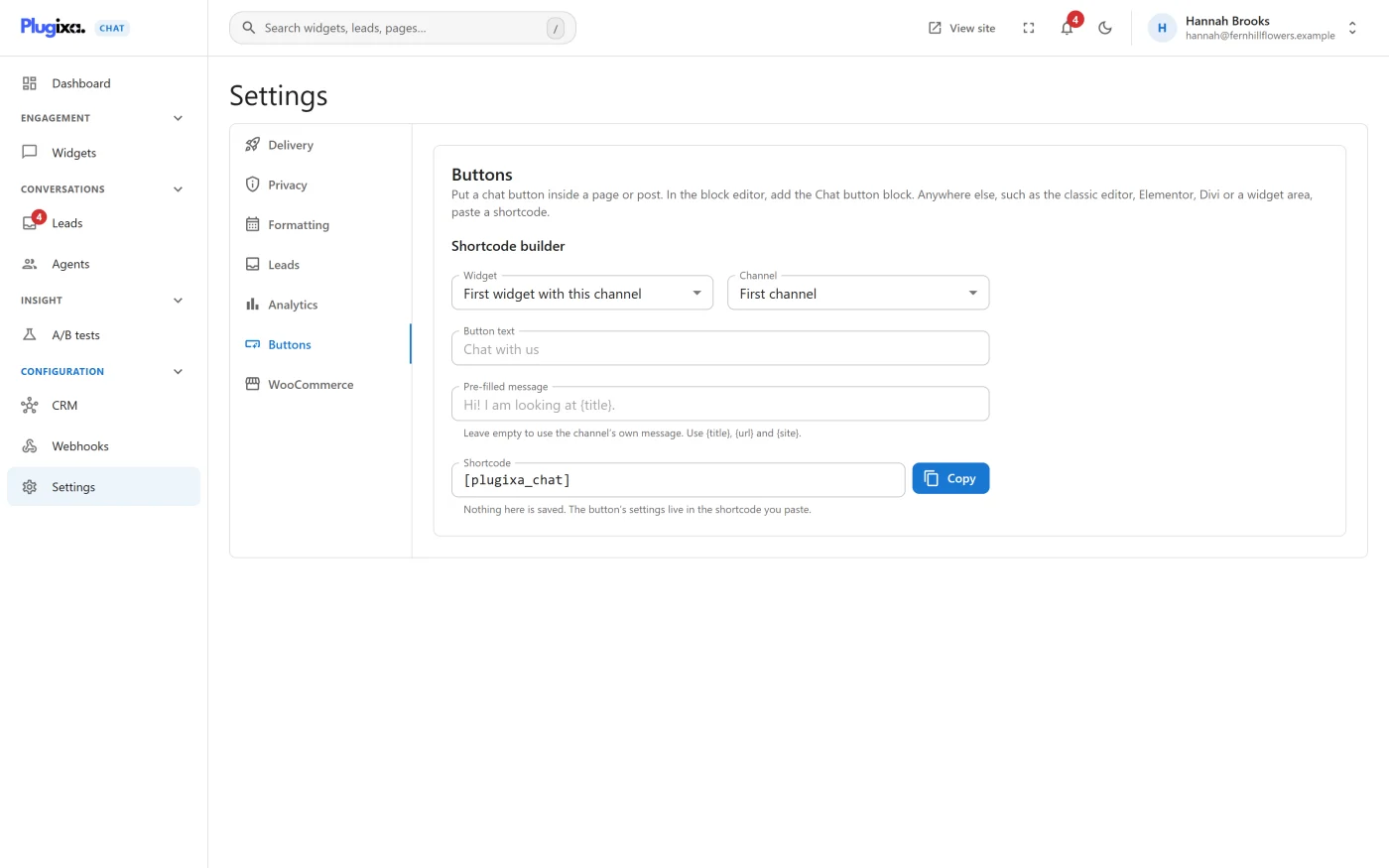
| Field | Choices |
|---|---|
| Widget | First widget with this channel, or one of your widgets |
| Channel | First channel, or one of the channels a button can open |
| Button text | Up to 60 characters |
| Pre-filled message | Up to 500 characters. “Leave empty to use the channel’s own message. Use {title}, {url} and {site}.” |
| Shortcode | The finished shortcode. Press Copy |
“Nothing here is saved. The button’s settings live in the shortcode you paste.” The tab has no Save button.
The builder leaves out any attribute you did not change, replaces double quotes in your text with single quotes, and removes square brackets, so the result is always a valid shortcode.
When no widget has a usable channel yet, the tab shows “No widget has a channel a button can open yet. Add a channel such as WhatsApp or Phone to a widget and fill in its number first.”
In a theme template
The plugin has no template tag of its own. Use WordPress’s do_shortcode():
<?php echo do_shortcode( '[plugixa_chat channel="whatsapp" text="Chat with us"]' ); ?>
If the theme should keep working when the plugin is deactivated, check first:
<?php
if ( shortcode_exists( 'plugixa_chat' ) ) {
	echo do_shortcode( '[plugixa_chat channel="whatsapp"]' );
}
?>
Styling the button
The button is an ordinary link in your page, outside the widget’s shadow root, so your theme’s CSS can reach it.
| Hook | What it is |
|---|---|
a.plugixa-chat-button |
The button |
--pxc-pb |
A CSS variable on the button: its background colour |
--pxc-pb-text |
A CSS variable on the button: its text colour |
.plugixa-chat-button-missing |
The note shown to editors |
The stylesheet’s handle is plugixa-chat-button.
Stylesheets and timing
A button in the content of the post being viewed is found before the page is drawn, so its stylesheet goes in the head.
A button placed in a theme template, a widget area or a page builder is drawn after the page’s files were decided. WordPress then prints the stylesheet at the end of the page.
What to do next
- Prefer a block? Blocks.
- Put a button on every product page with the WooCommerce product button.
- See what a press sends to your analytics in Tracking events.