

Contents
Custom form fields - Plugixa Chat
PRO The free contact form asks for a name, an email address, a phone number and a message. Pro lets you add Your own questions after those, and show a question only when an earlier answer calls for it.
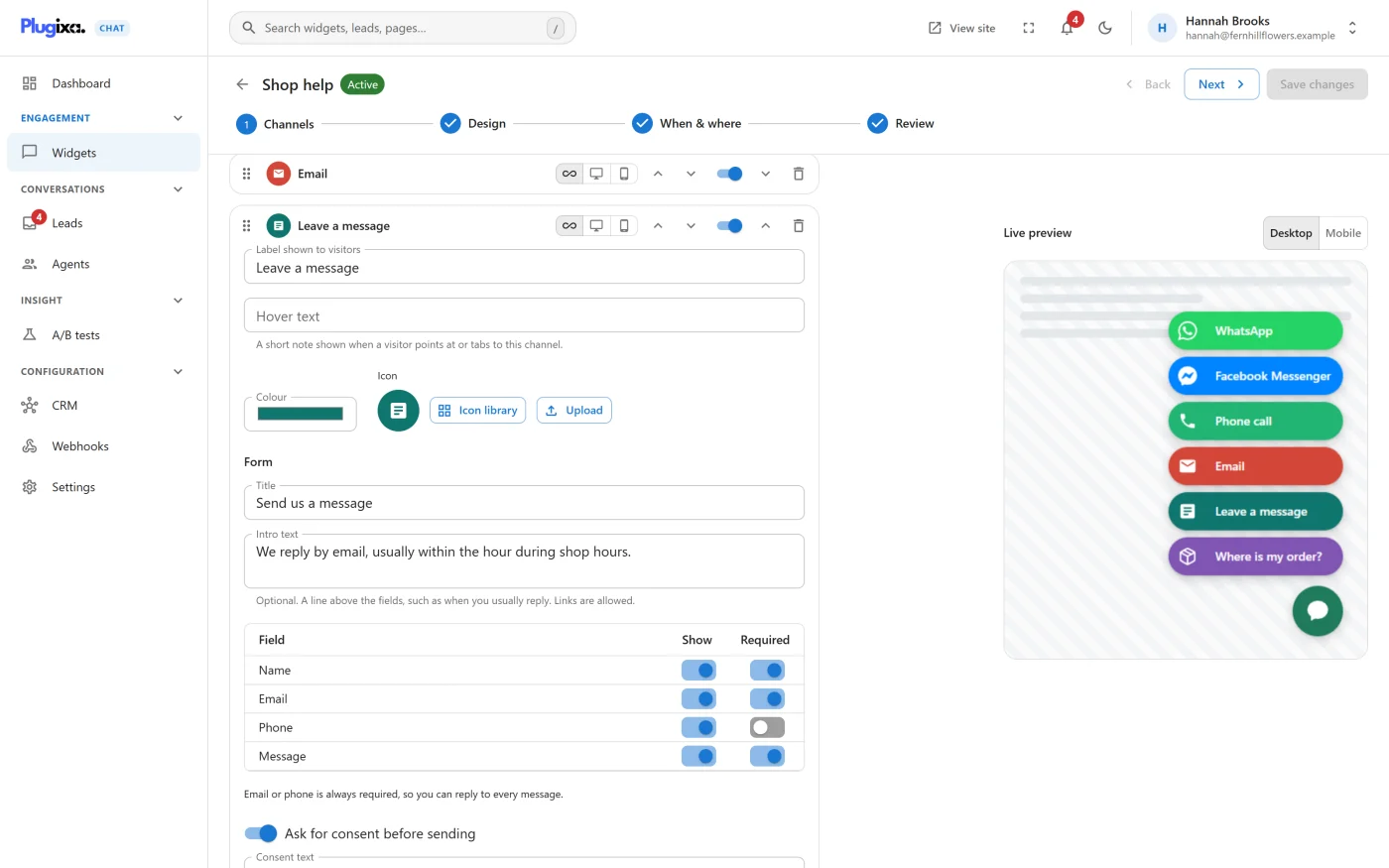
Adding a question
- Open a widget, go to the Channels step and open the Contact form card.
- Under Your own questions, press Add a question.
“Asked after the built-in fields. Answers are stored with the lead and included in the notification email.”
| Setting | What it is |
|---|---|
| Question | The label visitors see, up to 191 characters. A question without one is discarded when you save |
| Answer | The kind of answer. See below |
| Choices | For a Choice question only. “One per line.” |
| Required | The visitor must answer before the form can be sent |
| Ask this only when | The condition. See Conditional questions |
Each question has Move up, Move down and Remove this question.
Kinds of answer
| Answer | The visitor gets | Longest answer |
|---|---|---|
| Short text | A one-line box | 500 characters |
| Long text | A larger box | 2000 characters |
| Choice | A drop-down list of your choices | One of the choices |
| Tick box | A checkbox beside the question | - |
A Choice question can have up to 25 choices of up to 100 characters each. It needs at least one, or it is discarded when you save. An answer that is not one of the choices is refused with “Choose one of the options.”
A required Tick box must be ticked before the form can be sent.
A question that is not required is marked “(optional)” on the form, except tick boxes.
The limit
A form can have up to twelve of your own questions. At twelve, the button is replaced by “Twelve questions is the most a form can ask.”
Conditional questions
Ask this only when shows a question only when an earlier one was answered a certain way.
| Setting | Choices |
|---|---|
| Ask this only when | Always ask it, or one of the questions above this one |
| The comparison | is, is not, has any answer |
| Answer | The answer to compare with |
Example: a Choice question “What is this about?” with the choices Sales and Support, followed by a Short text question “Order number” set to Ask this only when “What is this about?” is “Support”.
Things to know:
- “A question can depend only on one asked before it.” The first question can never be conditional.
- A question can depend on one of your own questions, not on the built-in name, email, phone or message fields.
- The answer is compared exactly, including capital letters. For a Choice question, type the choice as it is written in Choices.
- A hidden question is not asked, not required and not stored, even if it is marked Required.
- Changing the order of your questions clears their conditions, because a condition could otherwise point at a question that now comes later. Set the conditions again after reordering.
Where the answers go
| Place | What you see |
|---|---|
| The lead | An Answers section in the lead’s panel on the Leads screen, with each question and its answer |
| The notification email | Each question and answer on its own line, after the message |
| A tick box | Shown as the question itself, with no separate answer |
Each answer is stored with the wording of its question at the time. If you reword or remove a question later, earlier leads keep what was actually asked.
Only questions that were answered are stored. An optional question left empty adds nothing to the lead.
Not included in 1.0.0:
- the CSV export from the Leads screen, which has the built-in columns only,
- the webhook payload,
- the contact sent to a CRM connection.
If Pro is removed
On the free edition the form no longer asks your questions, and the Leads screen no longer shows the Answers section. Answers already given stay in the database. The questions themselves stay stored until that widget is next saved on the free edition, which discards them. See Free vs Pro.
What to do next
- Review the form’s own settings in Contact form.
- Read the answers in Leads.