

Contents
Privacy and data - Plugixa Inventory
Short version: an inventory plugin holds stock records, and the only personal data in it is the people assets are checked out to. Nothing leaves your site.
What is stored, and where
Plugixa Inventory uses its own database tables, not posts and post meta.
| Holds | Roughly |
|---|---|
| Records | Items, categories, warehouses, recipients |
| Stock | A quantity per item and warehouse pair |
| Documents | Stock movements and their lines, and with Pro transfers and adjustments and theirs |
| The ledger | Every change ever made, append-only |
| Costing PRO | Cost layers, and which receipt paid for which removal |
| Notifications | Messages, and each person’s alert subscriptions |
| Import runs | What was imported, line by line, so it can be resumed or reverted |
| Custom fields PRO | Definitions, groups, and the indexed answers |
| Permissions PRO | Profiles and who they apply to |
| WooCommerce PRO | Which product is linked to which item, what each order line has taken, and 90 days of sync activity |
Settings live in a single WordPress option.
Personal data
The only records about people are recipients: a name, and optionally an email address, a phone number, a department, notes, and a link to a WordPress user account.
Beyond that, the plugin records who did what: created-by and modified-by on records, and the person on each ledger row. That is the point of an audit trail rather than an accident of it.
Handling a data request
A recipient’s history is part of the audit trail, so a recipient who has had stock checked out to them cannot be trashed. If you need to satisfy an erasure request, the honest options are to unpublish the record - it leaves every picker and the history stays readable - or to rename it to something non-identifying, which keeps the ledger intact while removing the person from it.
Deleting the ledger rows themselves is not offered, by design.
What leaves your site
Nothing about your stock.
- No analytics, no telemetry, no external calls with your data.
- Desktop notifications PRO are drawn by your own browser from a tab you have open. There is no push service in between.
- Install as an app PRO stores the interface on the device. Stock levels are never cached, so quantities are fetched fresh every time and none are left sitting on a phone.
- The WooCommerce PRO integration talks to WooCommerce on the same site. Nothing goes out, and deleting the inventory’s data never touches WooCommerce’s own orders or products.
- Licensing for the Pro build is handled by Freemius, which is about your licence, not your inventory.
Emails go wherever WordPress sends mail on your site.
Deleting the plugin
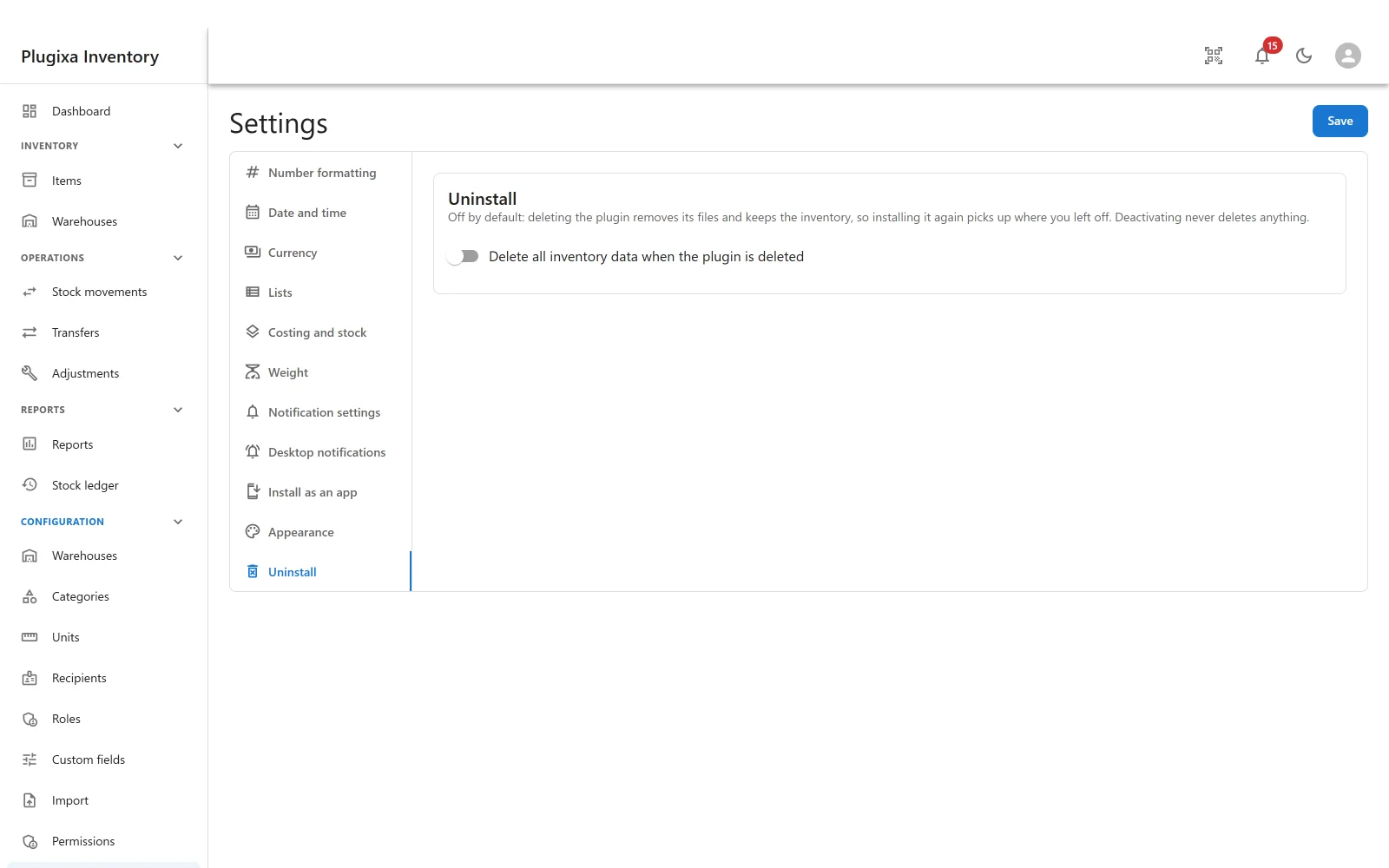
By default, nothing is deleted. Deleting the plugin removes its files and keeps the inventory, so installing it again picks up where you left off. Deactivating never deletes anything, either way.
That default was chosen the hard way. The dangerous case is the upgrade: buying the premium build installs a second copy beside the free one, and a customer who deletes the free copy “because it is the old one” would have been deleting the tables the premium copy runs on.
So erasing is something an administrator asks for, with the switch under Settings -> Uninstall, and even then it is refused while any other copy of the plugin is still installed - because that copy uses the same tables and would come back to nothing.
When the data is kept, nothing is touched: not the options, not the schema markers, and not the capabilities. Revoking capabilities from an inventory that is staying would strip every custom role and personal grant, and a reinstall only re-grants administrators - so the data would come back with the staff locked out of it.
If you do want it gone
- Settings -> Uninstall, turn on delete all inventory data when the plugin is deleted. It warns you exactly what that means.
- Make sure no other copy of the plugin is installed.
- Delete the plugin from Plugins.
Take a database backup first. There is no undo, and the ledger is the thing you would miss.
Troubleshooting
| Symptom | Usual cause |
|---|---|
| Deleting the plugin kept everything | That is the default. The Uninstall switch decides. |
| The switch is on and data survived | Another copy of the plugin is still installed. It is refused while one is. |
| Deactivating lost nothing | Correct. Deactivating never deletes. |
| A recipient cannot be deleted | They have history, which is the audit trail. Unpublish or rename instead. |
| Staff lost access after a reinstall | They should not have: capabilities are left alone when data is kept. Check the Roles screen. |
| Reinstalling showed the old data | That is what keeping it means. |
What to do next
- Who the personal records are: Recipients.
- Control access: Roles and Permissions PRO.
- Take your data out: Export.