

Contents
Stock movements - Plugixa Inventory
Stock is not a number on a record. It is the result of documents, and this is where they are written.
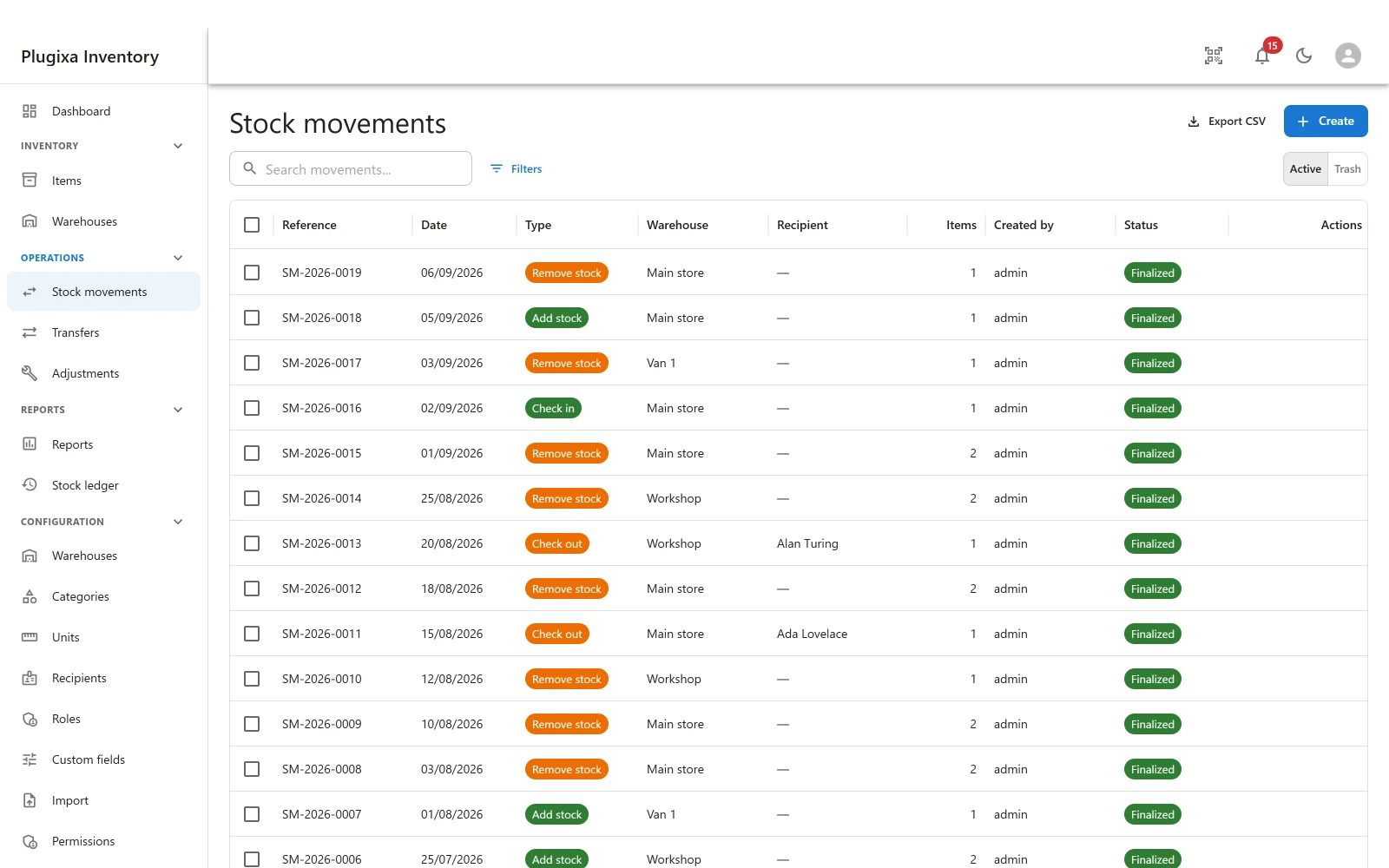
The four kinds
| Type | What it does |
|---|---|
| Add stock | Quantity comes in: a delivery, an opening balance, a return to stores |
| Remove stock | Quantity goes out: used, sold, scrapped |
| Check out | An asset leaves, to a named recipient |
| Check in | That asset comes back |
Add and remove are about quantity. Check out and check in are about custody: the laptop still exists and is still yours, it is just with somebody.
Draft, then finalise
Every document has two lives.
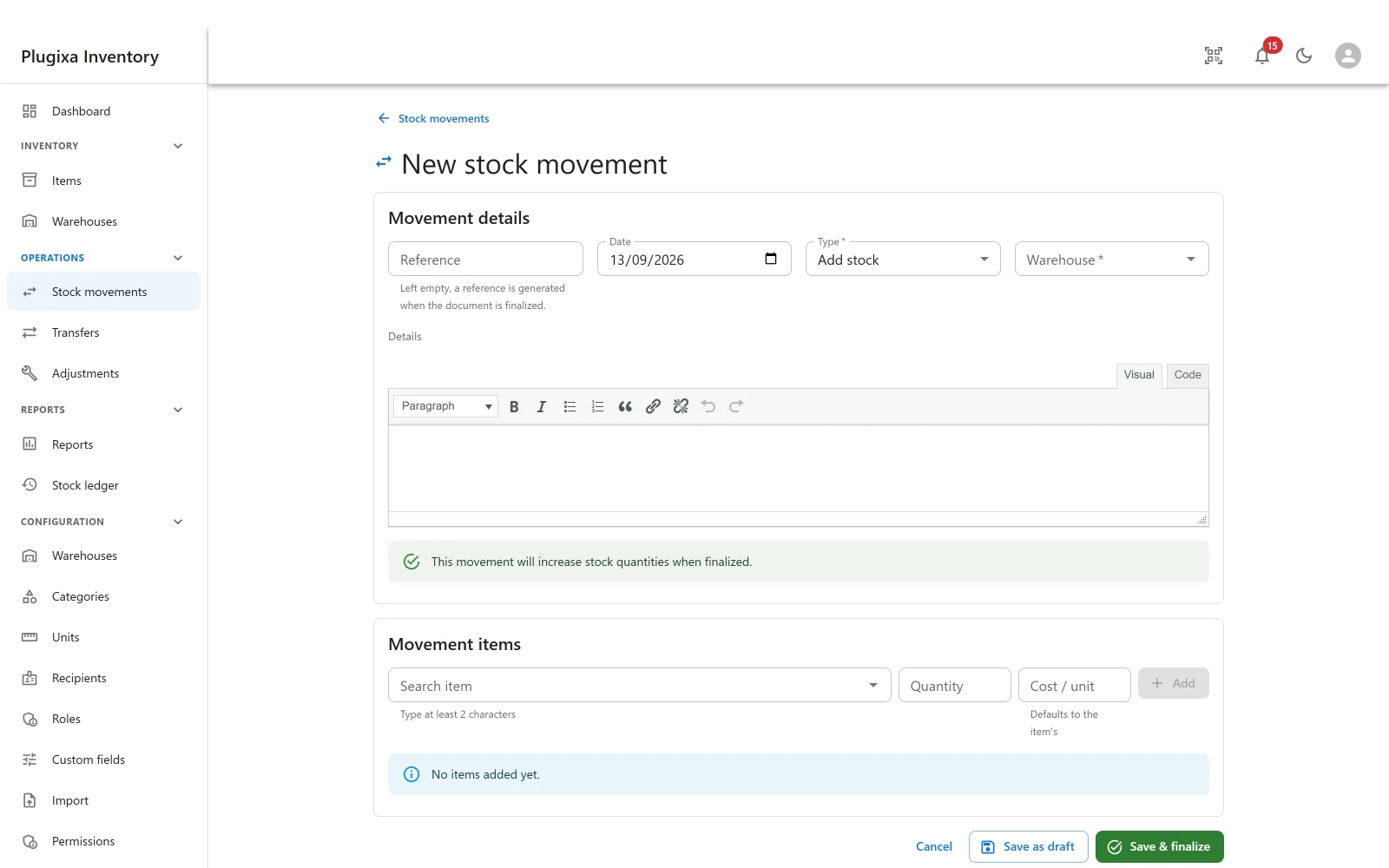
A draft changes nothing. You can add lines, fix a quantity, pick a different warehouse, save it and come back tomorrow. The stock has not moved and the ledger has not been touched. The form says so.
Finalising is the event. It writes the ledger rows, moves the on-hand quantities, and closes the document. From that moment the document cannot be edited or deleted.
That is the whole design. A record you can quietly edit afterwards is not a record of anything, and a stock system whose history can be rewritten cannot be reconciled against.
Getting one wrong
Post the opposite document. Removed ten that should have been five? Add five back, with a reason. The correction is visible, it is dated, and the ledger tells the truth about both events.
Every stock system works this way, and the alternative - editing the past - is what makes stock and reality drift apart.
Two people at once
The check that there is enough stock is part of the same SQL statement that removes it. There is no window between deciding and writing.
So if two people finalise against the same units at the same moment, one succeeds and the other is told the stock changed, and nothing is written for them. Stock cannot go negative and cannot be sold twice.
Lines
A document has lines, each naming an item and a quantity, so one delivery is one document rather than fourteen. Every line becomes its own ledger row, because the ledger is about items and warehouses, not about paperwork.
What a movement costs
When stock leaves, what it cost is recorded on the ledger row that removed it. That is deliberately a different question from what the remaining stock is worth, and keeping them apart is what lets both stay correct. See Valuation and Costing.
Troubleshooting
| Symptom | Usual cause |
|---|---|
| The dashboard still shows nothing after creating a movement | It is still a draft. Finalise it. |
| A document cannot be edited | It is finalised, on purpose. Post an opposite document. |
| Finalising was refused with “the stock changed” | Somebody else finalised against the same units first. Reload and check what is actually on hand. |
| Stock went to the wrong place | Warehouse is per document, not per line. Check the header before finalising. |
| An item cannot be added to a line | It has no record yet, or the app that owns it is switched off in the App Manager. |
What to do next
- See what finalising wrote in The Stock Ledger.
- Correct a count rather than a transaction with Adjustments PRO.
- Move stock between locations with Transfers PRO.