

Contents
Export - Plugixa Inventory
Export writes the list you are looking at to a CSV file. There is no export screen, because an export is not a place you go: it is a button on the list.
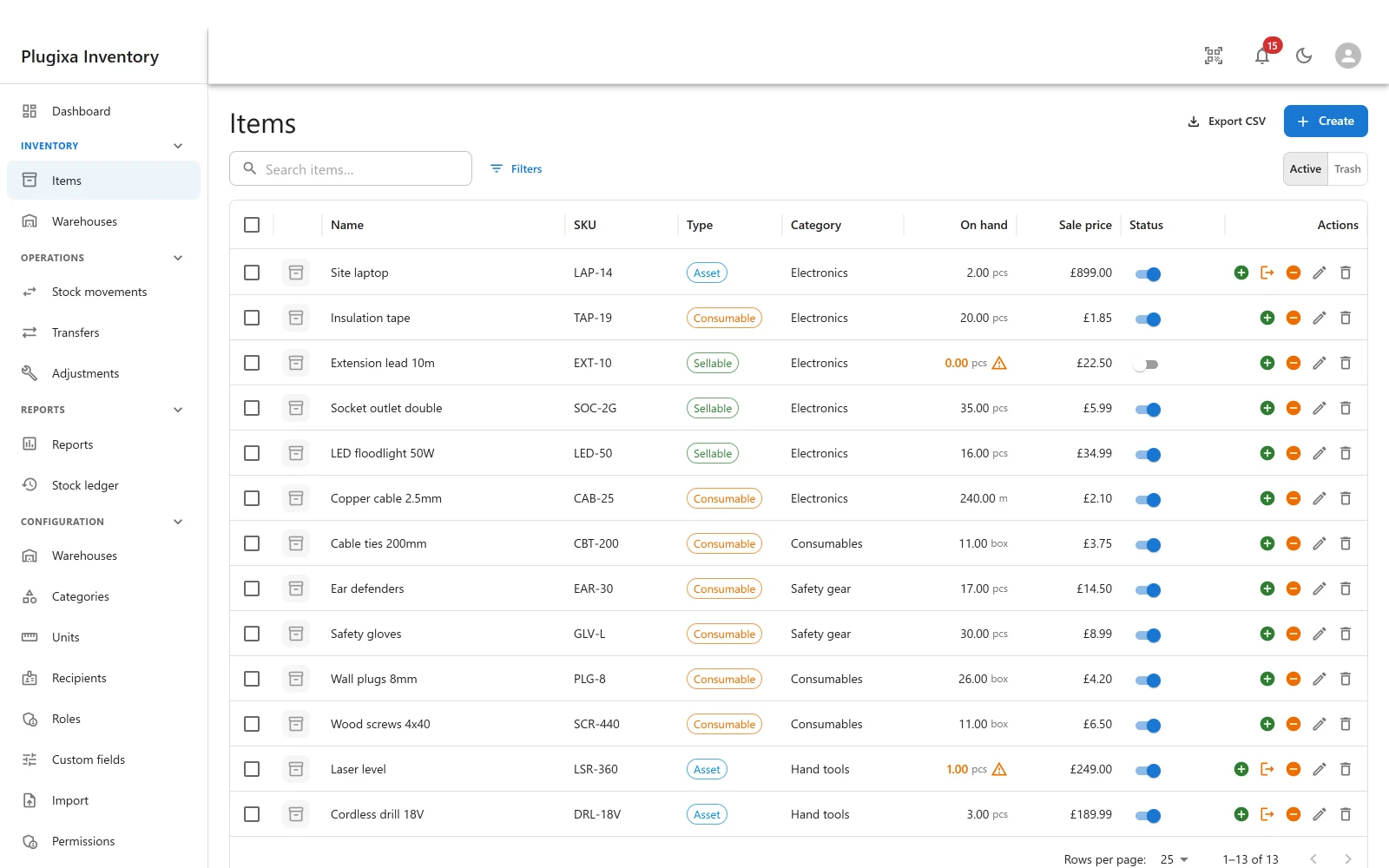
Where the button is
Every list screen has one: items, categories, warehouses, recipients, stock movements, the ledger, and the Pro lists - transfers, adjustments, units and permissions.
It exports what you are looking at
This is the whole idea. Search, filter and sort first, then export. The file contains the rows on the screen, in the order they are on the screen, not the whole table.
Filtered to low stock in one warehouse? That is the file. Showing the trash instead of active records? That is the file too.
Round trip
Export and import are counterparts, and the columns line up on purpose. Export a list, edit it in a spreadsheet, and bring it back through the importer using Update it, and add the ones that are new. Items match on SKU, categories, warehouses and units on code, and people on their email address.
That is the fastest way to do a bulk price change, a recode, or a tidy-up of two hundred descriptions.
On hand does not come back in. It is set by stock movements, so the importer will not write it directly. To bring quantities in, map Opening quantity and let the import post a real document. See Import.
Free, deliberately
Export is free, and it is worth saying why, because the CSV writer used to live inside the reports code.
Import is free. A build that could take data in and not out would be worse than one with no export button at all - because the button is right there on every list. So the writer and the route moved into their own free module when reports became premium, and the split follows what the two things are: a report is an aggregate question about stock, an export is the rows you are already looking at, in a file.
Reports PRO has its own exports for its aggregates, which is a different job.
Switching it off
Export is a module in the App Manager, not something built in. A site that has decided its stock data does not leave in a file can switch it off, and the buttons disappear along with the route rather than staying on screen and failing.
Permissions
Exporting needs the Export data capability. It is separate from viewing on purpose: reading a list on screen and walking out with the whole list in a file are different acts. See Roles and Permissions PRO.
Troubleshooting
| Symptom | Usual cause |
|---|---|
| There is no Export button | The Export app is switched off, or you do not hold the Export data capability. |
| The file has fewer rows than expected | It honours the current search and filters. Clear them first. |
| The file has rows I did not expect | The list is showing the trash, or a filter is still applied. |
| Numbers look wrong in a spreadsheet | The spreadsheet is reading them with different separators. Check its import settings, not the file. |
| On hand will not import back | Correct. Map Opening quantity instead and let it post a document. |
| A Pro list has no Export button | That module is not installed or is switched off. |
What to do next
- Bring the file back: Import.
- Aggregate rather than list: Reports PRO.
- Control who may export: Roles and Permissions PRO.