

Contents
Roles and permissions - Plugixa Inventory
Two screens, answering two different questions. Roles says which actions a person may perform. Permissions says on which records.
Pro feature. Both screens are part of Plugixa Inventory Pro. See the Free vs Pro matrix.
Roles: which actions
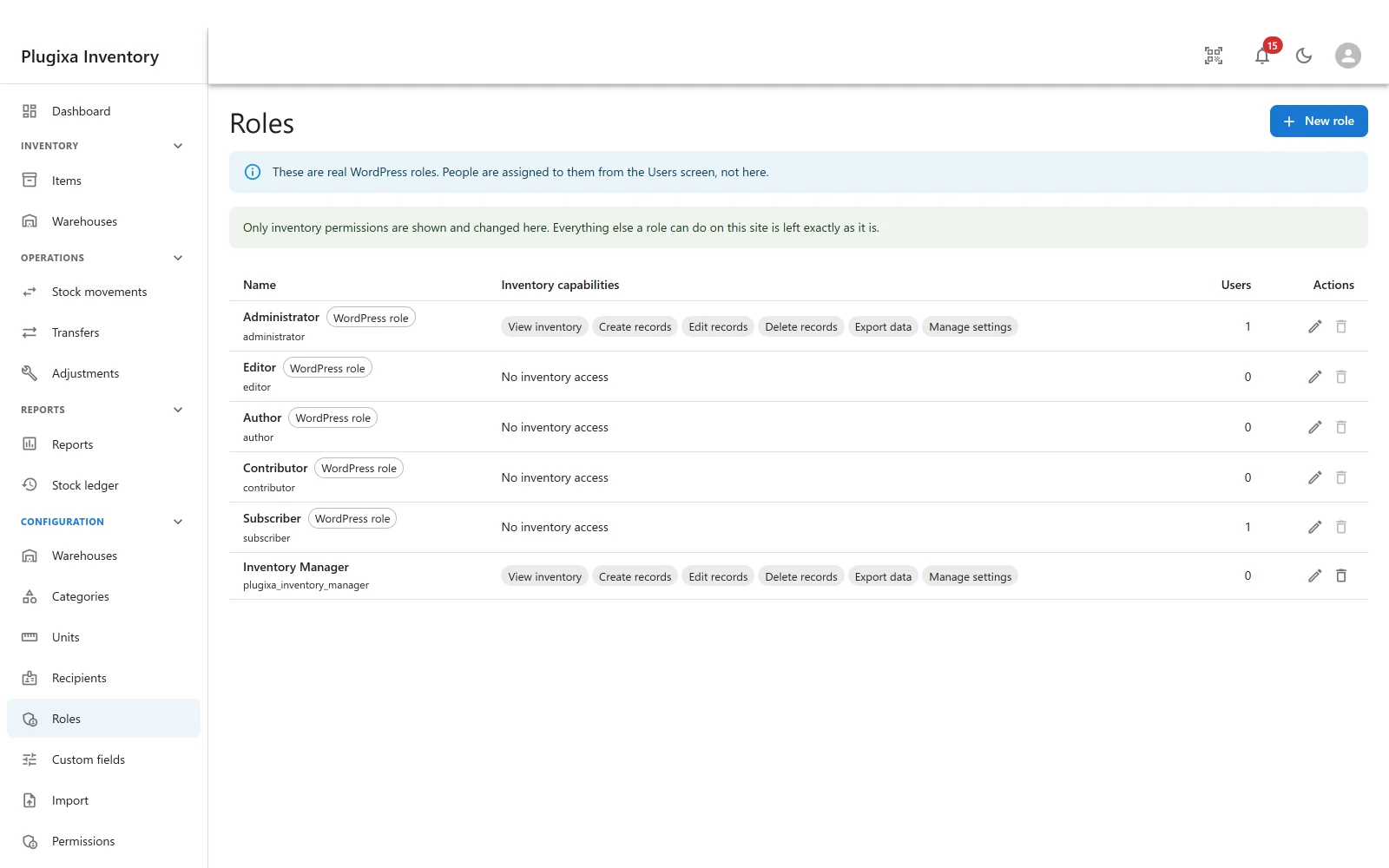
Configuration -> Roles lists every role on the site and the inventory capabilities it holds. There are six:
| Capability | What it allows |
|---|---|
| View inventory | See the screens and the records |
| Create records | Add items, warehouses, documents |
| Edit records | Change them |
| Delete records | Trash them |
| Export data | Write a list to CSV |
| Manage settings | Change configuration, and the App Manager |
These are real WordPress roles
The screen says so, and it is the important thing to understand about it. It is editing WordPress’s own roles, not a private list.
That has two consequences:
- People are assigned from the Users screen, not here. This screen decides what a role can do; WordPress decides who is in it.
- Only inventory permissions are shown and changed here. Everything else a role can do on this site is left exactly as it is. Giving the Editor role inventory access does not touch its ability to edit posts.
The plugin ships one role of its own, Inventory Manager, holding all six. Use New role to draw others, or grant capabilities to a role you already have.
On the free build
The capabilities themselves are free and always work. Grant
plugixa_inventory_manage with add_cap, from WP-CLI, or with any third-party
role editor, and all forty-odd permission checks honour it exactly as they would
here. What Pro adds is the screen that assigns them without writing code.
Permissions: on which records
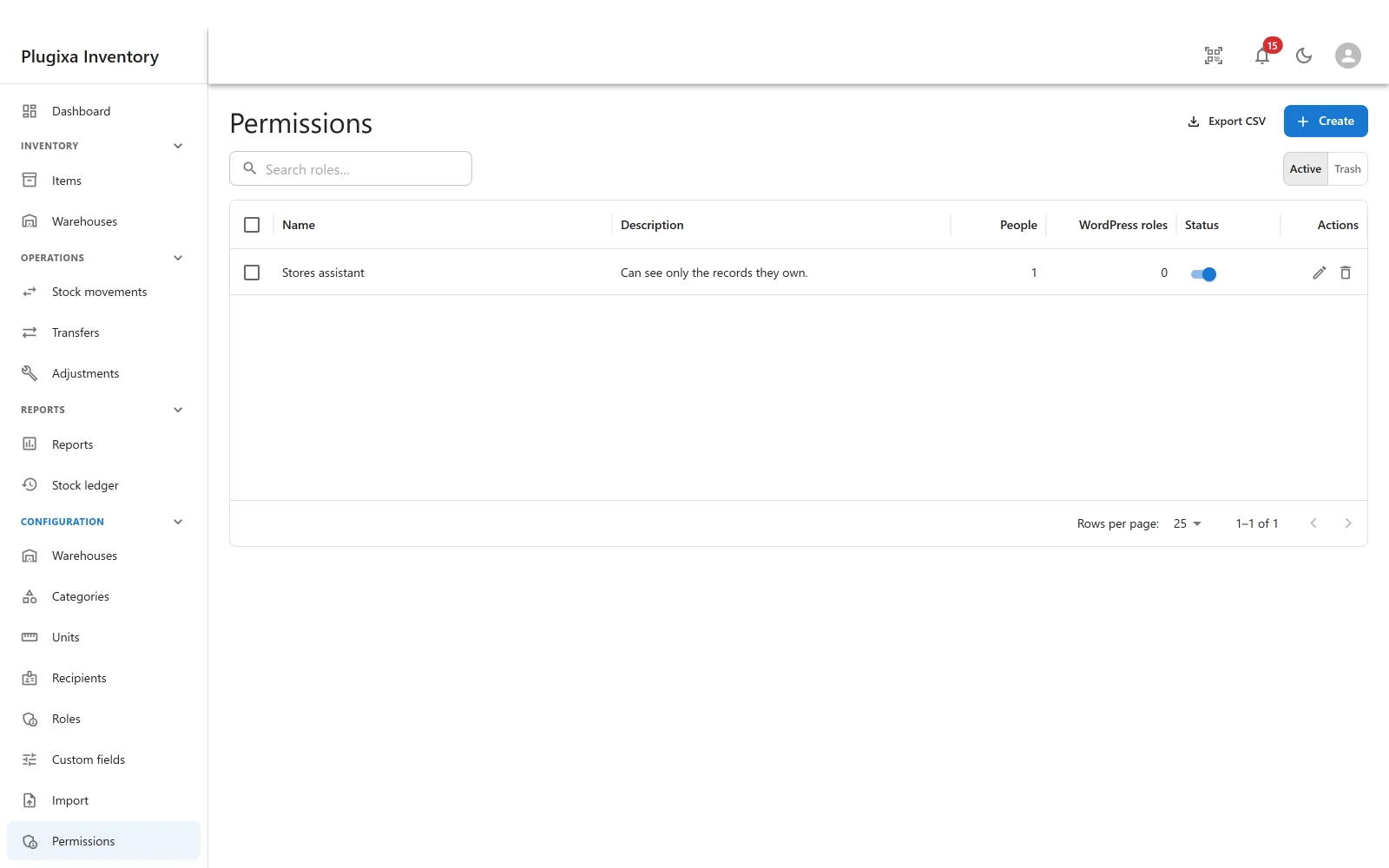
Configuration -> Permissions answers the question a WordPress capability cannot: whose records. A stores assistant who may edit records should perhaps edit their own records, not everybody’s.
Each profile names an access level per action, per entity:
| Level | Means |
|---|---|
| All | Every record |
| Team | Records belonging to their team |
| Own | Records they created or are assigned |
| No | None |
The actions are read, create, edit, delete and stream. Set them per entity, so somebody can read every item and edit only their own documents.
Most permissive wins
A person in two profiles gets the higher of the two levels, not the intersection. Adding a profile can only ever give somebody more access, which is the behaviour people expect and the one that does not produce a support ticket about access disappearing when a profile was added.
Anything the system cannot read as a valid level normalises to No. An unreadable rule denies; it does not accidentally grant.
Nothing changes until you draw the first profile
This is the part worth reading before upgrading.
On a Pro site with no permission profiles saved, every decision is answered exactly as the free build answers it: hold the capability and you may act on everything. The rules are not enforced until the first profile exists.
Upgrading is therefore not the moment staff lose access. Saving the first profile is, and the screen says so before it happens.
How it is built, and why that matters
Every permission decision in the plugin - all forty-odd of them - has always run through one method, and that method has always ended in a filter that is handed the record, not just the action. Free never looks at the record. Pro does.
That is why granular permissions needed a table, a resolver and a screen, and not one change to a controller. It is also why the seam is honest: on a free site the directory is absent, so nothing listens to the filter, and the answer is the one free always gave. There is no licence check anywhere, and there must never be one.
Troubleshooting
| Symptom | Usual cause |
|---|---|
| Roles or Permissions is not in the menu | Pro module, or switched off in the App Manager. |
| A person still has full access after upgrading | No permission profile exists yet. Until one does, the free rules apply. |
| Somebody cannot see the inventory at all | Their role holds no inventory capability. Start with View inventory. |
| Adding a profile gave somebody more access | Correct. Most permissive wins across profiles. |
| A role assignment did not stick | People are assigned on the WordPress Users screen, not here. |
| Editing a role broke something unrelated | It should not. Only inventory capabilities are touched here. |
| Switching off the Roles app removed the screen but not the access | That is the honest meaning. The capabilities belong to the plugin’s core; only the editor is a module. |
| A rule seems to deny everything | An unreadable level normalises to No, by design. |
What to do next
- Put staff on the front end instead of wp-admin: The Shortcode.
- Switch either screen off: App Manager.
- Check what is stored about people: Privacy and Data.