

Contents
Categories - Plugixa Inventory
Categories group the catalogue. They are deliberately simple: a code, a name and a description.
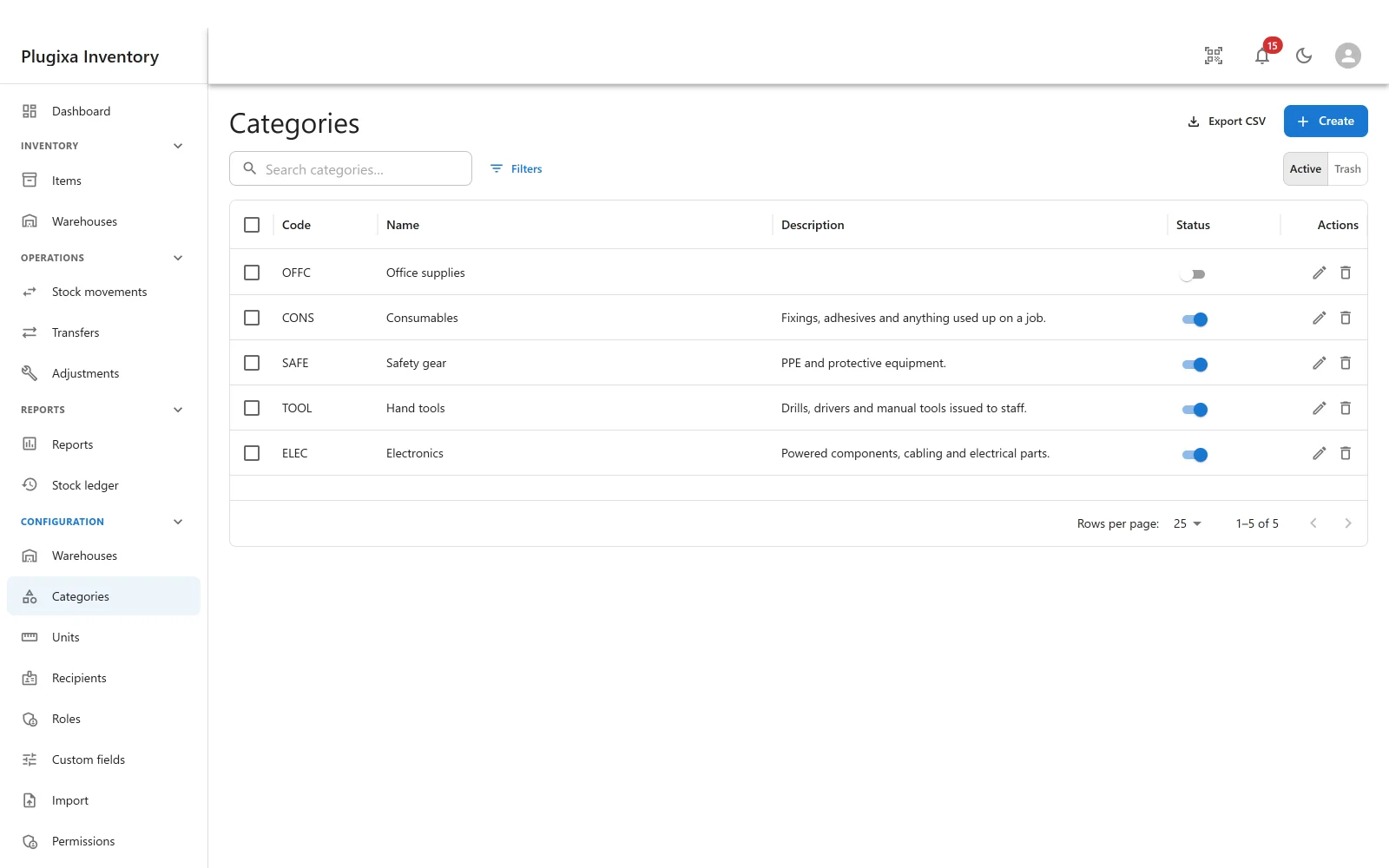
Fields
| Field | Why |
|---|---|
| Code | A short handle: ELEC, TOOL, SAFE. What a CSV import matches on |
| Name | What people call it |
| Description | What belongs in it, for the person who is not sure |
| Status | Published or unpublished |
The code matters more than it looks. An import that says ELEC in a column finds
the category without anybody having to get the name character-perfect, and it
stays stable if the name is later reworded.
Flat, not nested
There is one level. Categories do not nest.
That is a decision rather than an omission. A tree looks tidy and then somebody
has to decide whether a report about Electronics includes Electronics / Cabling, and every answer is wrong for somebody. One level, plus
custom fields PRO
for the dimensions you actually filter on, is easier to be right about.
What they are for
- Filtering the item list, which is what most people use them for.
- Breaking down the dashboard, which reports stock by category.
- Importing, where a category code on a row assigns the item as it arrives.
A catalogue with no categories works perfectly well. It just has nothing to break down.
Unpublishing and trashing
Unpublished keeps the category and hides it from the pickers. Items already in it stay in it.
Trashed is reversible, and nothing is deleted. Items pointing at a trashed category keep working: the item form only re-validates a reference you actually change, so an item whose category was trashed later can still be renamed and saved.
Troubleshooting
| Symptom | Usual cause |
|---|---|
| A category is missing from the item form | It is unpublished, or trashed. |
| An import did not assign categories | The code in the CSV does not match a category code. Codes, not names. |
| The dashboard breakdown is empty | No items are categorised. |
| I want subcategories | There is one level by design. Use a custom field for the second dimension. |
| An item still shows a trashed category | It does, and it can still be edited. Change the category when you next touch it. |