

Contents
The shortcode - Plugixa Inventory
Staff who should not be in wp-admin do not have to be. Put
[plugixa_inventory_app] on a page and the whole application runs there, inside
your theme.
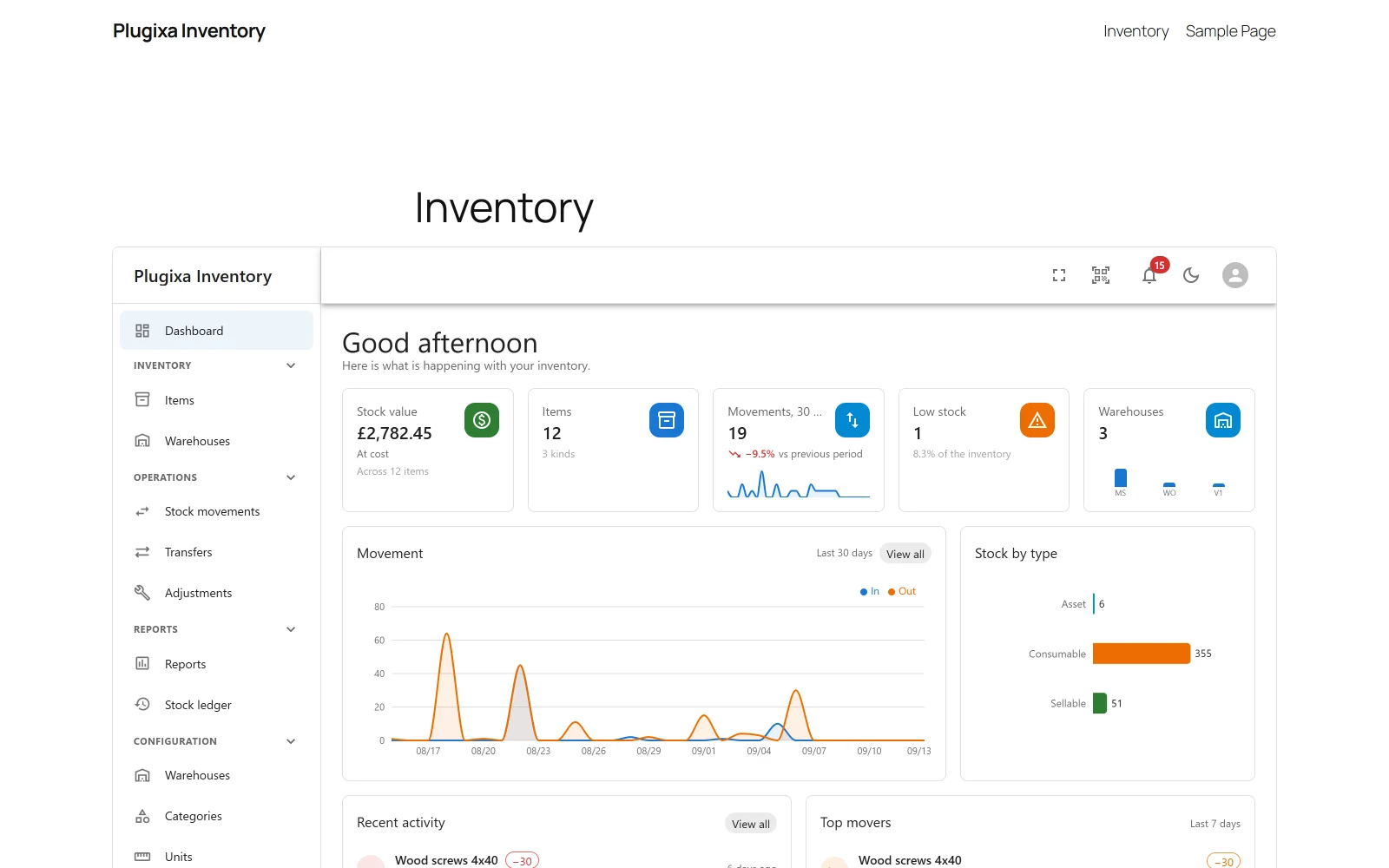
The shortcode
[plugixa_inventory_app]
That is the whole of it for most sites. Create a page, add the shortcode, publish, and send people to it.
It is the same application. Same screens, same API, same routes:
/inventory/#/items works for exactly the reason
admin.php?page=plugixa-inventory#/items does. There is no second, simpler
front-end version to discover the limits of.
Attributes
| Attribute | Values | Default |
|---|---|---|
mode |
embed, full |
embed |
width |
wide, full, content |
wide |
height |
pixels, or 0 for the stylesheet’s own answer |
0 |
[plugixa_inventory_app mode="full"]
[plugixa_inventory_app width="full" height="900"]
mode="embed" keeps your theme’s header, navigation and footer, and puts the
application inside the page.
mode="full" gives the bare application: this plugin’s own document, with the
theme’s stylesheets removed. Use it when the page is a tool rather than part of
the site.
width decides how wide the embed sits in a block theme: wide and full
map to the editor’s own wide and full alignments, and content keeps it in the
content column.
There is deliberately no route attribute. The application deep-links through
the URL fragment already, so /inventory/#/items is the link you want, and an
attribute would have to be reconciled against the fragment on every navigation.
Why it is in a frame
The embedded arrangement renders the application in an iframe rather than dropping it into the page, and that is the design rather than a shortcut.
A theme styles bare inputs more specifically than the application’s own component styles, so the app cannot be made to survive an arbitrary theme’s stylesheet - and a reset strong enough to beat the theme also beats the app. It works the other way too: mounted directly into your page, the app’s own styles would restyle every link in your header and footer and repaint the page background.
The frame is a real boundary, and it pays for itself twice more: inside it, the frame is the viewport, so the layout’s full-height rules become true instead of approximate, and its responsive breakpoints report the frame’s width - so a narrow embed gets the collapsed-sidebar layout for free.
The frame loads this same page, with one query parameter that asks for the bare document. There is no second bundle and no duplicated rendering path, which is why the embedded arrangement cannot drift from the full-page one: it is the full-page one.
Permissions
No new authorisation code exists for this, and that is the feature.
The page talks to the same REST API, so the same capability checks, the same role scoping and the same field-level guards apply exactly as they do in wp-admin. A front end with its own idea of who may see what would be a second policy to keep in step with the first, and that is where an inventory leaks.
Somebody without access gets a short notice rather than an empty page, and it is the same notice whether they are signed out, signed in without permission, or a passer-by - because telling those three apart out loud is itself a disclosure.
There is no Gutenberg block
By decision, not omission. A block would have to advertise both arrangements or pick one, and the takeover arrangement cannot honestly appear in an editor that shows it surrounded by other blocks which will not survive the style strip.
The shortcode works in a shortcode block, which is what a block would amount to anyway.
Troubleshooting
| Symptom | Usual cause |
|---|---|
| The page shows a sign-in notice | The visitor lacks the capability. It is the same notice for everybody without access, on purpose. |
| The embed is too short | Set height, in pixels. |
| The embed is narrower than expected | Set width="full", or wide. |
| The theme’s header disappeared | mode="full" removes it. Use the default embed. |
| The app restyled my site | It should not: that is what the frame prevents. Check you are not using mode="full" on a themed page. |
| A deep link does not work | Use the fragment: /inventory/#/items. There is no route attribute. |
| There is no block for it | Correct. Use a shortcode block. |
| It looks different from wp-admin | It should not. Same bundle, same screens. Check the page width first. |
What to do next
- Control who may open it: Roles and Permissions PRO.
- Install it to a home screen: Install as an App PRO.
- Find things fast on the shop floor: Scanner and Search.