

Contents
On this page
Notifications and alerts - Plugixa Inventory
Some things need somebody to know. The bell in the header collects them, and each person decides which ones reach them and how.
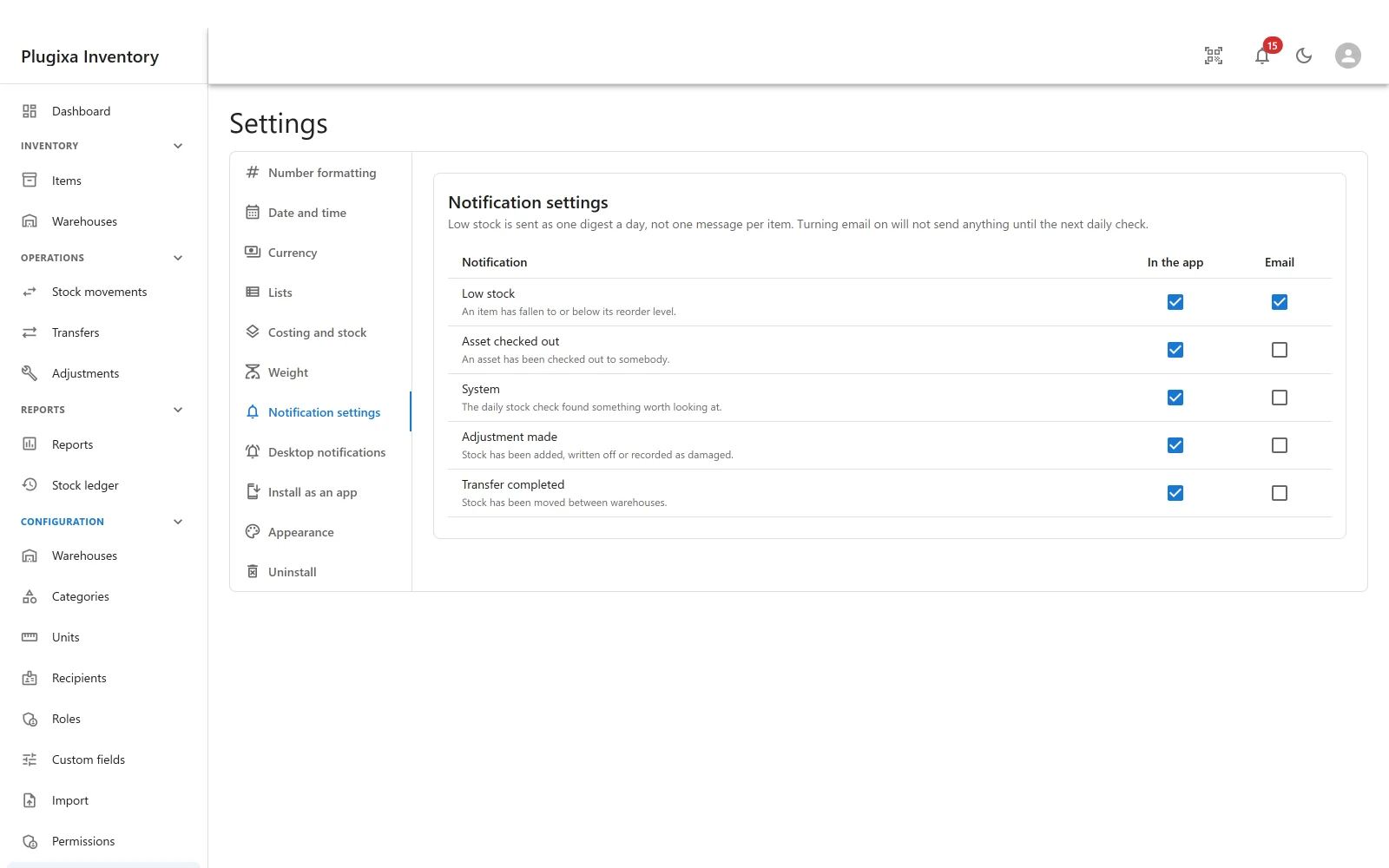
The kinds of event
| Alert | Raised when |
|---|---|
| Low stock | An item has fallen to or below its reorder level |
| Asset checked out | An asset has been checked out to somebody |
| System | The daily stock check found something worth looking at |
| Adjustment made PRO | Stock was added, written off or recorded as damaged |
| Transfer completed PRO | Stock has been moved between warehouses |
Each event is described by the module that raises it. The last two appear only when their modules are installed, beside the code that raises them - so the preference screen never offers an event nothing can produce.
Two channels, chosen per person
Every alert has an In the app and an Email box, and they are independent. The settings are per person, not per site: the warehouse manager can take low stock by email while everybody else takes it in the bell.
Low stock is the only one that emails by default. Everything else starts as an in-app notification, because an inbox that fills up with routine movements stops being read, and then the one message that mattered is missed too.
Low stock is a daily digest
Low stock is sent as one digest a day, not one message per item. Turning email on will not send anything until the next daily check.
That is worth knowing before you go looking for a test email. Nothing is sent immediately; the next scheduled check sends one message listing everything that is low.
The same daily job is what raises the System alert when the stock check finds drift. See The Stock Ledger.
The bell
The bell in the header shows the unread count. Opening it lists what has happened, newest first, with Mark read, Mark all read and Dismiss. Each carries a priority - low, normal, high or urgent - so the urgent thing is not buried under routine movements.
An empty bell says nothing to report, which is the correct state most days.
Who gets them
Anybody who can open the inventory can subscribe. Notifications are not limited to administrators, because the person who needs to know a part is running out is usually not the person who administers the site.
Switching it off entirely
Notifications are an app in the App Manager. Switching it off stops the bell, the emails and the scheduled job, and keeps every preference for when it comes back.
Troubleshooting
| Symptom | Usual cause |
|---|---|
| No email arrived after turning email on | Low stock is a daily digest. Nothing is sent until the next check. |
| No email ever arrives | WordPress cannot send mail on this site. Test with any mail plugin; this is not an inventory problem. |
| Adjustment or transfer alerts are missing | Those are Pro modules. An event exists only when its module does. |
| The bell is empty | Nothing has happened. That is the usual state. |
| Somebody is not getting an alert | Preferences are per person. Check theirs, not the site’s. |
| Low stock never fires | No item has a reorder level above zero. |
| The daily check has not run | WP-Cron needs traffic, or a real cron. Check the Stock health panel, which says when it last ran. |
| Alerts stopped after switching an app off | The app that raised them is off. Preferences were kept. |
What to do next
- See them outside the tab: Desktop Notifications PRO.
- Set reorder levels: Items.
- Check the daily job: The Stock Ledger.
Quick Links
Share