

Contents
Items - Plugixa Inventory
An item is something you hold. The list is the catalogue, and it is the one screen most people live in.
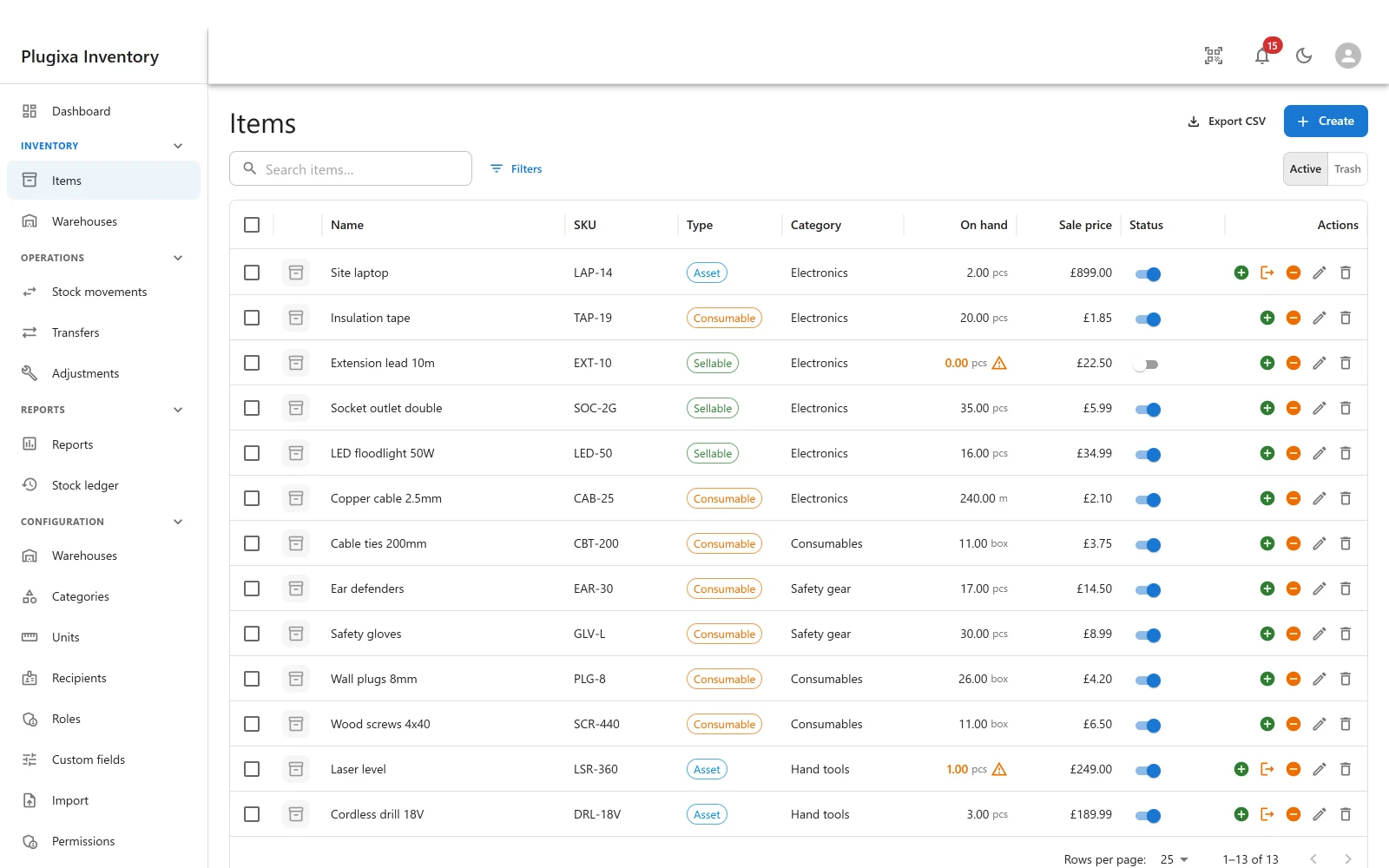
The three types
| Type | What it means | Typical use |
|---|---|---|
| Asset | A thing that comes back | A drill, a laptop, a ladder |
| Consumable | A thing that gets used up | Screws, tape, gloves |
| Sellable | A thing that goes out to a customer | Stock you sell |
The type is not cosmetic. Assets get Check in and Check out actions, the two movements that are about custody rather than quantity, and those buttons do not appear on a consumable because a box of screws is not lent to anybody.
The fields that matter
| Field | Why it is there |
|---|---|
| Name | What people call it |
| SKU | Your own code. Unique among live items, and what a CSV import matches on |
| Barcode | What the scanner reads. Also unique among live items |
| Serial number | For a single tracked asset |
| Category | Groups the catalogue and breaks the dashboard down |
| Default warehouse | The location a new movement is suggested against. Not where the stock is |
| Unit PRO | Boxes, metres, litres |
| Reorder level | Below this, the item counts as low stock |
| Sale price | What you sell it for |
| Cost price | What stock is valued at |
| Weight | Stored normalised, so a report can add grams to tonnes and get an answer |
| Image | A WordPress media attachment |
| Description | Free text |
SKU and barcode are unique, but only among live items
Both accept letters, digits, dots, dashes, underscores and slashes, and both refuse a value another live item already holds - naming the item that has it, so you can go and look.
Trashed items keep their SKU, which means restoring one can collide with an item created since. The restore is refused and says which item is in the way, rather than quietly renaming something behind you.
Default warehouse is not the stock location
This is the single most common misreading. The field suggests where a new movement will go. The stock itself lives against an item and warehouse pair, which is why one item can be in three places at three quantities.
There is no quantity field
Look for it and you will not find it. Stock is the result of a document, not something typed onto a record, and everything else in the plugin follows from that. To put stock in, post an Add stock movement and finalise it.
The On hand column on this list is a cached total, kept by the stock engine and provably rebuildable from the ledger. An ordinary item edit cannot write to it, deliberately: it is not in the list of fields the form is allowed to touch.
The item page
Opening an item shows everything about it in one place, including its own transaction history.
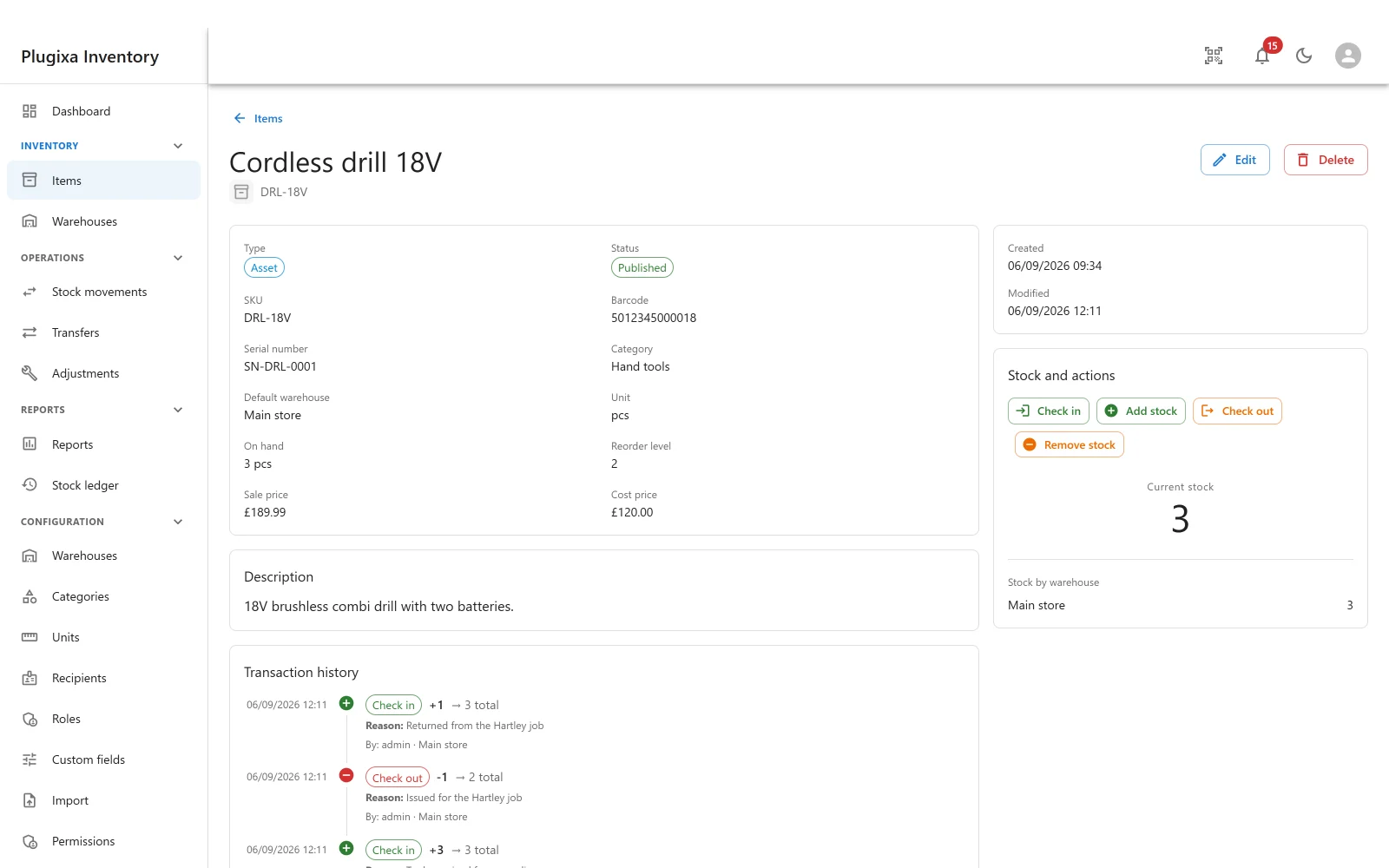
The right-hand column is the useful part:
- Check in, Add stock, Check out and Remove stock post a movement against this item without going to the movements screen first.
- Current stock is the total across every warehouse.
- Stock by warehouse breaks that total down, which is the question a single number cannot answer.
Below, Transaction history is this item’s slice of the ledger: every change, with the reason, the person and the warehouse.
Status, and the trash
Two different things, and they are often confused.
Status is the toggle in the list: published or unpublished. An unpublished item is still there, still holds stock, and is hidden from the pickers people use day to day.
Trash is the Active / Trash switch above the list. Trashing is reversible
and nothing is actually deleted.
An item that is in use will refuse to be trashed and say why, rather than leaving ledger rows pointing at nothing.
Low stock
An item is low when its on-hand quantity is at or below its reorder level. Leave the reorder level at zero and it will never be low, which is the right default for something you do not reorder.
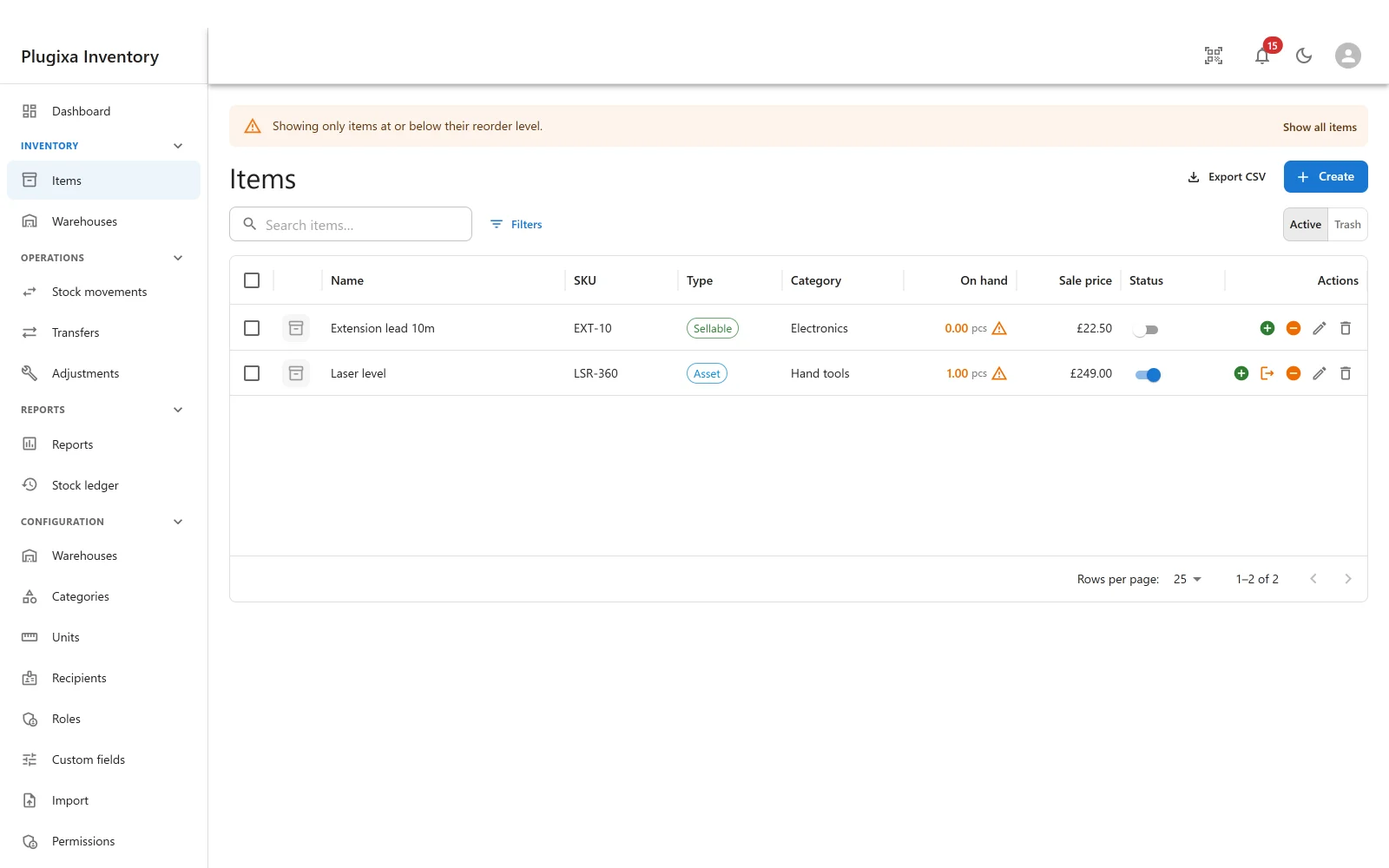
The dashboard counts them, the warehouse page lists the lowest here, and Notifications can tell somebody.
Troubleshooting
| Symptom | Usual cause |
|---|---|
| There is no quantity box | Correct. Post a stock movement and finalise it. |
| “The SKU is already used by …” | Another live item has it. The message names it. |
| A restore was refused | Something created since took the trashed item’s SKU or barcode. Change one of them. |
| The item cannot be trashed | Something depends on it. The message says what. |
| On hand looks wrong | Run the reconcile under Settings -> Costing and stock. It reports, it does not silently correct. |
| Stock is in the wrong place | The default warehouse only suggests; the movement decides. Check the document header. |
| Check in and check out are missing | The item is not an Asset. Only assets have custody. |
| Valuation looks too high | Cost price is empty, so it falls back to the sale price. Fill the cost price in. |
What to do next
- Put stock in with Stock Movements.
- Group the catalogue with Categories.
- Add your own fields with Custom Fields PRO.
- Bring a catalogue in with Import.