

Contents
Inventory adjustments - Plugixa Inventory
An adjustment corrects what the shelf says. It is for the difference between the number in the system and the number you just counted - and for the box that got dropped.
Pro feature. Adjustments are part of Plugixa Inventory Pro. See the Free vs Pro matrix.
The three types
| Type | What it means |
|---|---|
| Addition | There is more here than the system thought |
| Damage | Stock the business lost: broken, spoiled, written off |
| Subtraction | There is less here than the system thought |
Damage and subtraction both take stock away, and they are kept apart on purpose. They answer different questions. Damage is a loss the business absorbed; a subtraction is a count correction. Collapse them into one and “how much did we write off this quarter” stops having an answer.
That distinction is the reason to use an adjustment rather than a plain Remove stock document, and it is why it is worth taking a moment over which one to pick.
The direction belongs to the document
An adjustment is an addition, a damage or a subtraction as a whole. The lines carry a plain quantity, and the document applies the sign.
The alternative - a sign on each line - would allow a single adjustment labelled “damage” containing a line that adds stock, which is not a thing anybody means and which no report could sensibly render.
Creating one
Adjustments -> Create, then:
- Pick the warehouse. One adjustment covers one location.
- Pick the type.
- Add lines: an item and a quantity each.
- Give a reason. This is the part somebody reads in six months.
- Save as a draft, then finalise.
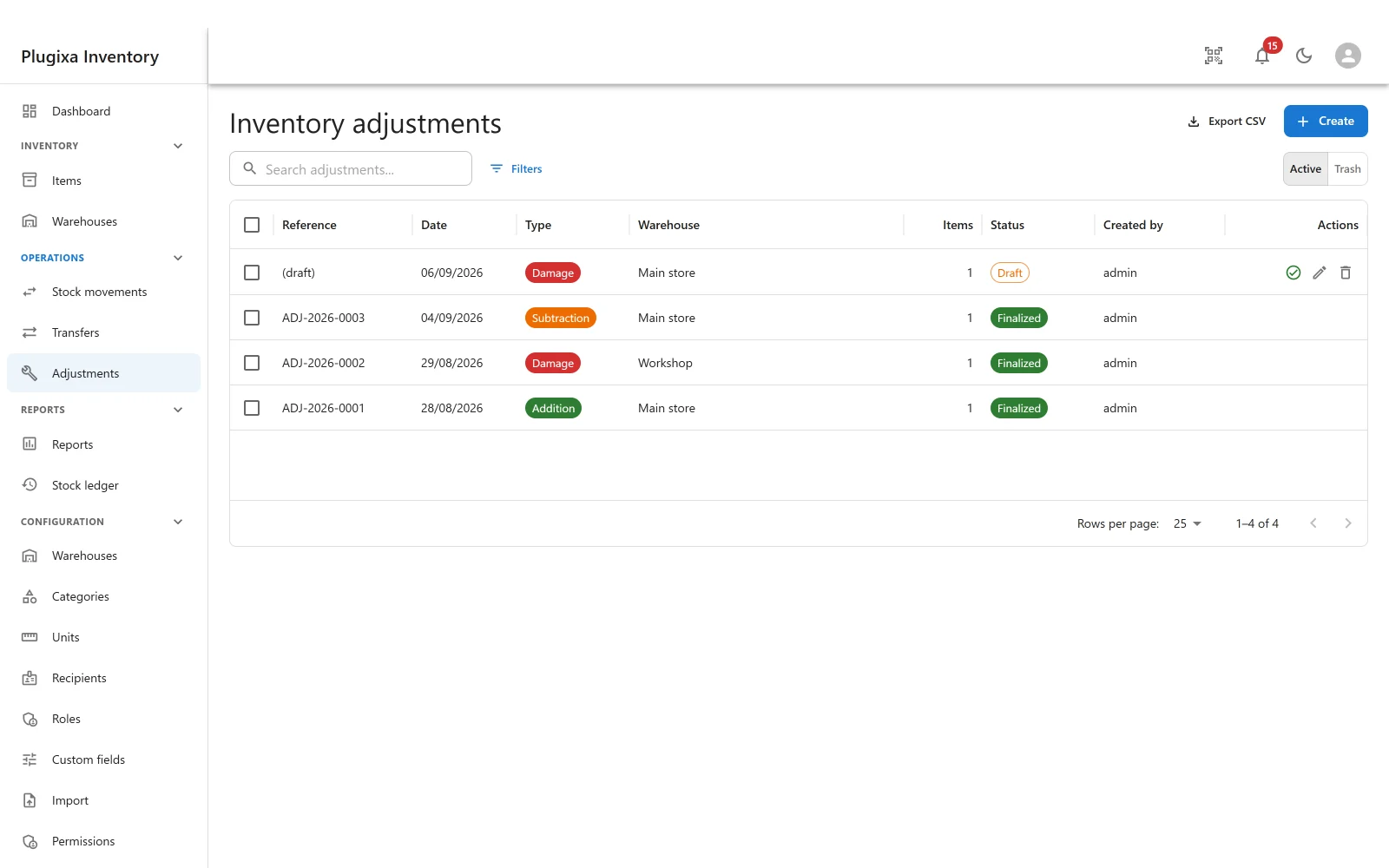
References are assigned on finalising, in the form ADJ-2026-0001. A draft shows
as (draft) until then.
Draft and finalised
The same rule as every document in the plugin:
- A draft moves nothing. Count the shelf again before finalising if you want.
- Finalising is the event. It writes a ledger row per line, moves the quantities, and closes the document against further edits or deletion.
Wrong afterwards? Post the opposite adjustment, with a reason. The correction is its own dated, attributable row.
What it writes to the ledger
Each line becomes one ledger row, typed as adjustment_addition,
adjustment_damage or adjustment_subtraction. The type survives on the row, so
the ledger and the
reports can separate a write-off from
a recount long after everybody has forgotten the day.
Adjustment or stock movement?
| You are | Use |
|---|---|
| Receiving a delivery | Add stock |
| Issuing something to a job | Remove stock |
| Lending an asset to a person | Check out |
| Recording that a count disagrees | Subtraction or addition |
| Writing off something broken | Damage |
| Moving stock to another location | Transfer |
A movement records a transaction. An adjustment records a correction. Keeping them apart is what makes both readable.
Troubleshooting
| Symptom | Usual cause |
|---|---|
| Adjustments is not in the menu | Pro module, or switched off in the App Manager. |
The reference says (draft) |
It is a draft. References are assigned on finalising. |
| A line cannot be negative | Correct. The document carries the direction; the line carries the amount. |
| Finalising was refused for insufficient stock | A subtraction or damage cannot take more than is there. |
| A finalised adjustment cannot be edited | By design. Post the opposite adjustment. |
| Damage and subtraction look the same in the list | They are coloured differently and typed differently in the ledger. The difference matters in reports. |
| The warehouse cannot be changed | It is per document. Create a new one for the other location. |
What to do next
- See what it wrote: The Stock Ledger.
- Separate write-offs from recounts: Reports PRO.
- Record a transaction instead: Stock Movements.
- Check the books agree: The reconcile.