

Contents
Debug - Plugixa Permalink Manager
“Why does this address go there?” The Debug screen answers it without guesswork. Type an address and the plugin explains, step by step, what it would do with a visitor who asked for it.
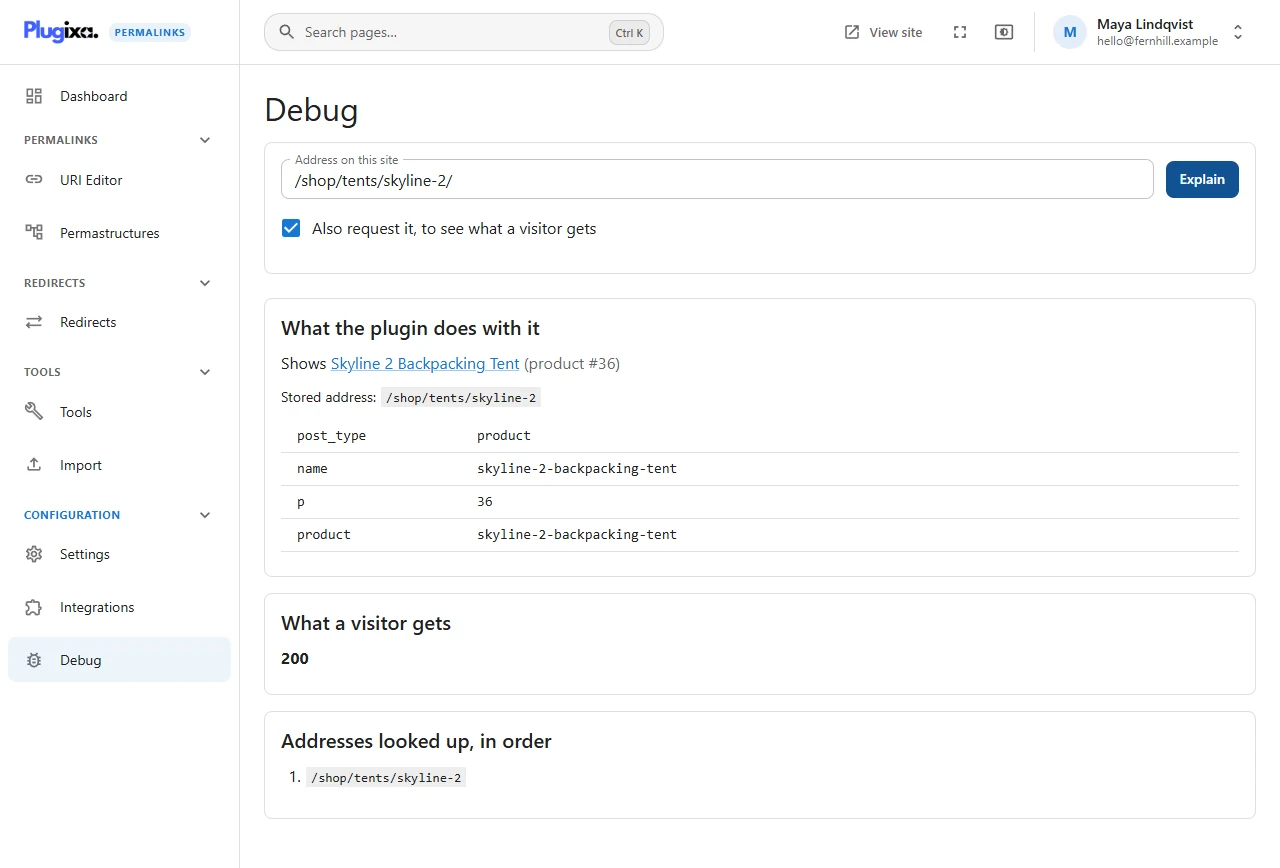
Explain an address
- Open Debug.
- Type or paste the address. A full URL or just the path both work:
/shop/tents/skyline-2/. - Click Explain.
When the address shows an item
What the plugin does with it names the item and its type, for example Shows Skyline 2 Backpacking Tent (product #36), with its stored address and the query handed to WordPress. That query is what a developer needs when a theme shows the wrong template.
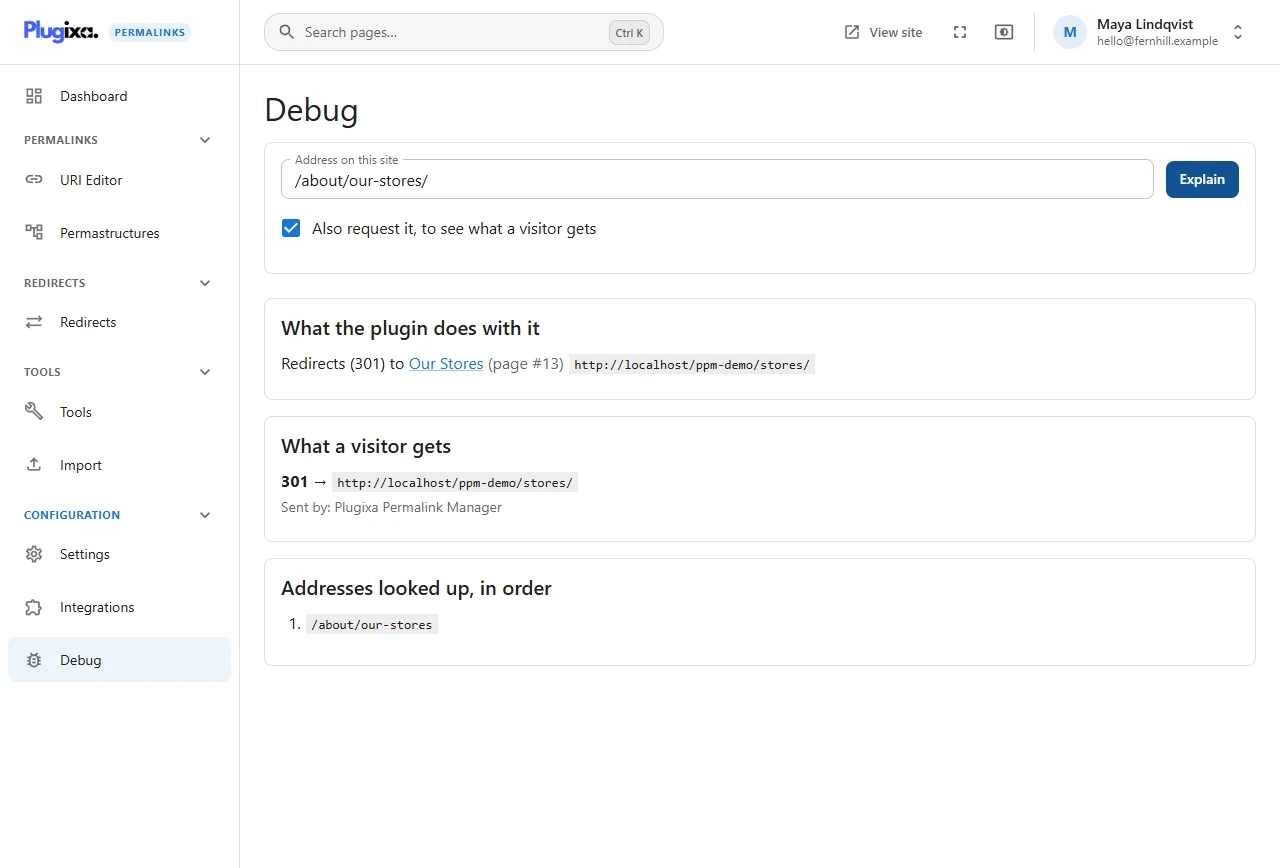
When the address redirects
The same section says where to, with which status, and to which item.
When the plugin has nothing to say
If no stored address and no stored redirect matches, the screen says so. That is
not always the end of it: the WordPress address of an item that has a custom
address, such as /product/skyline-2-backpacking-tent/, is not stored anywhere,
yet the plugin redirects it. Tick Also request it to see that redirect.
What a visitor gets
Tick Also request it, to see what a visitor gets and the server requests the address from your own site once, without following redirects, and reports:
- the status it received (200, 301, 404…)
- the Location it was sent to, if any
- who sent the redirect
The last line settles most arguments. If it says Plugixa Permalink Manager, the redirect is ours and Debug has already told you why. If it names WordPress or another plugin, look there.
Only addresses on this site can be requested. An address on any other host is refused before a request is made.
Addresses looked up, in order
The last section lists every form of the address the plugin tried against its
table. Usually there is one. There are more when the address ends in something
WordPress treats specially, such as /feed/, /page/2/ or a WooCommerce
account section: the plugin tries the full address first, then the address
without that ending.
When routing is switched off
If custom addresses are not being served at all, because of safe mode, plain permalinks or another permalink plugin, the screen says which, since no stored address will match until that is resolved.