

Contents
Redirects Screen - Plugixa Permalink Manager
PRO The Redirects screen lists every redirect the plugin knows about and lets you add your own.
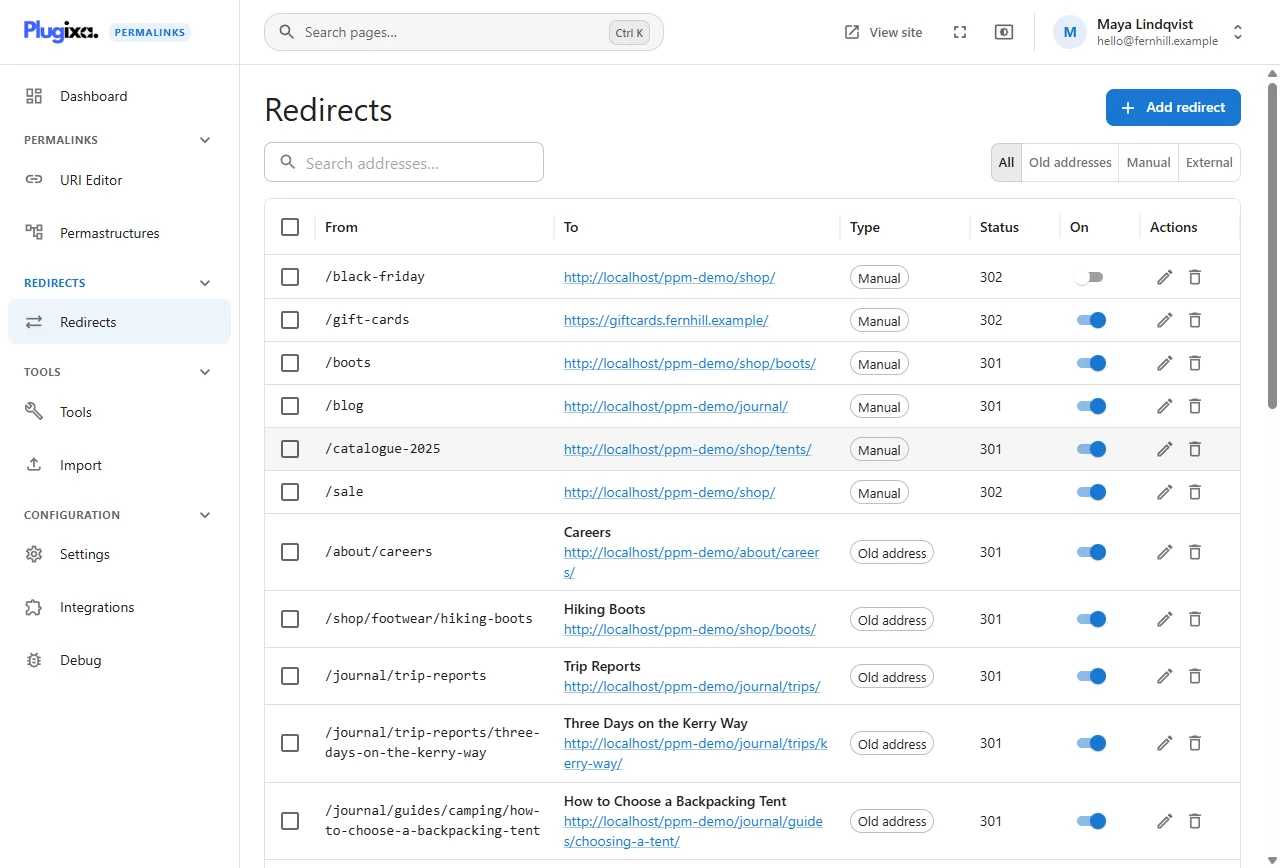
The kinds of redirect
| Type | Where it comes from | Can you edit it |
|---|---|---|
| Old address | Created automatically when an item’s address changed. See Automatic redirects | Status and on/off. The source and target follow the item |
| Manual | You added it, to a path on this site or to an allowed site | Everything |
| External | An item imported from Permalink Manager that sends its visitors to another site | Status and on/off |
| Alias | An old address imported from another plugin | Status and on/off |
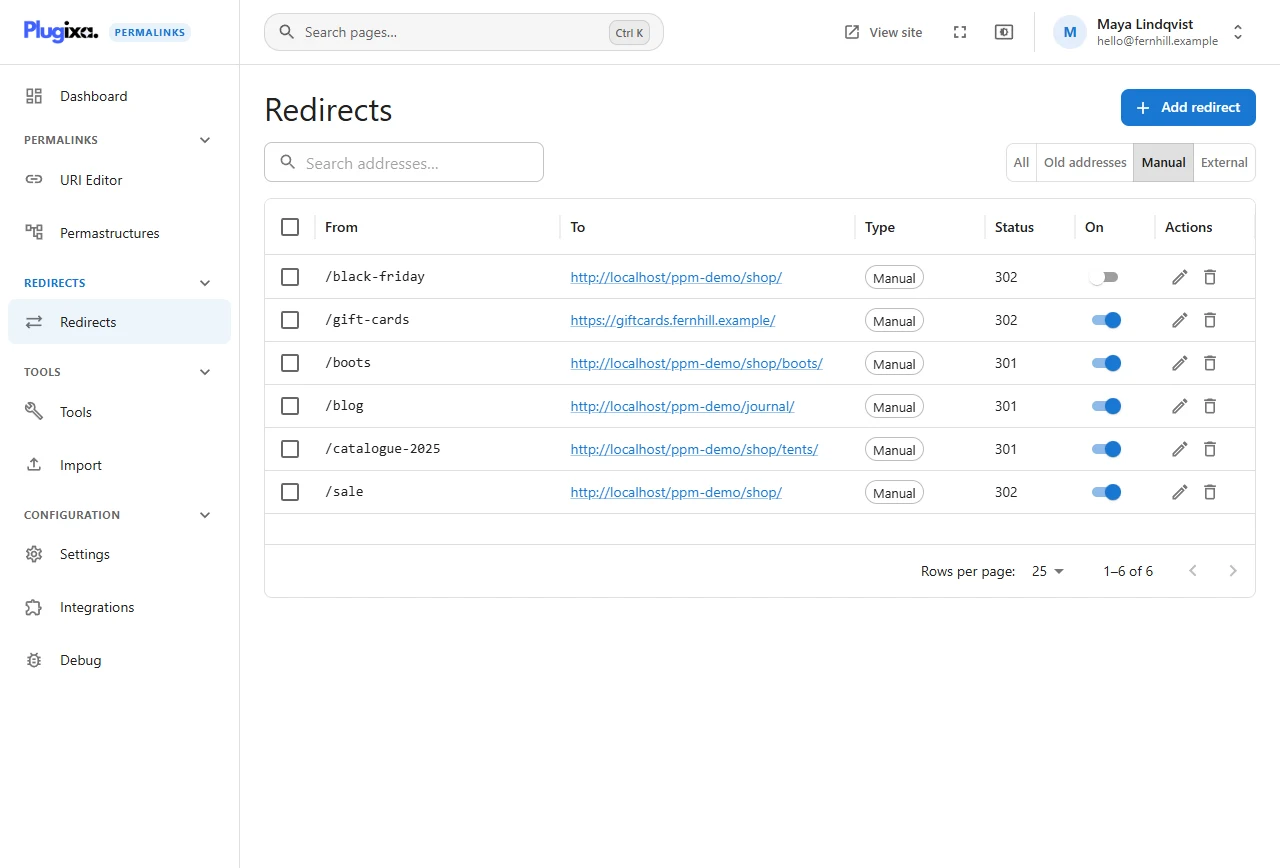
The buttons above the list filter by kind: All, Old addresses, Manual, External. The search box matches the source or the target.
Add a redirect
Click Add redirect.
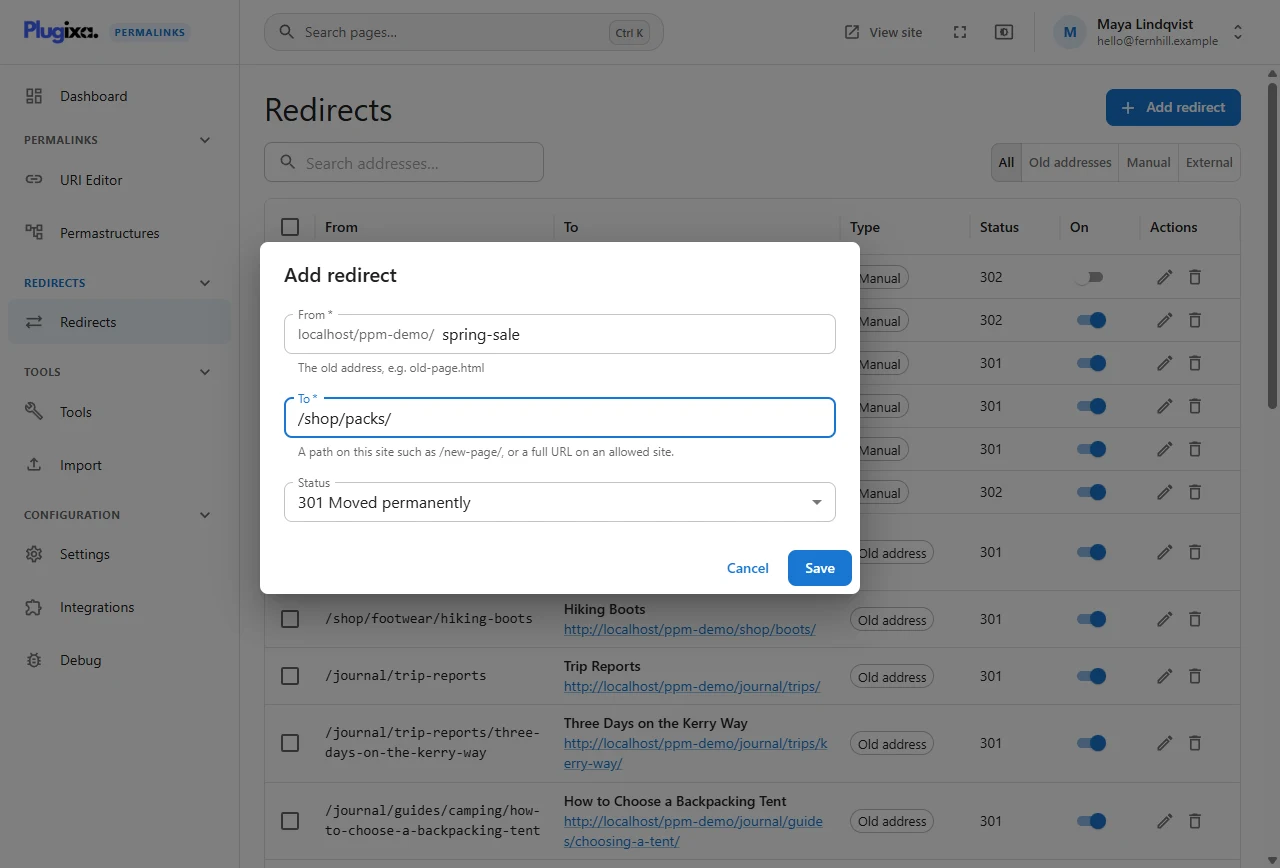
| Field | What to enter |
|---|---|
| From | The old address, without the site part: spring-sale, old-page.html |
| To | A path on this site such as /shop/packs/, or a full URL on an allowed site |
| Status | 301 Moved permanently, 302 Found (temporary), 307 or 308 |
The demonstration shop uses manual redirects for addresses that never were pages:
| From | To | Why |
|---|---|---|
/sale |
/shop/ (302) |
A seasonal address printed in adverts |
/catalogue-2025 |
/shop/tents/ |
A QR code in last year’s catalogue |
/blog |
/journal/ |
The journal used to be called the blog |
/gift-cards |
https://giftcards.fernhill.example/ (302) |
Gift cards are sold on a partner site |
What is refused, and why
- A source that is already a redirect. Edit the existing one instead.
- A source that is a live custom address. A page cannot also be a redirect; move the page first.
- A redirect to itself.
- A target on a site you have not allowed. See below.
Two things are not checked for you. A redirect whose source is a page on its plain WordPress address is accepted but never fires, because manual redirects only act when the address would otherwise be a 404. And a pair that point at each other is accepted, so avoid sending A to B and B to A.
A redirect matches whatever the letter case and with or without a trailing
slash, so /Sale, /sale and /sale/ all work.
Redirects to other sites
Sending visitors to another site is useful and easy to abuse, so it is closed by default. In Redirects settings:
- Only to the sites listed below (the default) - add each host name to
Allowed sites, for example
giftcards.fernhill.example. - To any site - no list is checked.
Switch off, edit, delete
- The On switch stops a redirect without deleting it. The shop keeps
/black-fridayswitched off until November. - The pencil opens the redirect for editing.
- The bin deletes it. Tick several rows to delete them together.
Deleting an old-address redirect means that address stops working. If the item moves again, a new one is created as usual.
Importing redirects
Redirects kept by Rank Math, Yoast SEO Premium and SEOPress can be brought in from Import.
Who can use it
Viewing needs access to the plugin; adding, changing and deleting need the plugin’s redirects permission. Administrators have both.
Going back to the free plugin
The redirects you added keep working. They are stored in the same table the free plugin serves from; only this screen is no longer there to list them.