

Contents
Update Modes - Plugixa Permalink Manager
Setting an address answers “what is it now”. The update mode answers “what happens to it later”: when the title changes, when the category changes, when someone runs a bulk tool.
Every item has a mode. You set it in the URI Editor, on the edit screen or in Quick Edit.
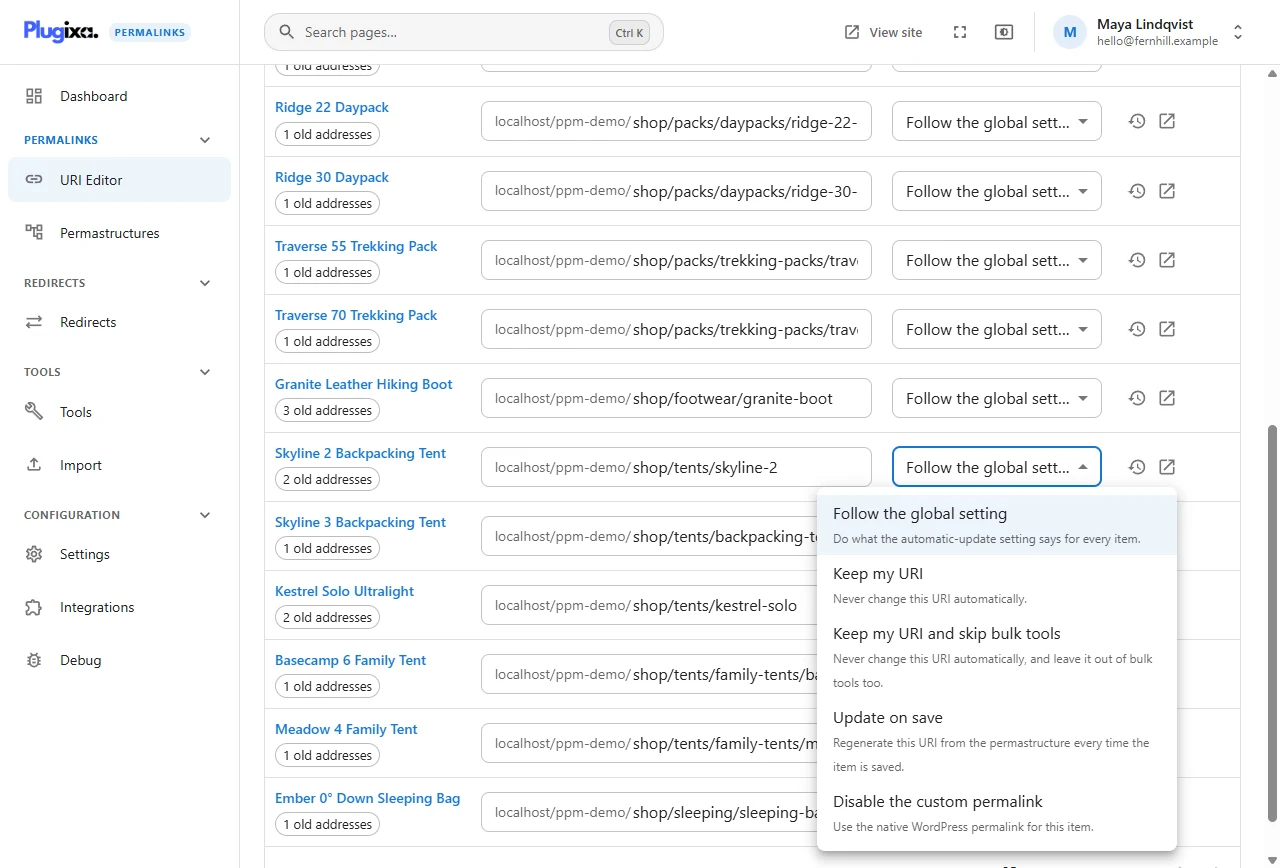
The five modes
| Mode | What it means | Use it for |
|---|---|---|
| Follow the global setting | Do whatever When content is saved says in Addresses settings. The default for every item | Nearly everything |
| Keep my URI | Never change this address automatically | A landing page whose address is printed on packaging |
| Keep my URI and skip bulk tools | Never change it automatically, and leave it out of Regenerate and Find and replace too | An address that must survive any reorganisation |
| Update on save | Rebuild the address from the pattern every time the item is saved | Content whose address should always follow its title or category |
| Disable the custom permalink | Use the WordPress permalink for this item | The one page you want the plugin to leave alone |
How they interact with addresses typed by hand
An address you type is yours. The site-wide setting never overwrites a hand-typed address, whatever it says; only Update on save on that item does.
The bulk tools respect the same line. Regenerate leaves hand-typed addresses alone unless you tick Also change addresses typed by hand, and it never touches an item set to Keep my URI and skip bulk tools.
Examples from the demonstration site
- How to Choose a Backpacking Tent has the short address
journal/guides/choosing-a-tentand is set to Keep my URI. Renaming the post will not move it. - Autumn Range Preview is set to Update on save. If it is moved from News to another category, its address follows.
- Our Belfast Shop Opens This Month is set to Keep my URI and skip bulk tools. A Find and replace across the journal leaves it exactly where it is.
- The Careers page is set to Disable the custom permalink and lives at its
WordPress address,
/about/careers/.
Changing a mode
Changing the mode of an item that already has an address leaves the address alone. On an item with no stored address yet, choosing Keep my URI, Keep my URI and skip bulk tools or Update on save gives it one. Either way the change is recorded in the history as “Update mode changed”, so you can see later who protected an address and when.
Choosing Disable the custom permalink removes the custom address; the item goes back to its WordPress address, and the address it had redirects there.