

Contents
Permastructures - Plugixa Permalink Manager
A permastructure is a pattern. Instead of typing an address for each of 500 products, you say once what a product’s address is made of, and the plugin builds it from each product’s own details.
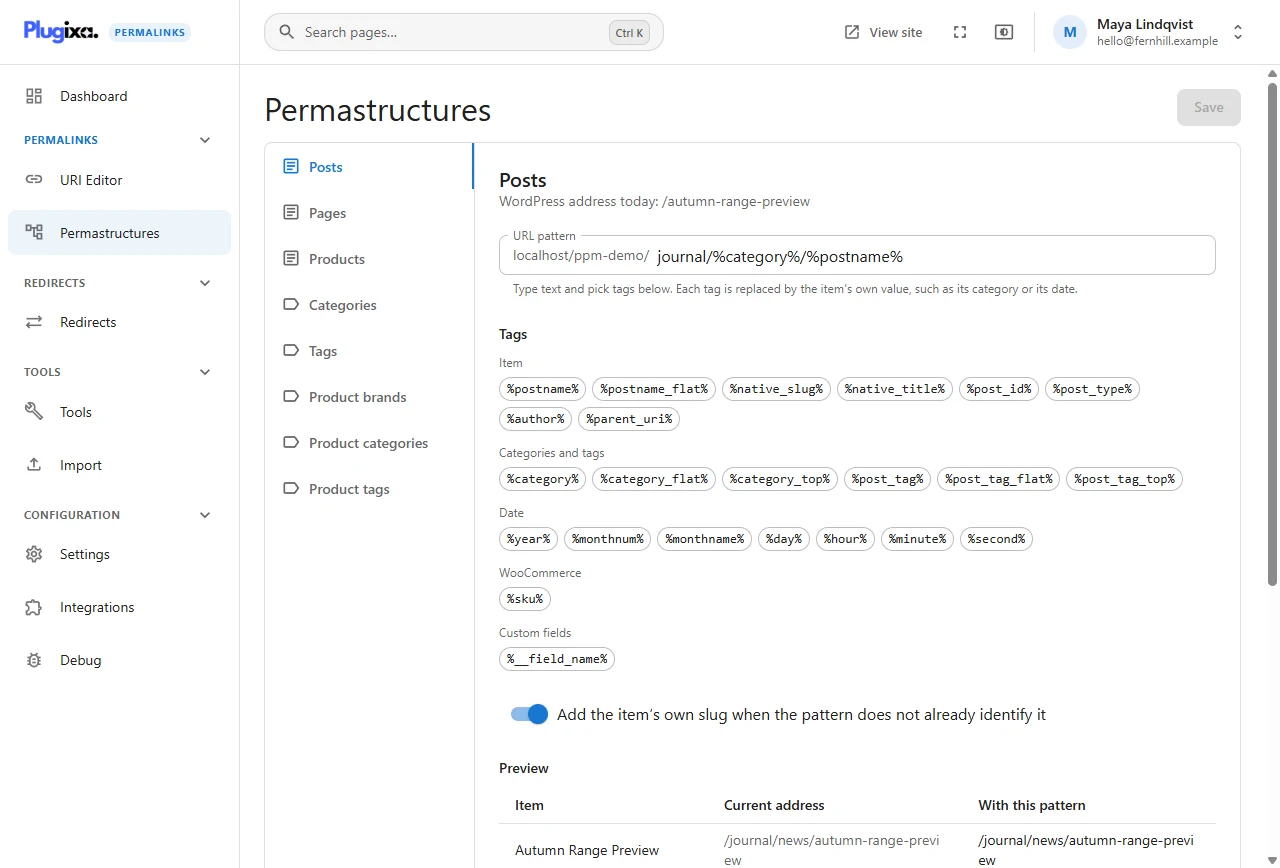
One pattern per content type
There is a tab for every post type and every taxonomy that has custom permalinks switched on. The demonstration shop uses these:
| Tab | Pattern | Gives |
|---|---|---|
| Posts | journal/%category%/%postname% |
/journal/guides/camping/sleeping-bag-ratings-explained/ |
| Products | shop/%product_cat%/%postname% |
/shop/tents/backpacking-tents/skyline-3-backpacking-tent/ |
| Categories | journal/%category% |
/journal/guides/camping/ |
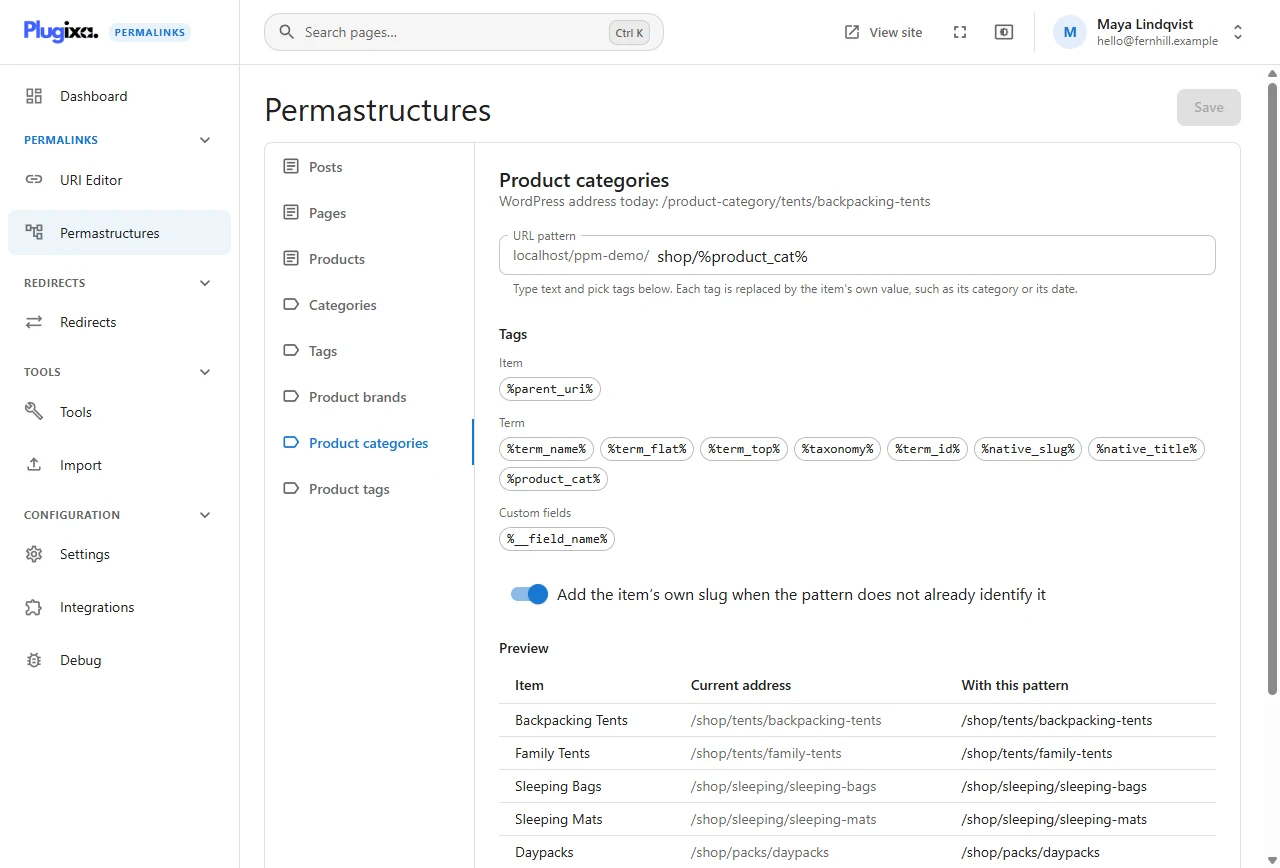
| Product categories | shop/%product_cat% |
/shop/tents/backpacking-tents/ |
| Product brands | brands/%term_name% |
/brands/kestrel/ |
| Tags | journal/topics/%term_name% |
/journal/topics/beginners/ |
Pages have no pattern here, so they keep their WordPress addresses unless one is typed by hand.
Above the field, WordPress address today shows what the same item would be called without the plugin, so you always know what you are changing from.
Writing a pattern
Type plain text for the fixed parts and click a tag to insert it. A tag is a name between percent signs; it is replaced by the item’s own value.
%postname%- the item’s slug%category%- the item’s category, including parent categories%year%/%monthnum%- the publication date%author%- the author’s slug
The tags offered depend on the tab: a product is offered its product categories, brands and tags; a category is offered term tags. The complete list is in the Tag reference.
A tag that is not in the list is flagged in the preview. The Tag reference lists the cases where a working tag is flagged.
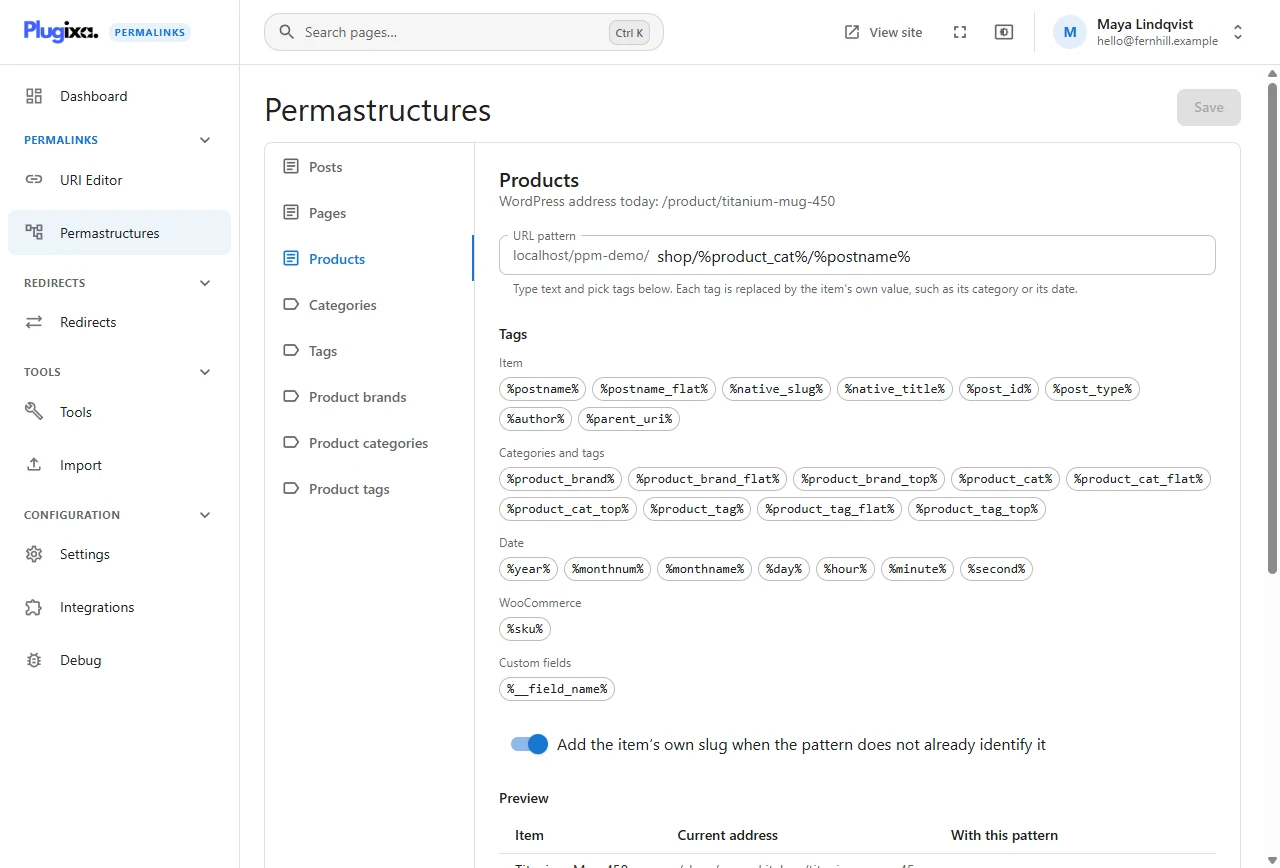
Add the item’s own slug
The tick box Add the item’s own slug when the pattern does not already
identify it protects you from a pattern such as shop/%product_cat% on
products, which would give every product in a category the same address. With
it ticked the slug is appended; untick it only when your pattern is unique by
some other means, for example %sku%.
The preview
The table under the pattern takes real items from your site and shows two columns: the current address and the address with this pattern. It updates as you type, before you save.
On the Products tab of the demonstration site one row differs: the Granite boot was given a short address by hand, so its current address is not what the pattern would produce. That is expected, and it stays that way.
What saving does, and does not do
A pattern gives addresses to new items, and to items set to update automatically. Existing addresses do not move.
Saving is safe on a live site: nothing visitors can reach changes. To apply the pattern to existing content, run Regenerate addresses, which previews first and can be undone.
Patterns for taxonomies
Taxonomy tabs work the same way with term tags. %product_cat% on the Product
categories tab is the category’s own path including its parents, which is how
Backpacking Tents under Tents becomes shop/tents/backpacking-tents.
Going back
Restore the WordPress structure at the bottom of a tab removes the pattern for that content type. Like saving, it moves no existing address by itself.
Per-language patterns
When Polylang or WPML is active, each language can have its own pattern for the same content type. See Polylang and WPML.
Who can change patterns
Changing a pattern needs the plugin’s settings permission (administrators). Anyone who can open the plugin can view them.