

Contents
Advanced Settings - Plugixa Permalink Manager
The Advanced tab holds four settings most sites never touch. One of them, safe mode, is worth knowing about before you need it.
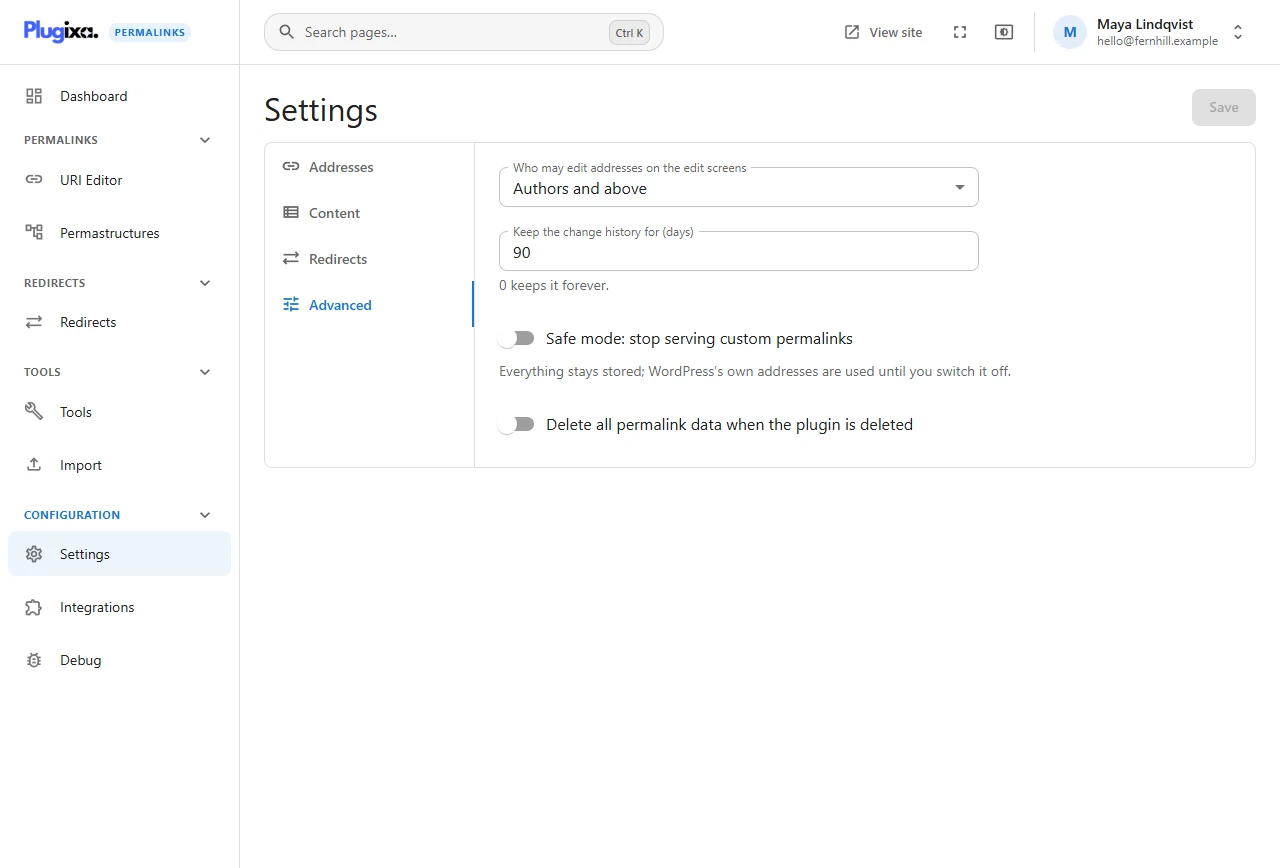
Who may edit addresses on the edit screens
Who sees the Permalink box and the Quick Edit fields.
| Choice | Roles on a standard site |
|---|---|
| Contributors and above | Contributor, Author, Editor, Administrator |
| Authors and above | The default |
| Editors and above | Editor, Administrator |
| Administrators only | Administrator |
This only covers the fields on edit screens. The plugin’s own screens (URI Editor, Tools, Settings) are for administrators unless you grant somebody else access; see Roles and permissions. And nobody can change the address of an item they could not otherwise edit.
Keep the change history for (days)
Every address change is recorded. This setting is how long entries are meant to be kept: 90 days by default, any whole number from 0 to 3650, and 0 keeps the history forever.
In version 1.0.0 the setting is stored but old entries are not yet removed automatically, so the history is kept in full whatever the number says.
History is what the panel in the URI Editor shows and what Undo relies on. Old addresses are not history: this setting never stops a redirect.
Safe mode: stop serving custom permalinks
A single switch that makes the site behave as if the plugin were not serving addresses, while keeping everything stored.
Everything stays stored; WordPress’s own addresses are used until you switch it off.
Use it when you suspect the plugin of causing a front-end problem and want to rule it out in ten seconds without deactivating anything. The dashboard shows a banner for as long as it is on.
If you cannot reach the admin at all, safe mode can also be forced from
wp-config.php; see
Troubleshooting.
Delete all permalink data when the plugin is deleted
Off by default, and deliberately so.
| Setting | Deleting the plugin from the Plugins screen |
|---|---|
| Off | Removes the files only. Addresses, redirects, history and settings stay in the database, and are there if you install the plugin again |
| On | Also drops the plugin’s tables and removes its settings and permissions |
Two safeguards apply even when it is on:
- If another copy of the plugin is installed, for example the free one beside Pro, the data is kept, because that copy is still using it.
- On a multisite network the choice is made per site.
Deactivating never deletes anything, whatever this says.