

Contents
Tools - Plugixa Permalink Manager
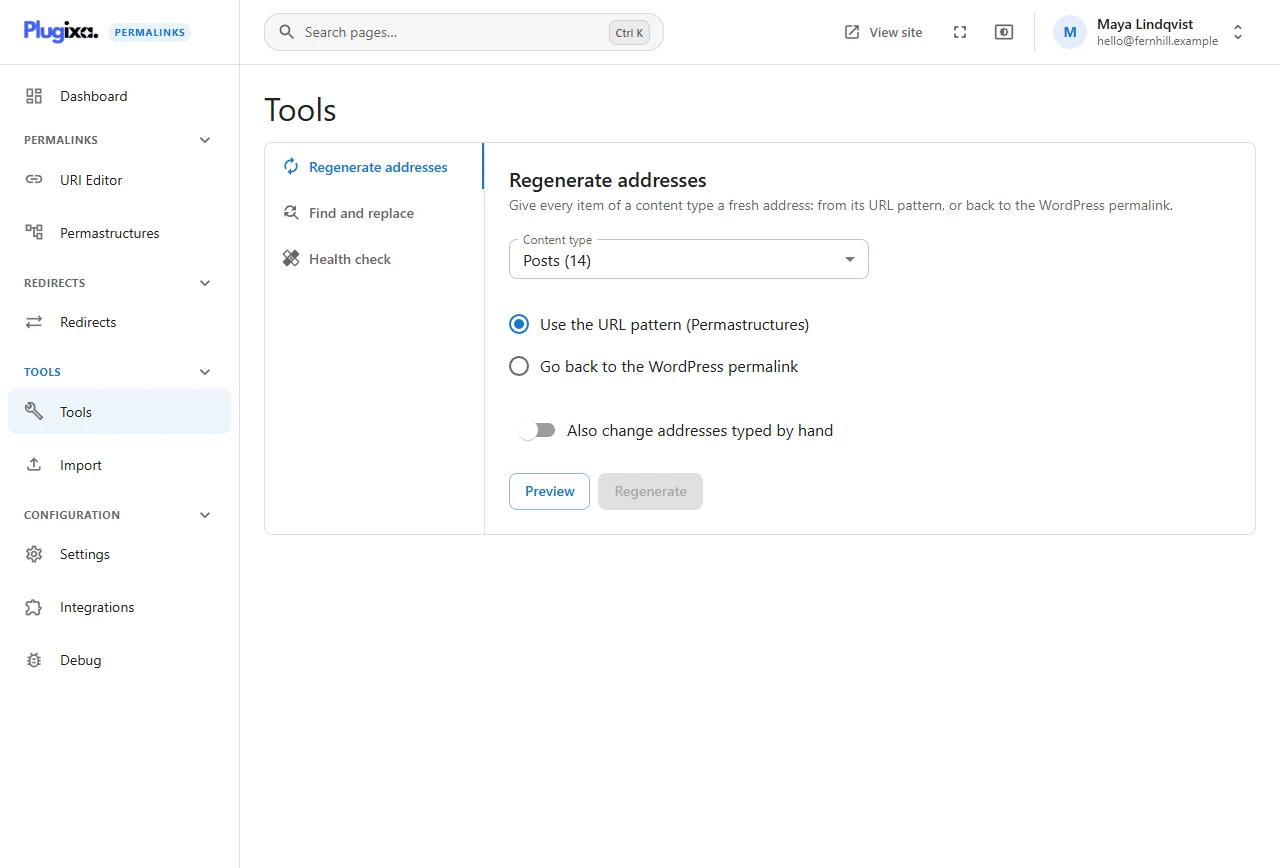
The Tools screen changes many addresses at once. It has a tab per tool:
| Tool | What it does | Edition |
|---|---|---|
| Regenerate addresses | Gives every item of a content type a fresh address from its pattern, or sends it back to WordPress’s | Free |
| Find and replace | Changes part of many addresses, for example blog/ to news/ |
Pro |
| Health check | Finds addresses and redirects that point at things which no longer exist | Free |
Three rules every tool follows
1. Preview first
Each tool has two buttons. Preview works out exactly what a run would do and shows it: how many items would change, how many would be skipped, how many would fail, and a table of before and after. Nothing is written.
Preview: 3 items would change. Nothing has been changed yet.
Only the second button, Regenerate, Replace or Fix, changes anything.
2. Work in the open
A run is a job. It processes items in batches while the screen shows its progress, so a site with fifty thousand products does not time out. Keep the tab open until it finishes. You can cancel a run that is still going, but a cancelled run cannot be undone, so prefer letting it finish.
3. Undo
A finished run can be undone. Undo puts every address the run changed back to what it was before. It is offered on the result of the run and from WP-CLI.
A run can be undone once, and a preview cannot be undone because it changed nothing. The one exception is the Health check: what its Fix deletes cannot be brought back.
What every run respects
- Old addresses keep working. Every address a tool replaces becomes a redirect to the new one, exactly as when you change one by hand.
- Uniqueness. No run ever gives two items the same address. Regenerate adds a number to a taken address; Find and replace and undo report that item as failed and carry on with the rest.
- Protected items. Anything set to Keep my URI and skip bulk tools is left out. See Update modes.
- History. Each change is written to the item’s history with the tool as its reason, so you can tell a bulk change from a hand edit months later.
Who can run tools
The tools need the plugin’s tools permission, which administrators have.
From the command line PRO
All three tools, and undo, are available as WP-CLI commands.