

Contents
Health Check - Plugixa Permalink Manager
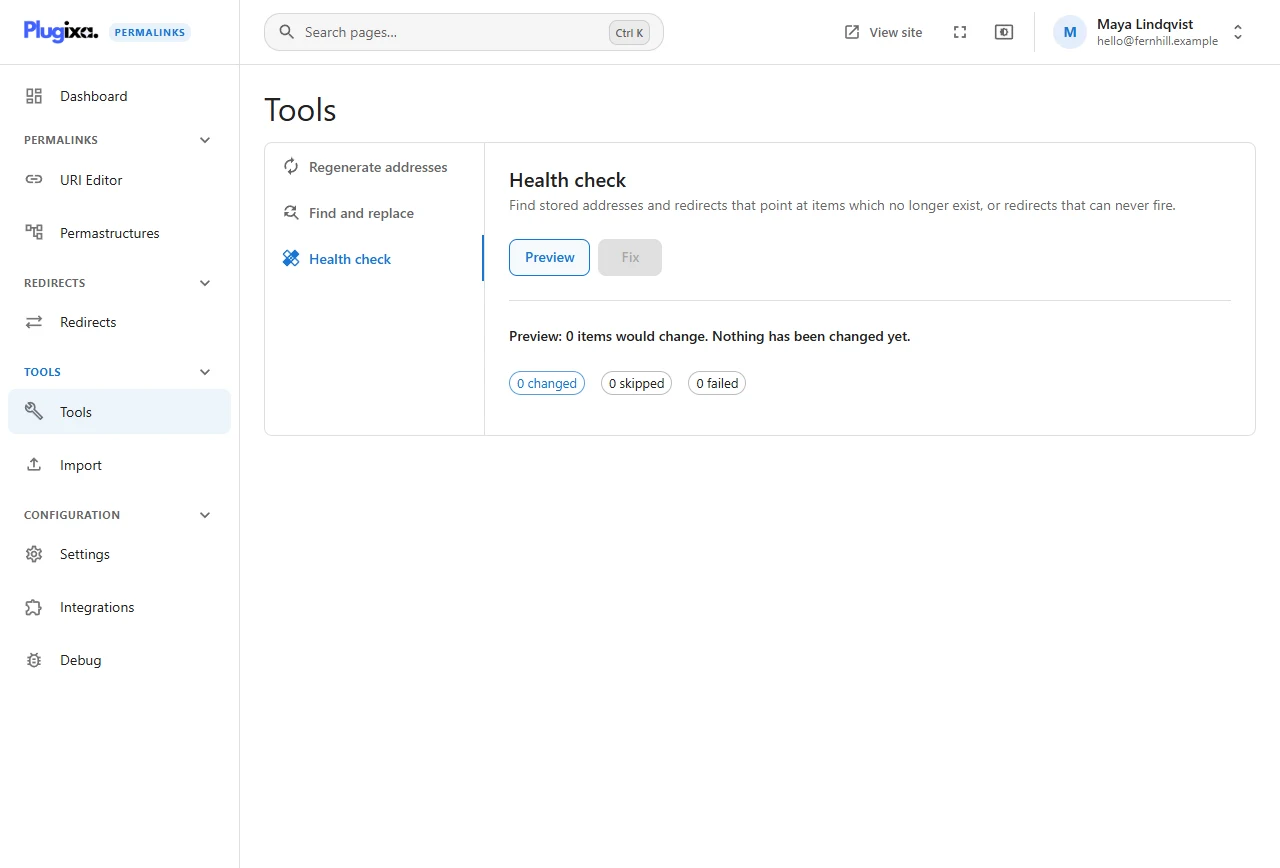
Sites change in ways the plugin is not always told about: a database import, a plugin that deletes posts in bulk, a content type that is unregistered. The Health check looks for what such changes leave behind.
What it looks for
- Addresses whose item is gone - a stored address for a post or term that no longer exists.
- Redirects whose item is gone - an old-address redirect with nothing left to redirect to.
- Redirects that can never fire - a redirect whose source is now the live address of an item, so the item is always shown instead.
Preview and fix
Preview counts what it finds and lists it without changing anything. On a healthy site it reports that 0 items would change.
Fix deletes the entries the preview listed. Like every tool it runs as a job, but a fix cannot be undone: the entries pointed at nothing, so there is nothing to restore. Read the preview before you run it.
When to run it
- After importing content or restoring a database.
- After deleting a lot of content with another plugin.
- When the dashboard’s numbers look higher than the content you have.
There is no need to run it on a schedule. Deleting a post or term through WordPress cleans up its address at the time.
From the command line PRO
wp plugixa-permalinks check
wp plugixa-permalinks check --fix
Without --fix the command only previews. See
WP-CLI.