

Contents
Floors - Plugixa Image Map
PRO A map can hold more than one picture. Each is a floor with its own hotspots, and visitors switch between them with tabs. One shortcode shows the whole building.
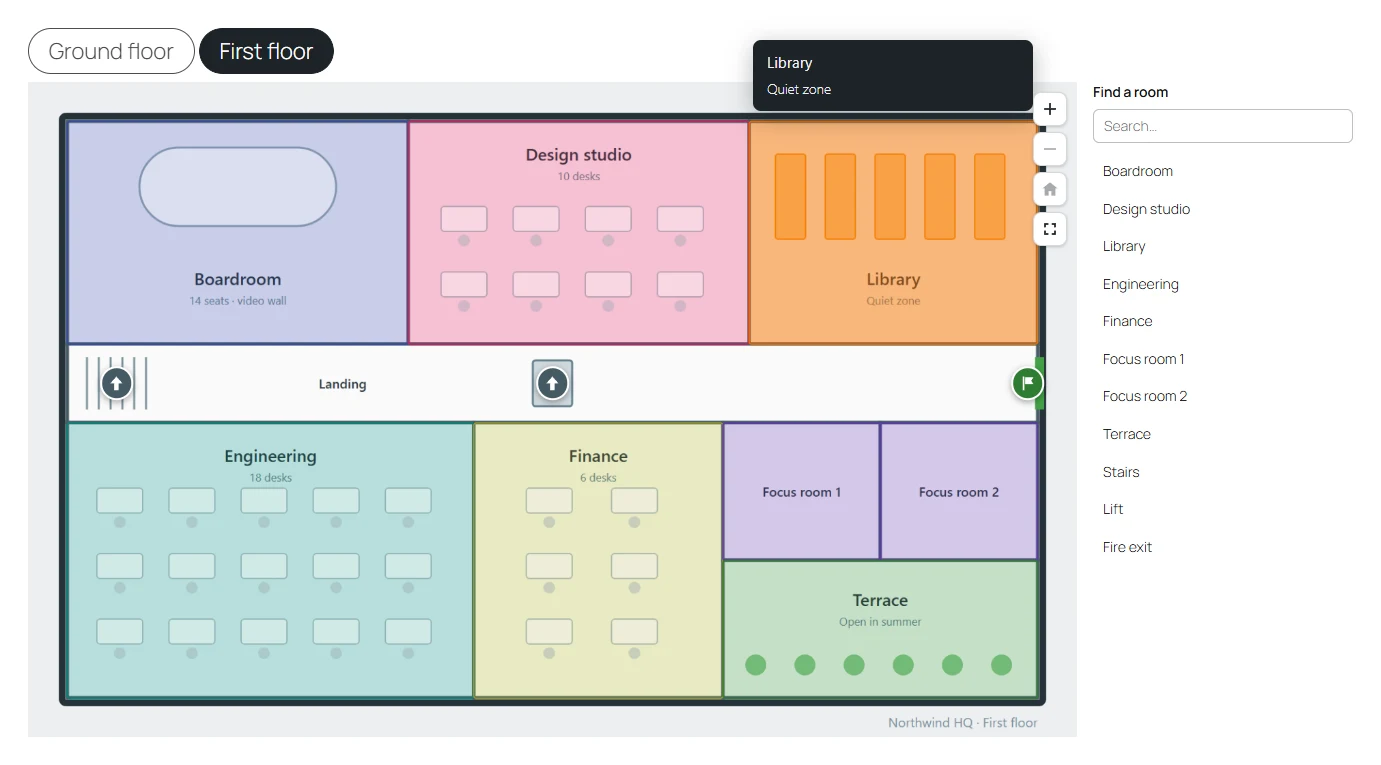
Floors are not only for buildings. Use them for the front and back of a product, summer and winter trail maps, or the days of an event.
Adding a floor
In the editor, click the + beside the floor tabs above the picture. Choose the new floor’s picture and draw its hotspots as usual.
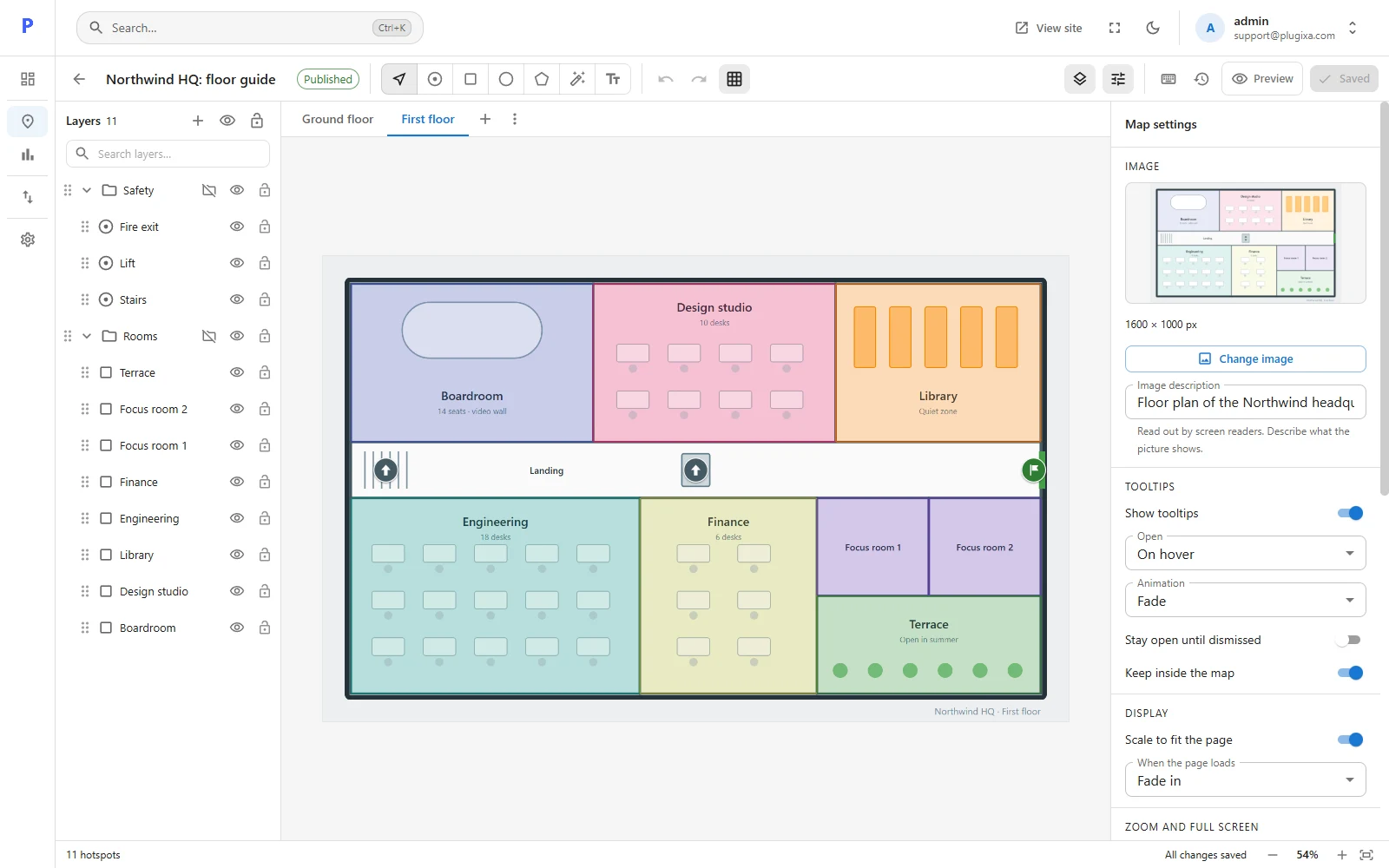
- Click a tab to work on that floor. The layers panel shows that floor’s hotspots only.
- Removing a floor removes its picture and every hotspot on it. You can undo that until you leave the editor.
- A map holds up to 20 floors. A floor’s name can be up to 100 characters; a floor without a name is shown as Floor 1, Floor 2 and so on.
Jumping between floors
A hotspot can take the visitor to another floor: a staircase on the ground floor that opens the first floor.
Select the hotspot, open Behaviour, and under When clicked choose Show floor, then pick the floor.
What visitors see
- A row of tabs above the map, one per floor.
- The first floor in the row of tabs opens first, whichever floor you were working on when you saved.
- The arrow keys, Home and End move between the tabs.
- Without JavaScript, every floor is shown one under the other with its name.
- The location list shows the hotspots of the floor on screen.
- A floor that has no picture is left out.
Good to know
- Map settings such as tooltips, zoom and the location list apply to all floors.
- The floors script is loaded only on pages whose map has floors.
- Exporting a map exports all its floors.
- If the Pro plugin is removed, the map shows one floor only: the one that was open in the editor when the map was last saved, which is not necessarily the first tab. The other floors stay stored and come back when Pro does, as long as the map is not saved in the meantime with the free plugin.