

Contents
App manager - Plugixa Multi Currency for WooCommerce
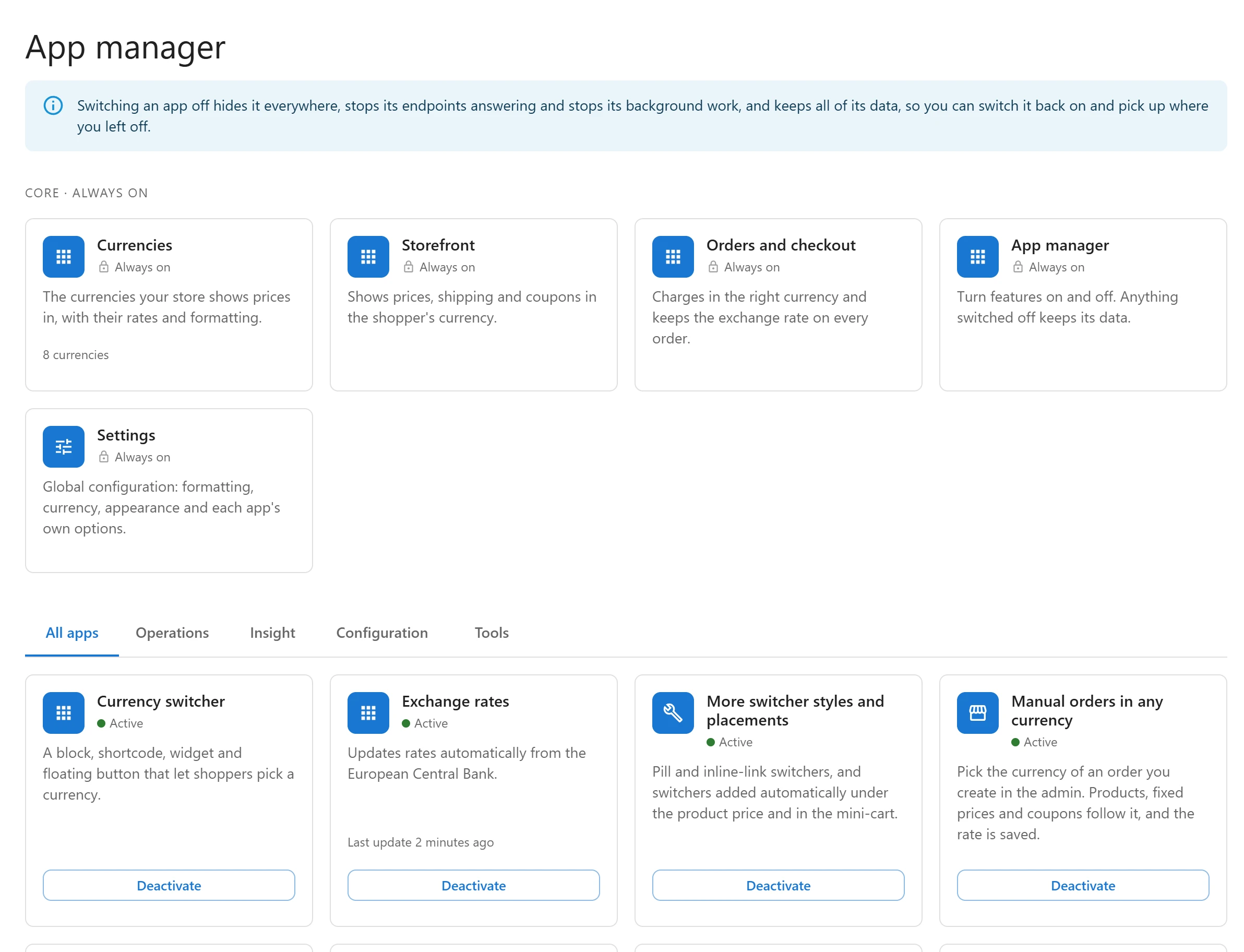
Plugixa Multi Currency is built from small apps, one per feature. The App manager lets you switch off the ones you do not use, so their screens, settings tabs and background work go away. Open it from Plugixa Multi Currency > App manager.
What switching off does
Switching an app off hides it everywhere, stops its endpoints from answering and stops its background work. It keeps all of its data and settings, so you can switch it back on and pick up where you left off. Nothing in the App manager deletes anything.
The free apps
| App | Can be switched off | What it does |
|---|---|---|
| Currencies | No, always on | The currencies your store shows prices in, with their rates and formatting. |
| Orders and checkout | No, always on | Charges in the right currency and keeps the exchange rate on every order. |
| Storefront | No, always on | Shows prices, shipping and coupons in the shopper’s currency. |
| Settings | No, always on | The settings screen. |
| App manager | No, always on | This screen. |
| Exchange rates | Yes | Updates rates automatically from the European Central Bank. Off: rates are only typed by hand. |
| Currency switcher | Yes | The block, shortcode, widget and floating button. Off: shoppers cannot change currency from your pages. |
The always-on apps are listed under Core · always on. The others show Active or Inactive with a switch.
Apps that need another app
Some apps need another one to work. The card says what it Needs. When you switch an app off, the apps that need it go off too, with the note Off because something it needs is off. Switching it back on brings them back.
For example, Pro’s More switcher styles and placements needs the Currency switcher app.
Pro apps
Pro adds one app per Pro feature PRO, all active after installation, grouped under Operations, Insight and Tools. Switch off the ones you do not need: for example Google Merchant feed if you do not advertise on Google Shopping, or Elementor widget if you do not use Elementor.
Quick Links
Share