

Contents
On this page
Fixed shipping and coupons - Plugixa Multi Currency for WooCommerce
The free plugin converts shipping costs, free-shipping minimums and fixed coupon amounts from your store currency. Pro lets you type the exact amount for each currency instead, on WooCommerce’s own screens. For example, shipping can cost 5.00 USD, 5.00 EUR and 4.00 GBP, and a “10 off” coupon can take 10 off in every currency.
An empty field keeps the converted value, so you only fill in the amounts you want to fix.
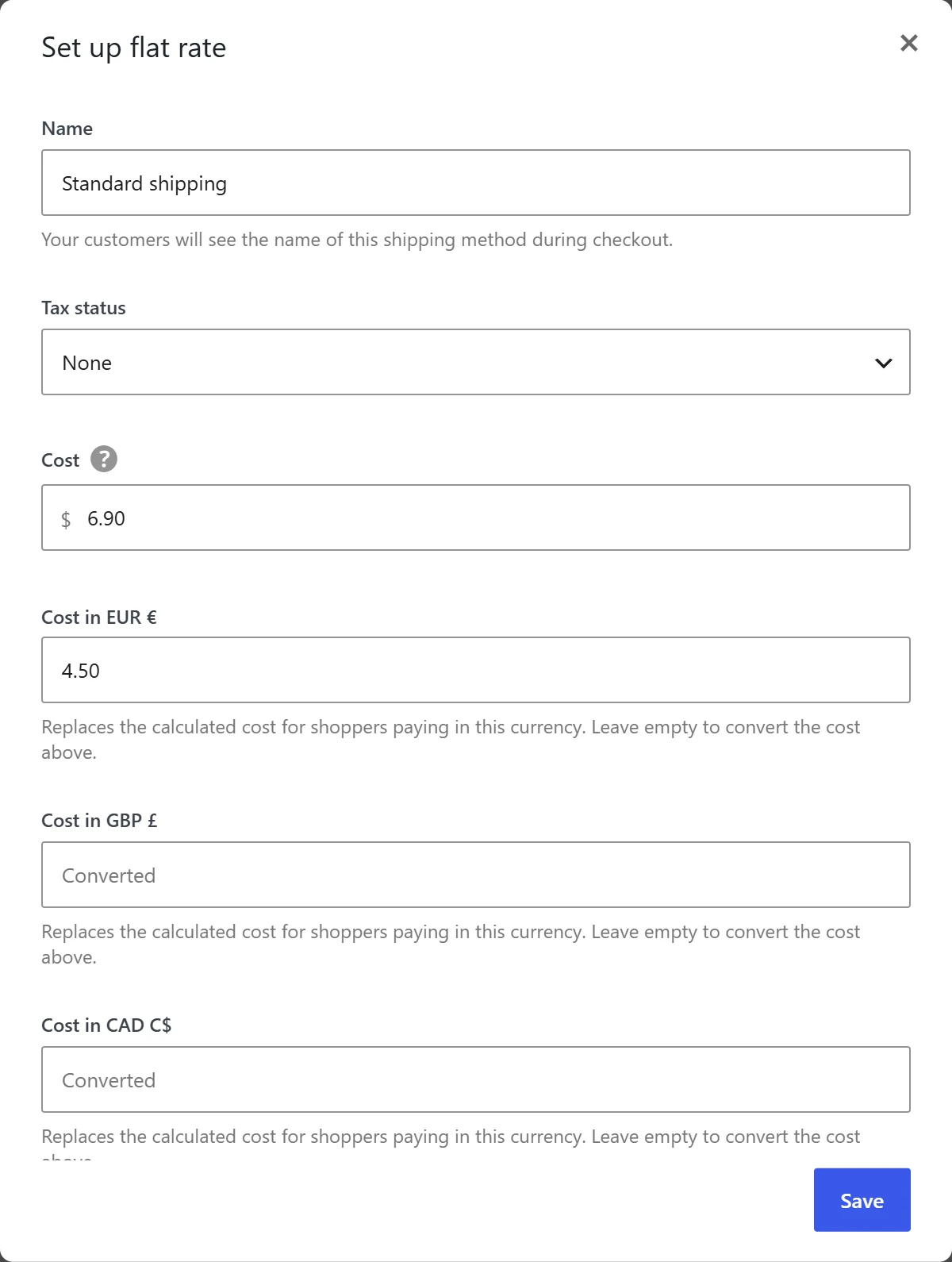
Flat rate shipping
- Go to WooCommerce > Settings > Shipping and open a shipping zone.
- Edit a Flat rate method.
- Under Cost, fill in Cost in EUR, Cost in GBP and so on: Replaces the calculated cost for shoppers paying in this currency. Leave empty to convert the cost above.
- Save.
The fixed cost is used as it is, without the currency’s rate, margin or Shipping rounding rule. When the rate has taxes, they are scaled to the fixed cost.
Free shipping minimum
- Edit a Free shipping method in a shipping zone.
- Fill in Minimum order in EUR and the other currencies: Leave empty to convert the minimum above.
- Save.
A shopper browsing in euros then gets free shipping from your euro minimum, for example from 50.00 EUR instead of a converted 46.12 EUR.
Coupons
Edit a coupon in Marketing > Coupons.
Amount
On the General tab, Amount per currency (fixed discounts only) has an Amount in field for each currency. It applies to fixed cart and fixed product discounts. A percentage coupon is the same percentage in every currency and has nothing to fix.
Minimum and maximum spend
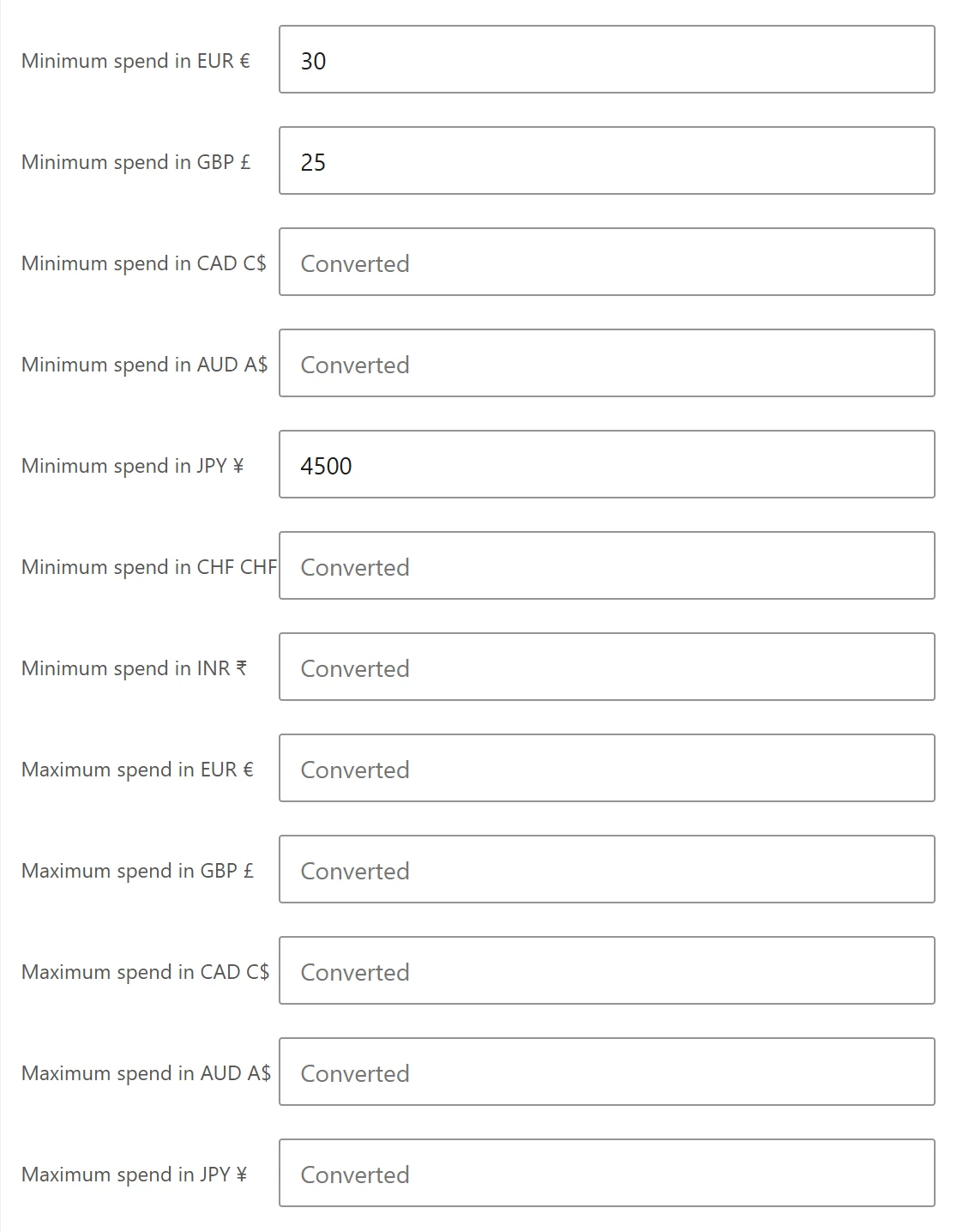
On the Usage restriction tab, fill in Minimum spend in and Maximum spend in for each currency you want to fix.
Then click Update to save the coupon.
Which value is used
| Field | Shopper’s currency has a fixed value | Field empty |
|---|---|---|
| Flat rate cost | The fixed cost | The cost converted with rate, margin and Shipping rounding |
| Free shipping minimum | The fixed minimum | The minimum converted |
| Coupon amount (fixed types) | The fixed amount | The amount converted |
| Coupon minimum and maximum spend | The fixed value | The value converted |
Fixed values are stored in WooCommerce’s own shipping settings and coupon data. Fixed product prices are set separately: see Fixed prices.
Quick Links
Share