

Contents
On this page
Prices by user role - Plugixa Multi Currency for WooCommerce
Prices by user role give logged-in customers with a given WordPress role their own prices. A wholesale customer can pay 20% less in every currency, a B2B customer 15% less in euros only, or you can type an exact price per product for each role and currency.
Open Settings and the Prices by user role tab.
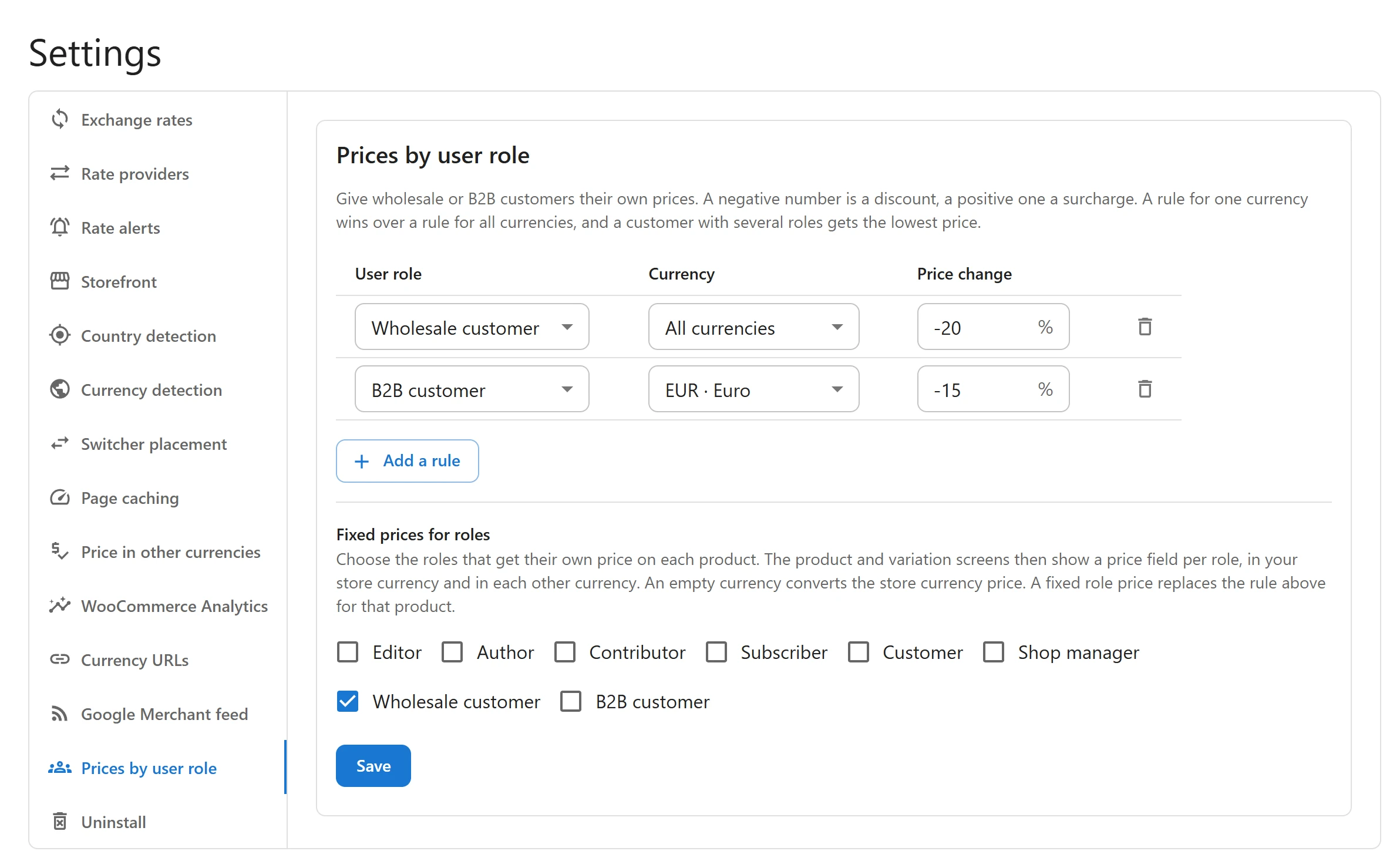
Percentage rules
A rule says: shoppers with this role pay this much more or less, in this currency or in all of them.
- Click Add a rule.
- Choose the User role.
- Choose a currency, or All currencies.
- Enter the Price change in percent: a negative number is a discount, a positive one a
surcharge. For example
-20for 20% off. - Click Save.
| Situation | What applies |
|---|---|
| A rule for the shopper’s currency and a rule for All currencies | The rule for the currency wins. |
| A customer with several roles that have rules | The rule that gives the lowest price. |
| No rule for the shopper’s roles | The normal price. |
A rule applies after conversion and after fixed prices, to the regular and the sale price alike, so a product on sale keeps its strike-through. The result is rounded to the currency’s decimals. The same role and currency can only have one rule: a second one is marked Already set above. The change can go from just above -100% to 1000%.
With no rules, the tab says No rules yet. Everyone pays the same price.
Fixed prices for roles
For exact B2B prices, use Fixed prices for roles:
- Under Fixed prices for roles, choose the roles that get their own price on each product, for example Wholesale customer.
- Click Save.
- Edit a product. The General tab now has a Price for Wholesale customer block, with a field for your store currency and each other currency. Variations have the same fields.
- Fill in the prices and update the product.
Which price a shopper with that role pays, in their currency:
- The role price typed for that currency.
- Otherwise the role price in your store currency, converted with the rate, margin, rounding and charm ending.
- Otherwise the normal price, with the role’s percentage rule if there is one.
Leave a currency empty to convert the store currency price, and leave them all empty for the normal price.
A fixed role price is the price: it is not also discounted by a percentage rule, and no sale price, Sale badge or strike-through is shown beside it. With several roles that have fixed prices, the lowest one wins.
Who sees role prices
Only logged-in customers whose user account has the role. Visitors who are not logged in, and customers with no matching role, pay the normal price. Role prices are never applied on wp-admin screens.
Role prices are stored on the product, as product data, so WooCommerce’s product export, import and duplicate carry them along.
Roles to use
The plugin uses the WordPress roles on your site. WooCommerce adds Customer; a wholesale or B2B role usually comes from another plugin or a role editor. Create the role first, give it to your customers, then add the rules here.
With other rules
| Combined with | Result |
|---|---|
| Fixed prices | The percentage rule applies to the fixed price. A fixed role price replaces both. |
| Charm pricing | Applied before the role percentage, so a role discount can change the ending. A fixed role price in another currency than the store’s is used as typed. |
| Coupons | Apply on top of the role price, as WooCommerce does with any price. |
Quick Links
Share