

Contents
On this page
Exchange rates - Plugixa Multi Currency for WooCommerce
Every currency other than your store currency has a rate: how much 1 unit of your store currency
is worth in it. In a US dollar store, a euro rate of 0.92 means 1 USD = 0.92 EUR, so a product
priced 100.00 USD shows as 92.00 EUR before any margin or rounding.
You can type rates yourself, update them in one click, or let the plugin update them every day.
Type a rate by hand
- Open Currencies and click the currency.
- Enter the Rate, with a dot for decimals, for example
3.6725for UAE dirhams in a US dollar store. - Click Save.
The Source column then shows Manual. A rate typed by hand is still replaced by the next automatic update, if the free sources publish that currency. To keep it, switch on Manual only: never change this rate automatically on the same form: the source then shows Manual only.
Where automatic rates come from
| Source | What it is |
|---|---|
| European Central Bank | The ECB’s daily euro reference rates, published for about 30 currencies once a working day, around 16:00 CET. Free, no key. |
| Frankfurter | A free open-source mirror of the same ECB rates, asked only when the ECB cannot be reached. |
When your store currency is not the euro, the plugin works out cross rates. For a US dollar store, the rate for pounds is the euro to pound rate divided by the euro to dollar rate.
The ECB does not publish every currency. For a currency it does not cover, such as the UAE dirham or the Saudi riyal, type the rate yourself and switch on Manual only. Pro adds providers that cover more currencies PRO. See Rate providers.
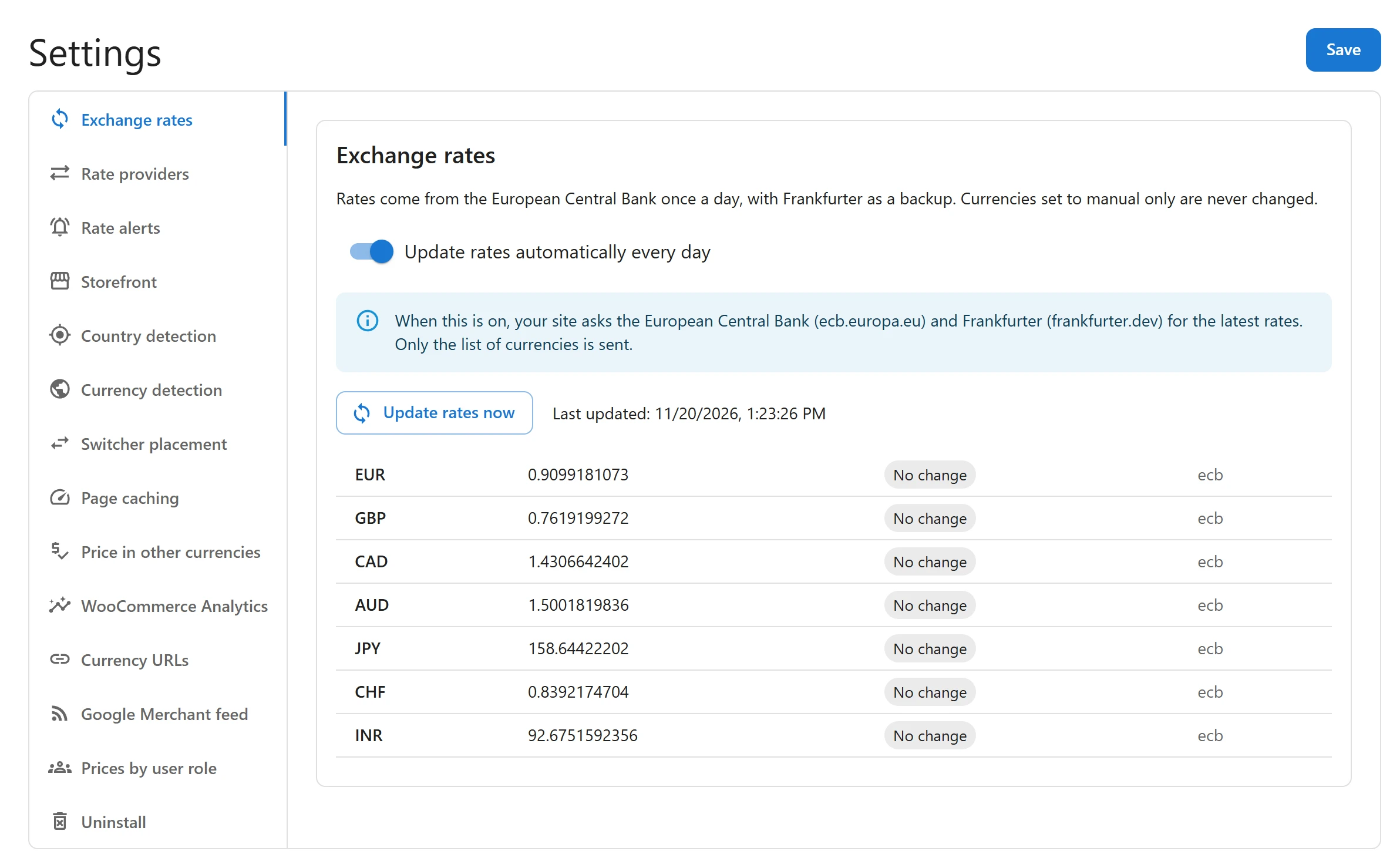
Update rates now
- Go to Settings and open the Exchange rates tab.
- Click Update rates now.
A table shows what happened to each currency:
| Status | Meaning |
|---|---|
| Updated | The new rate was saved. The table shows the old and the new rate. |
| No change | The source returned the same rate as before. |
| Rejected | The new rate looked wrong and was not saved. The message says why. |
| Not available | No source publishes this currency. Enter its rate by hand. |
| Manual only | The currency is set to manual only, so it was skipped. |
| Held | Pro only: the change was held for your approval PRO. See Rate alerts and history. |
Last updated beside the button shows when rates were last fetched.
The setup wizard has the same action on its Exchange rates step: Get today’s rates from the European Central Bank.
Update rates every day
- Go to Settings > Exchange rates.
- Switch on Update rates automatically every day.
- Click Save.
Rates are then fetched once a day, at 15:30 UTC, after the ECB has published, and once right away. The update runs in the background through WooCommerce’s Action Scheduler, so it needs WordPress cron to run on your site.
Switching the setting off stops the daily update. Rates already saved stay as they are.
The safety check
A failed or absurd answer never replaces a good rate:
- If a source cannot be reached, the next source is asked. If none answers, every rate stays as it was.
- A rate of zero or below is refused.
- When a currency’s rate came from an automatic update, a new rate that differs from it by more than 50% in one update is refused, with a message such as Rejected: a 64% change in one update looks wrong. Check the rate and, if it is right, type it by hand.
Every automatic rate, applied or refused, is written to the currency’s rate history. The plugin keeps the last 30 entries per currency.
When rates are not updated
The dashboard warns you when rates have not been updated for more than 3 days: Exchange rates have not been updated for more than 3 days. Check that:
- Update rates automatically every day is on in Settings > Exchange rates.
- WordPress cron runs on your site. On a site with little traffic, set up a real cron job.
- Your server can reach
www.ecb.europa.euandapi.frankfurter.dev.
Then click Update rates now and read the message on each line.
What is sent to the sources
Only when automatic updates are on, or when you click Update rates now or Get today’s rates:
- To the European Central Bank: a plain request for the public rates file. Nothing about your site, your customers or their orders.
- To Frankfurter, only if the ECB fails: your store currency code and the codes of your currencies.
Rates and existing orders
Changing a rate, by hand or automatically, changes the prices shoppers see from that moment. It never changes an order already placed: each order keeps the rate it was placed at. See Orders and refunds.
Quick Links
Share