

Contents
Google Merchant feed - Plugixa Multi Currency for WooCommerce
Google Merchant Center needs one product feed per target country, priced in that country’s currency, and it rejects a product when its landing page shows another price. Pro publishes a feed for each currency you choose, with prices and landing pages that match.
Open Settings and the Google Merchant feed tab.
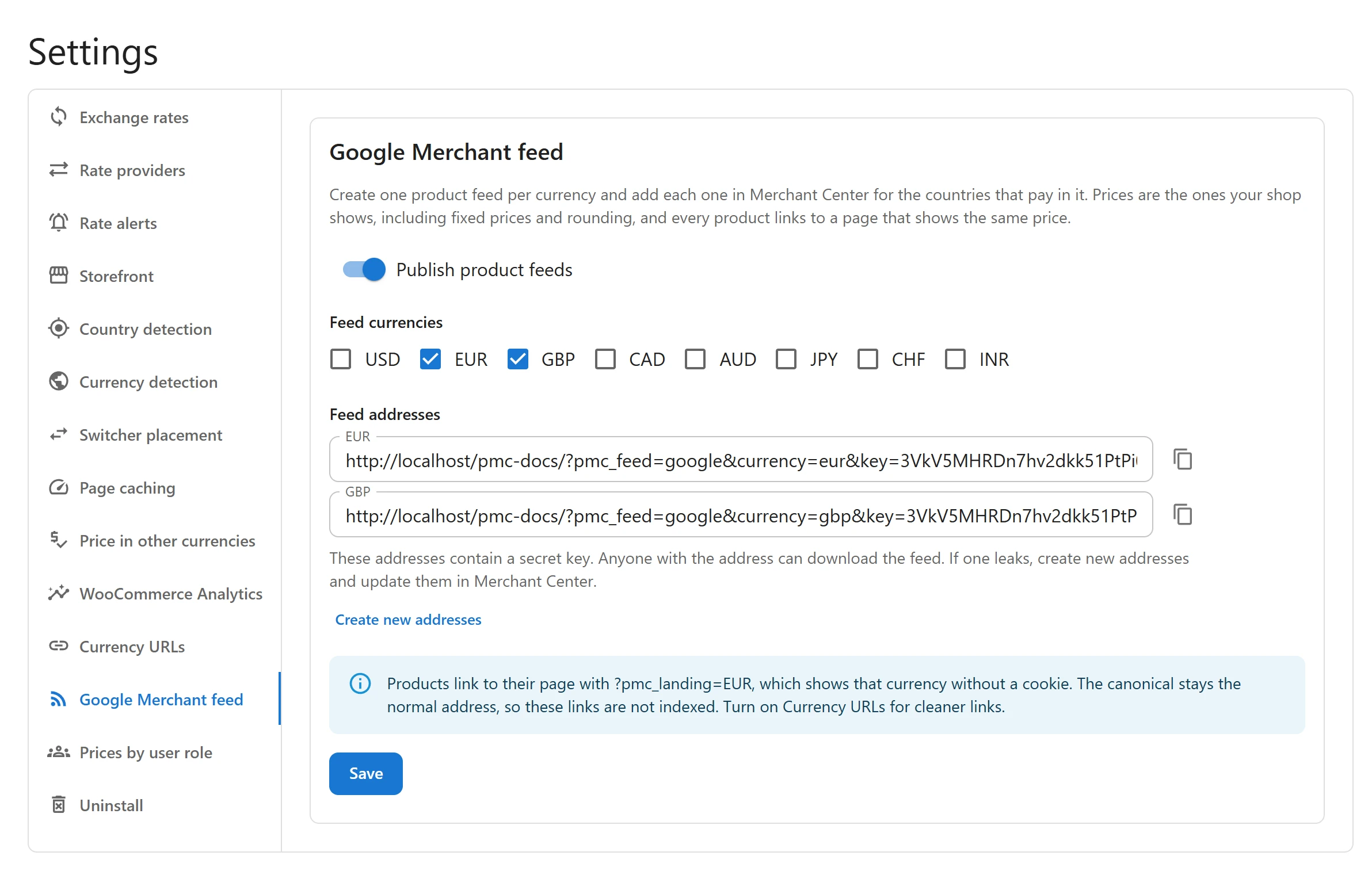
Publish the feeds
- Switch on Publish product feeds.
- Under Feed currencies, tick the currencies you advertise in.
- Click Save.
- Under Feed addresses, click Copy next to each currency’s feed.
- In Merchant Center, add each address as a scheduled fetch for the countries that pay in that currency.
Only your store currency and currencies charged as they are can have a feed. A currency set to Charge in the store currency is listed as not available: Google rejects a price the shopper does not pay.
What is in a feed
One item per simple product, and one per variation of a variable product, with:
- id, title and description (the variation’s own, else the product’s, shortened to Google’s limits)
- the price in the feed’s currency, as your shop shows it, including fixed prices, rounding and charm endings, and the sale price when there is one
- the link, availability, condition (new), images, the variant attributes of a variation, and the brand from WooCommerce Brands when present
Products without a price are left out. The feed is built when Merchant Center fetches it and streamed, never stored on your server.
Landing pages
Each item links to a page that shows its currency on its own, without a cookie:
- With Currency URLs on, the currency
address, for example
/eur/product/.... - Otherwise the product address with
?pmc_landing=EUR, which renders the page in euros without a redirect. The page’s canonical stays the normal address, so these links are not indexed. Turning on Currency URLs gives cleaner links.
A real shopper who arrives from Google Shopping keeps that currency for the cart.
Keep the addresses secret
These addresses contain a secret key. Anyone with the address can download the feed. If one leaks, click Create new addresses: the old ones stop working at once. Then update them in Merchant Center. A wrong key or currency gets a plain “not found”, so the address reveals nothing.
Developers
Each feed item passes through a filter before it is written, so you can add or change Google
attributes, such as gtin or google_product_category. See
Hooks and PHP helpers.
Quick Links
Share