

Contents
On this page
Revenue reports - Plugixa Multi Currency for WooCommerce
WooCommerce adds order totals up as they are, so 100 EUR and 100 USD make “200”. Pro adds a report that adds them up correctly, in your store currency, with the rate saved on each order, and a currency filter on the orders list.
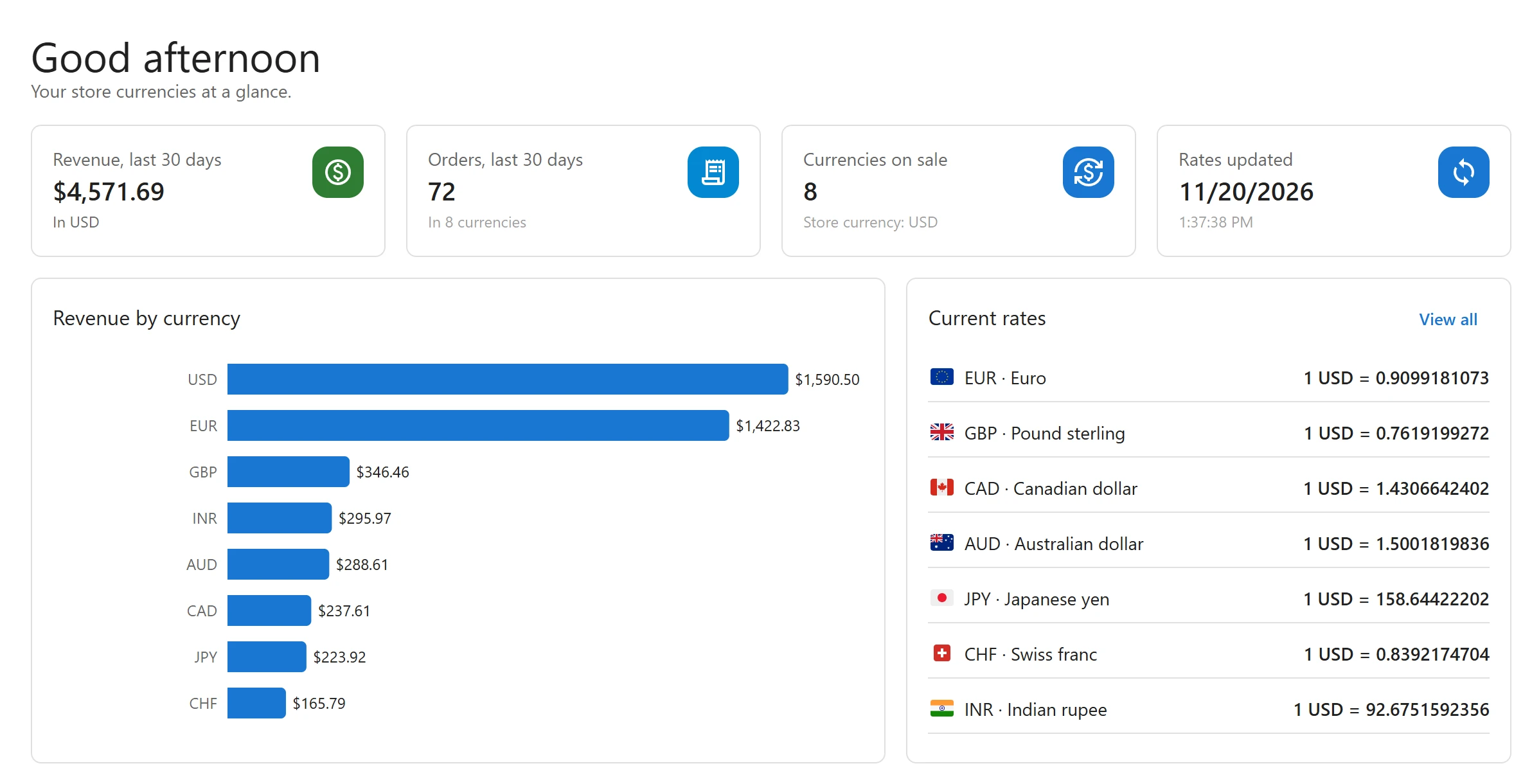
On the dashboard
Pro adds three widgets to the Dashboard:
| Widget | What it shows |
|---|---|
| Revenue, last 30 days | The total of the period’s orders in your store currency, and In a number of currencies. |
| Orders, last 30 days | How many orders were placed in the period. |
| Revenue by currency | Each currency’s share of the revenue, in your store currency. |
Orders that are Processing, Completed or On hold and were created in the last 30 days count. Each order is converted with the rate saved on it when it was placed, never with today’s rate, so the figures do not move when rates change.
If some orders were placed before the plugin started saving rates, the dashboard says so: they are not included in the store-currency total. With no paid orders in the period, it says No paid orders in this period yet.
The figures are cached for ten minutes, and refreshed when an order changes.
Filter orders by currency
WooCommerce > Orders gets a currency filter next to WooCommerce’s own filters. Pick a currency, or All currencies, and click Filter. It works on both the HPOS orders screen and the older posts screen.
Together with the Currency column of the free plugin, it lets you see every order paid in one currency with its total in your store currency. See Orders and refunds.
More reports
- Currency statistics: how many shoppers switch to each currency, and which currencies turn into orders.
- Order export: a CSV of orders in both currencies for your accountant.
- WooCommerce Analytics: WooCommerce’s own reports, converted to your store currency.
Quick Links
Share