

Contents
Rate alerts and history - Plugixa Multi Currency for WooCommerce
Automatic rates keep prices current, but a big move changes every price in that currency at once. Rate alerts tell you when that happens, and can hold the new rate until you approve it. The rate history on each currency shows every update and lets you go back to an older rate.
Set up alerts
Open Settings and the Rate alerts tab: Know when an automatic update moves a rate a lot, and decide before your prices change.
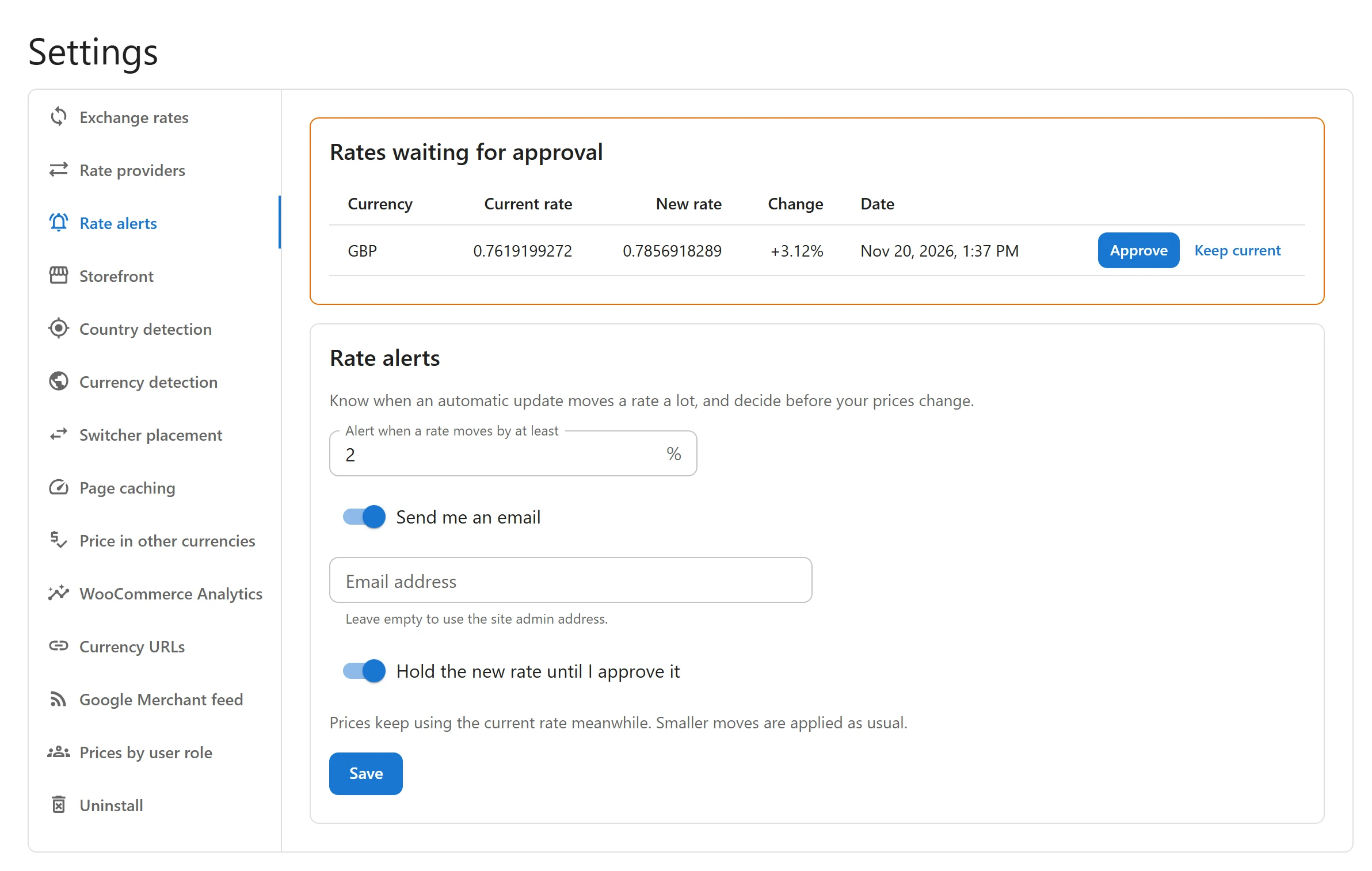
| Setting | Default | What it does |
|---|---|---|
| Alert when a rate moves by at least | 2% | The size of a change, up or down, that counts as big. |
| Send me an email | On | One email per update, listing every currency that moved at least that much. |
| Email address | Empty | Leave empty to use the site admin address. |
| Hold the new rate until I approve it | Off | A big change is not applied: Prices keep using the current rate meanwhile. Smaller moves are applied as usual. |
Click Save.
The alert email
The subject is [Your shop name] Exchange rates moved. The email lists each currency with its old rate, its new rate, the change in percent and whether it was applied or is waiting for approval. When rates are held, it tells you to open the currency in Plugixa Multi Currency to approve or keep the current rate.
Approve or keep a held rate
Held rates are listed in Rates waiting for approval, on the Rate alerts tab, with the Current rate, the New rate, the Change and the Date.
- Approve applies the new rate. Prices change straight away.
- Keep current refuses it. The current rate stays, and the held rate is marked Rejected in the history.
Rate history
Open Currencies and click a currency. The Rate history panel, below the form, shows the recent automatic updates of that currency on a chart and in a table: Every automatic update is kept here. Restore puts an older rate back; prices change straight away.
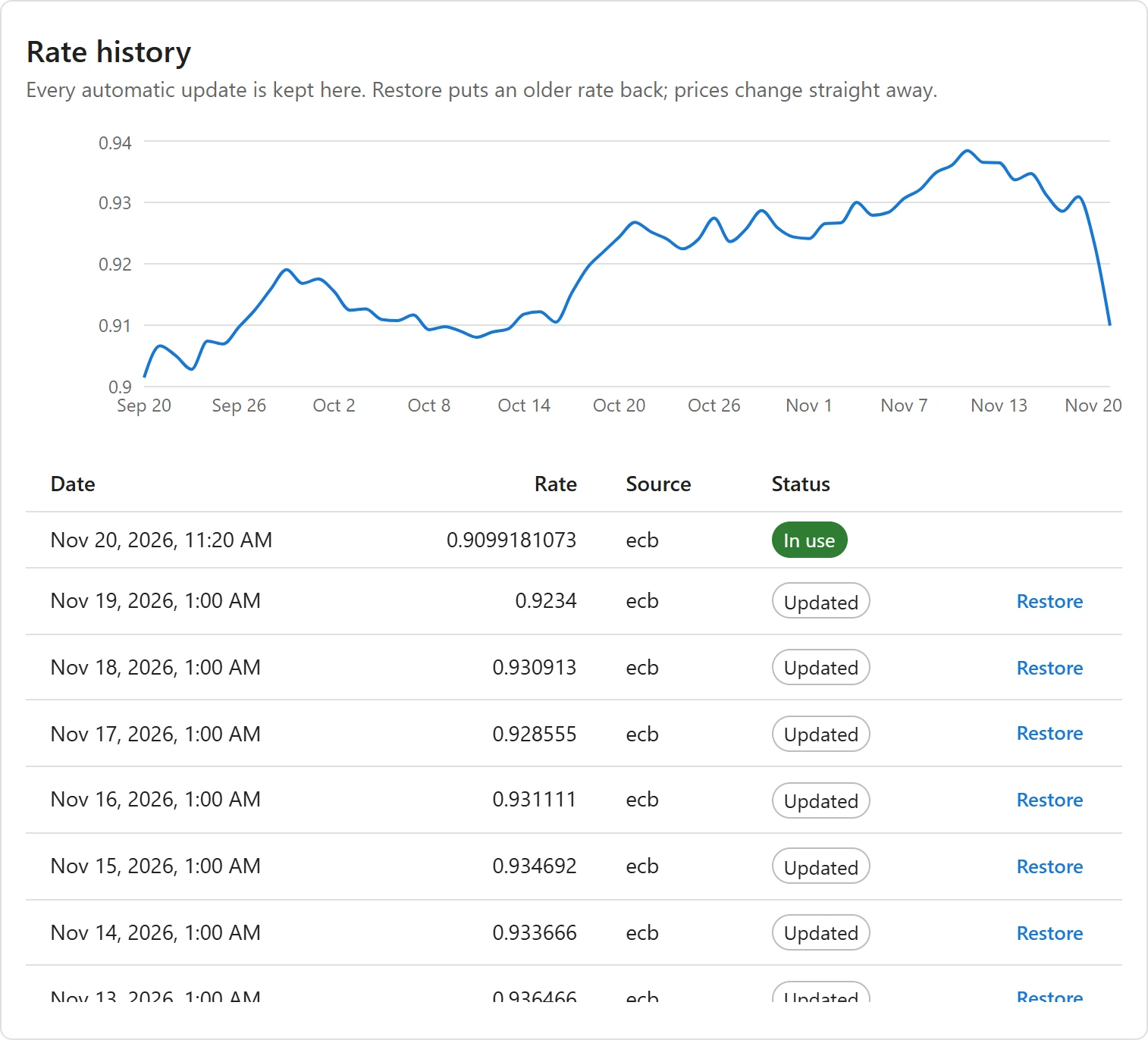
| Status | Meaning |
|---|---|
| In use | The rate prices use now. |
| Updated | An earlier rate that was applied. It has a Restore button. |
| Waiting for approval | A held rate, with Approve and Keep current. |
| Rejected | A rate refused by you or by the safety check. |
The history keeps the last 30 entries per currency. Rates you type by hand are not in it.
Tips
- With Once a week in Settings > Rate providers and Hold on, prices only change when you say so. See Rate providers.
- Orders already placed are never affected by a rate change, approved or restored. See Orders and refunds.
Quick Links
Share