

Contents
On this page
Order export - Plugixa Multi Currency for WooCommerce
Your accountant needs every sale in your store currency, at the rate of the day it was made. The order export gives one row per order with each amount twice: in the currency the customer paid, and in your store currency, converted with the rate saved on the order, never today’s.
Open Plugixa Multi Currency > Order export, under Reports.
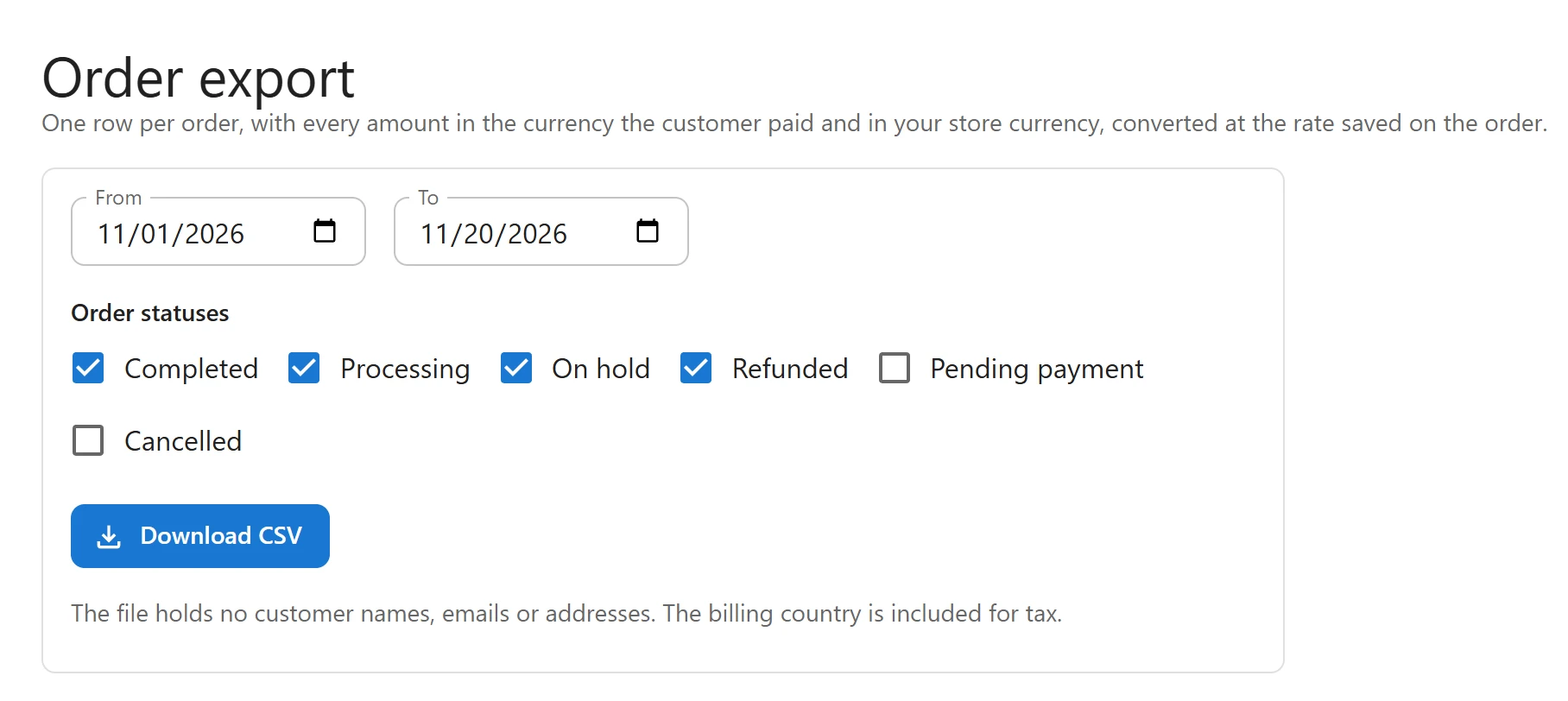
Export orders
- Set From and To. The range starts at the first day of the current month and ends today. You can export up to one year at a time.
- Under Order statuses, tick the statuses to include: Completed, Processing, On hold, Refunded, Pending payment, Cancelled. The first four are ticked by default.
- Click Download CSV.
The screen says how many orders were exported, or No orders match these dates and statuses.
The columns
| Column | Content |
|---|---|
order_id, order_number |
The order’s ID and its number as shown to the customer. |
date |
When the order was created, in your site’s time zone. |
status |
The order status, such as completed. |
billing_country |
The customer’s billing country, for tax. |
currency |
The currency the customer paid in. |
total, tax, shipping, discount, refunded |
The amounts in that currency. |
rate |
The rate the store-currency columns were converted with: the exchange rate with the margin included, as in the order note. 1 for orders in your store currency. |
store_currency |
Your store currency. |
total_store, tax_store, shipping_store, discount_store, refunded_store |
The same amounts in your store currency. |
The store-currency amounts are the ones saved on the order when it was placed. The margin is
included in the conversion, so total_store is what the order was worth in your store currency.
Privacy
The file holds no customer names, emails or addresses. The billing country is included for tax. Cells that a spreadsheet could read as a formula are written as plain text.
Tips
- Open the file in a spreadsheet app and add up the
_storecolumns for your period’s totals in your store currency. - For orders paid in your store currency, both sets of columns are equal and the rate is 1.
Quick Links
Share