

Contents
On this page
Orders and refunds - Plugixa Multi Currency for WooCommerce
An order placed in another currency is a normal WooCommerce order in that currency. The plugin adds one thing: it remembers the exchange rate the order was placed at, and the order’s totals in your store currency. Rates change every day; the order’s never does.
What is saved on each order
When an order is placed, in the Classic or the Block checkout, the plugin saves on it:
| Saved | Example |
|---|---|
| The store currency at the time | USD |
| The currency’s rate | 0.92 |
| The conversion factor: the rate with the margin included | 0.9384 |
| The order total, tax, shipping and discount in the store currency | 89.52 |
It also adds an order note, for example Paid in EUR at 1 USD = 0.9384 EUR (including margin). Orders in your store currency get the same data with a factor of 1 and no note.
The values are saved as order meta through WooCommerce’s own order API, so they work with High-Performance Order Storage (HPOS) and with the older posts storage alike. They are kept when the plugin is deleted.
The currency column
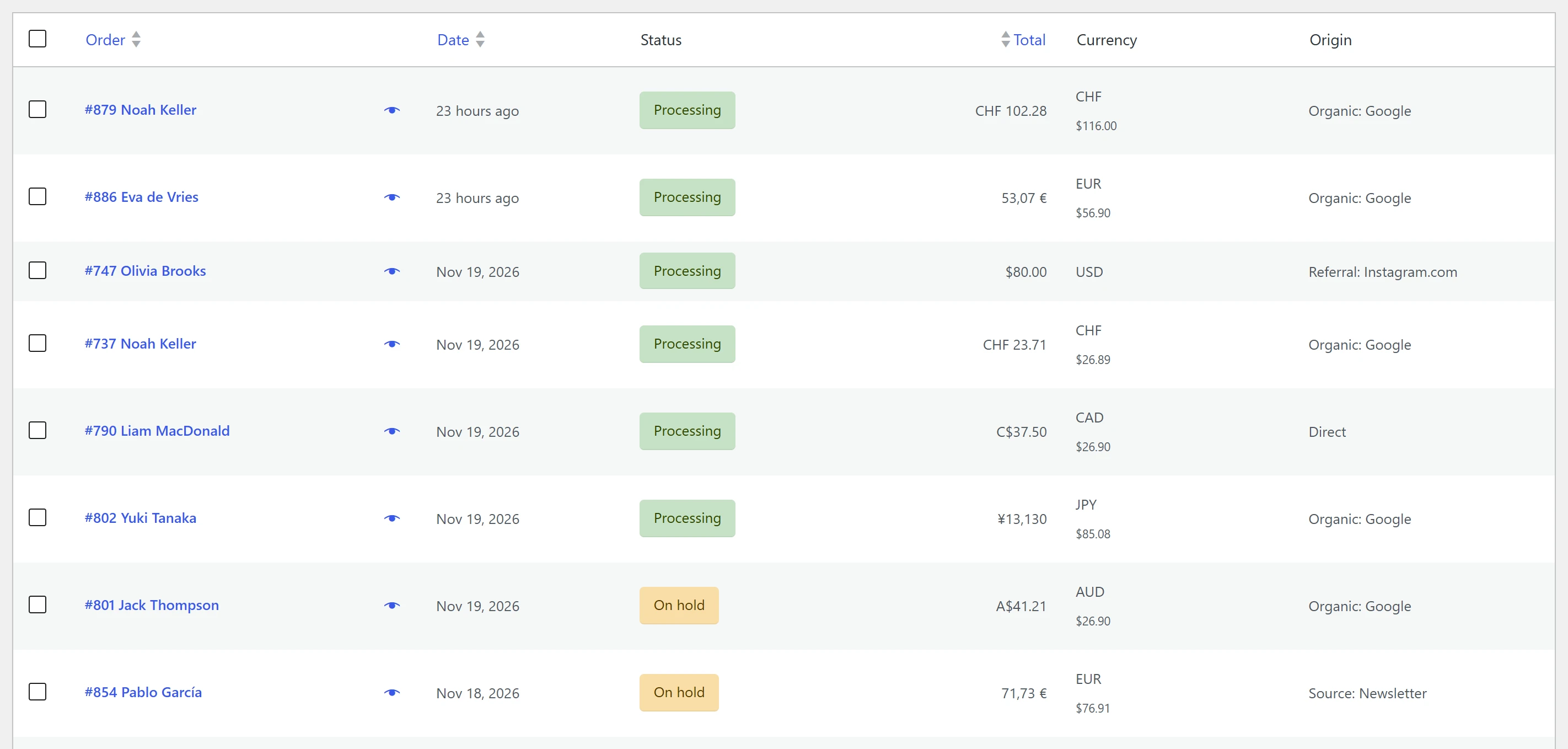
WooCommerce > Orders gets a Currency column after Total. It shows:
- The order’s currency code.
- For an order in another currency, its total in your store currency underneath, worked out with the order’s own rate.
The column works on both the HPOS orders screen and the older posts screen.
With Pro, the orders list also gets a currency filter, and the dashboard shows revenue per currency added up in your store currency PRO. See Revenue reports.
Order screens and emails
Each order is shown in its own currency, with that currency’s symbol, decimals and separators, whatever currency the store is set to and whatever the shopper is browsing in. This applies to the order screen in wp-admin, the customer’s My Account pages and the order emails.
Refunds
Refund an order the usual way, from the order screen in wp-admin. The refund is in the order’s currency, as WooCommerce always does it, and the payment method refunds that amount.
The plugin also saves the refund’s value in your store currency, using the rate of the original order, not today’s rate. A refund made three months later still adds up against the order in your store currency.
Orders placed in the store currency
When a currency is set to Charge in the store currency, the order is placed in your store currency, even though the shopper browsed in theirs. It is a store-currency order in every respect: its currency is your store currency and no conversion is saved on it. See Checkout.
Orders created in wp-admin
In wp-admin the plugin never converts anything, so an order you create by hand under WooCommerce > Orders > Add order is in your store currency. Pro adds a currency picker to that screen, so a manual order can be in any of your currencies PRO. See Manual orders.
Reports
WooCommerce Analytics adds up order totals as they are, so 100 EUR and 100 USD make 200. With the saved store-currency totals, Pro converts Analytics to your store currency and adds an order export with both currencies for your accountant PRO. See WooCommerce Analytics and Order export.
For developers, the meta keys are _plugixa_mc_base_currency, _plugixa_mc_rate,
_plugixa_mc_factor, _plugixa_mc_base_total, _plugixa_mc_base_tax,
_plugixa_mc_base_shipping and _plugixa_mc_base_discount on orders, and _plugixa_mc_factor
and _plugixa_mc_base_amount on refunds.
Quick Links
Share