

Contents
Web-to-lead forms - Plugixa CRM
Build a form, put it on a page, and submissions become leads.
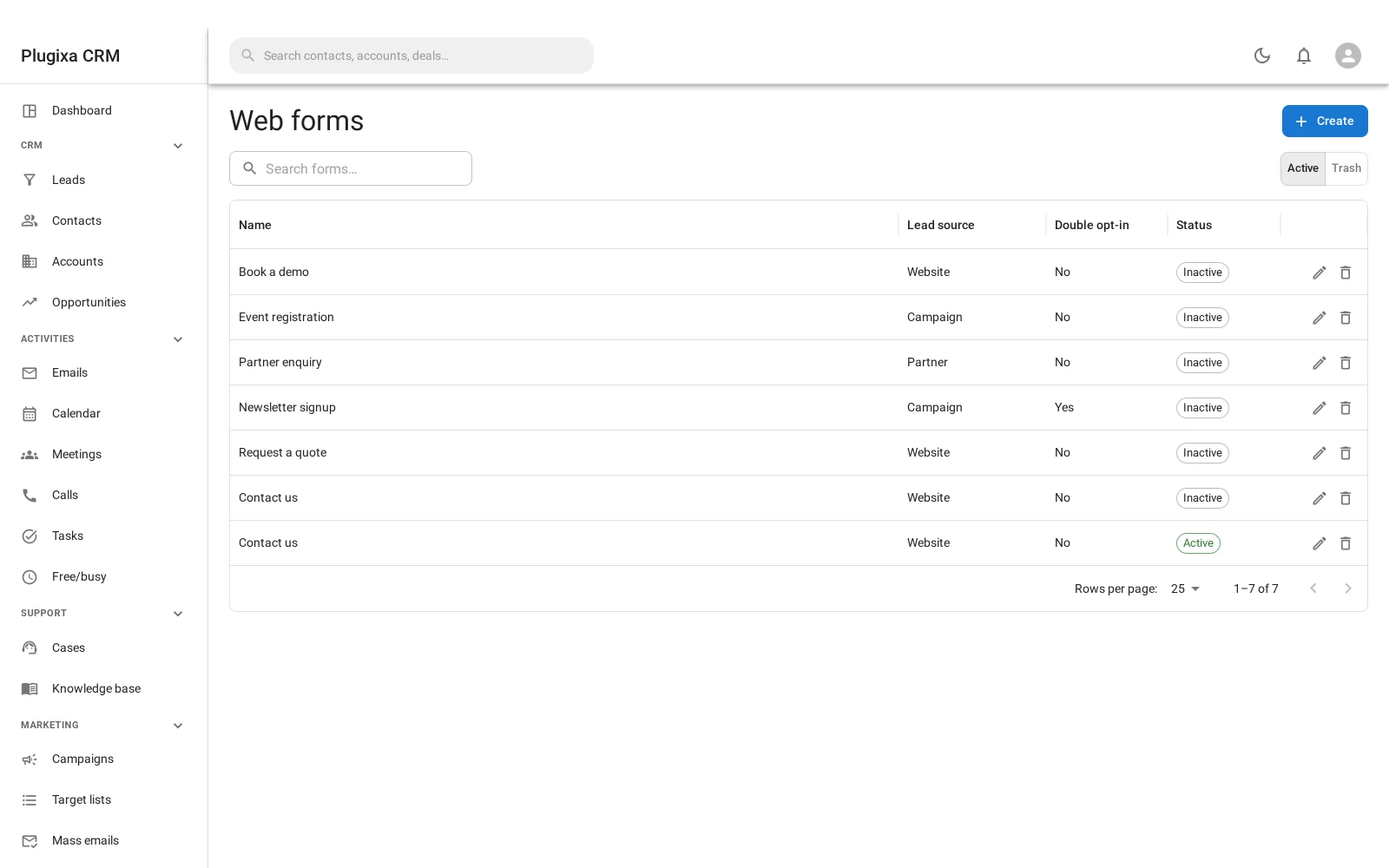
Building one
Administration -> Web forms -> Create, then use the builder to choose the fields, their order, which are required, and the labels and helper text.
The fields map onto lead fields, so a submission arrives as a lead with nothing to reconcile.
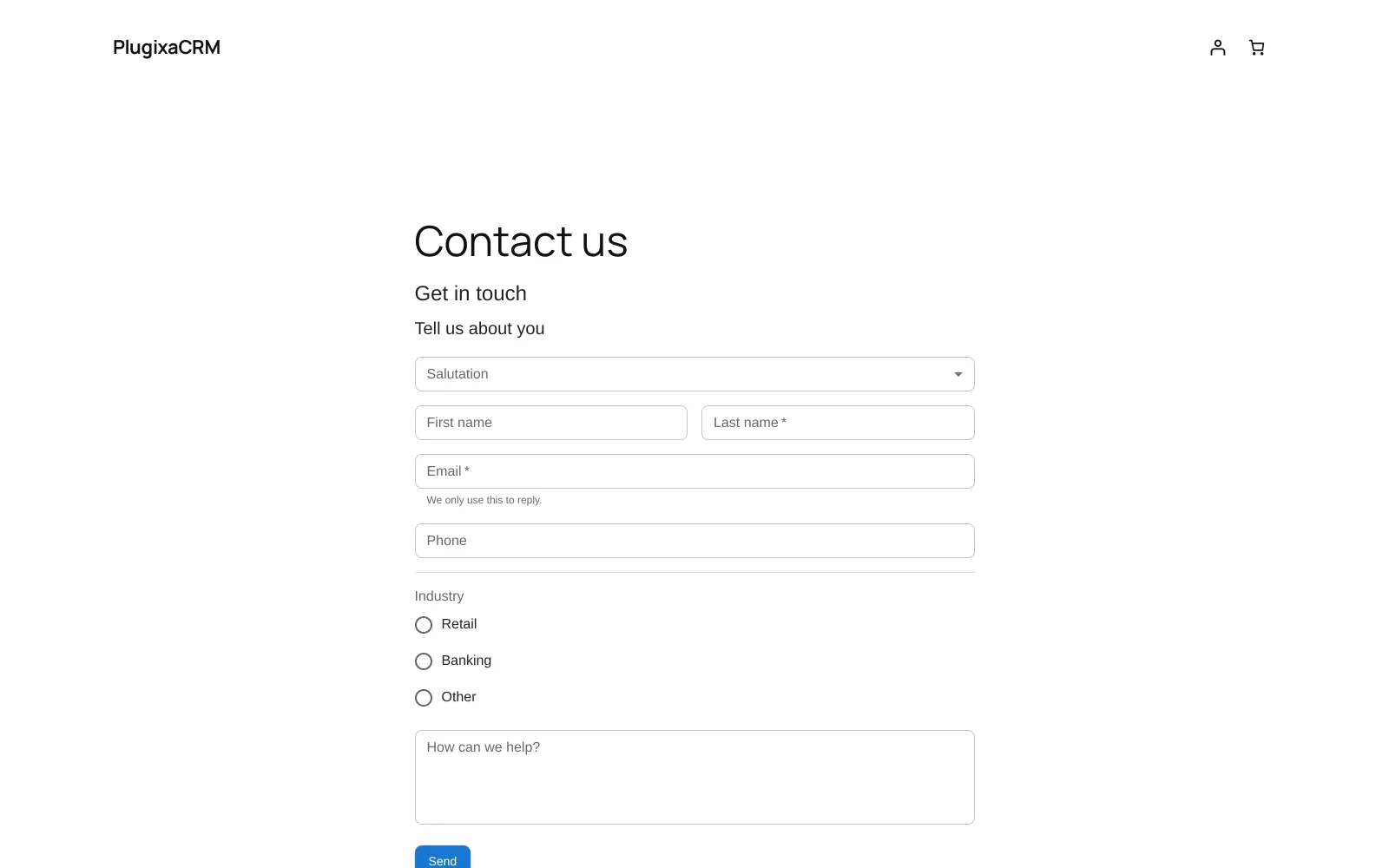
Putting it on a page
Either works, and they do the same thing:
[plugixa_crm_lead_form id="3"]
or the CRM lead form block, with the form chosen in the sidebar.
Why this one is simpler than it would be anywhere else
Worth a short digression, because it explains what is missing compared with a standalone CRM.
A CRM that is not part of your website has to get a form onto a site it does not control. That means an API key, a form id, a hosted form URL, a list of allowed frame ancestors for the iframe’s security policy, and pages of example-request documentation. Every one of those exists to cross an origin boundary.
This plugin is already inside the site. The form renders in the page itself and posts to a same-origin route, so none of that exists. There is no API key to manage and no embed code to paste.
Double opt-in
A form can require confirmation: the person submits, receives an email with a confirmation link, and becomes a lead only when they click it.
| Setting | What it does |
|---|---|
| Opt-in | Require confirmation |
| Template | The message that is sent, from your email templates |
| Hours | How long the confirmation link is valid |
| Create before opt-in | Whether the lead exists before they confirm, or only after |
That last one is the decision. Creating before confirmation gives you the lead even if they never click, at the cost of a list full of unconfirmed addresses. Creating after gives you a clean list and loses the ones who meant to confirm and did not.
Abuse control
The public endpoint is protected by three things rather than a nonce, because a form a stranger fills in cannot carry one:
- A honeypot field, invisible to people and irresistible to bots.
- A rate limit, per IP address.
- An optional CAPTCHA.
There is no privileged action for a forged request to trigger: the worst a successful forgery achieves is a junk lead.
It works without JavaScript
The form posts as an ordinary HTML form when scripts are unavailable, and the endpoint accepts both that and JSON. A page with no form on it loads none of the form’s assets at all.
Where else leads come from
Your site probably already has a contact form. The premium Forms connector PRO feeds Contact Form 7, WPForms, Gravity Forms and Elementor submissions into the CRM without rebuilding them here.
Use this feature when you want a form built for the CRM; use that one when you want the forms you already have.
Troubleshooting
| Symptom | Usual cause |
|---|---|
| Submissions arrive but no lead appears | Double opt-in is on with “create before opt-in” off. They have not confirmed. |
| The confirmation email did not arrive | It goes through wp_mail like everything else. Check your SMTP plugin. |
| A confirmation link says it expired | The opt-in window has passed. It is configurable in hours. |
| Lots of junk submissions | Turn on the CAPTCHA. The honeypot and rate limit catch the lazy ones. |
| The form does not appear | The shortcode has no id, or the form is inactive. |
| Styling looks wrong | The form inherits your theme. It ships almost no CSS of its own on purpose. |
| Nothing happens without JavaScript | It should still post. Check the page is not caching the form’s nonce field oddly. |
| I cannot find the API key to embed it elsewhere | There is none. This form is for this site. |
What to do next
- What a submission becomes: Leads.
- The confirmation message: Email Templates.
- Use the forms you already have: Your Site’s Contact Forms PRO.
- Every embed option: Shortcodes and Blocks.