

Contents
Document library - Plugixa CRM
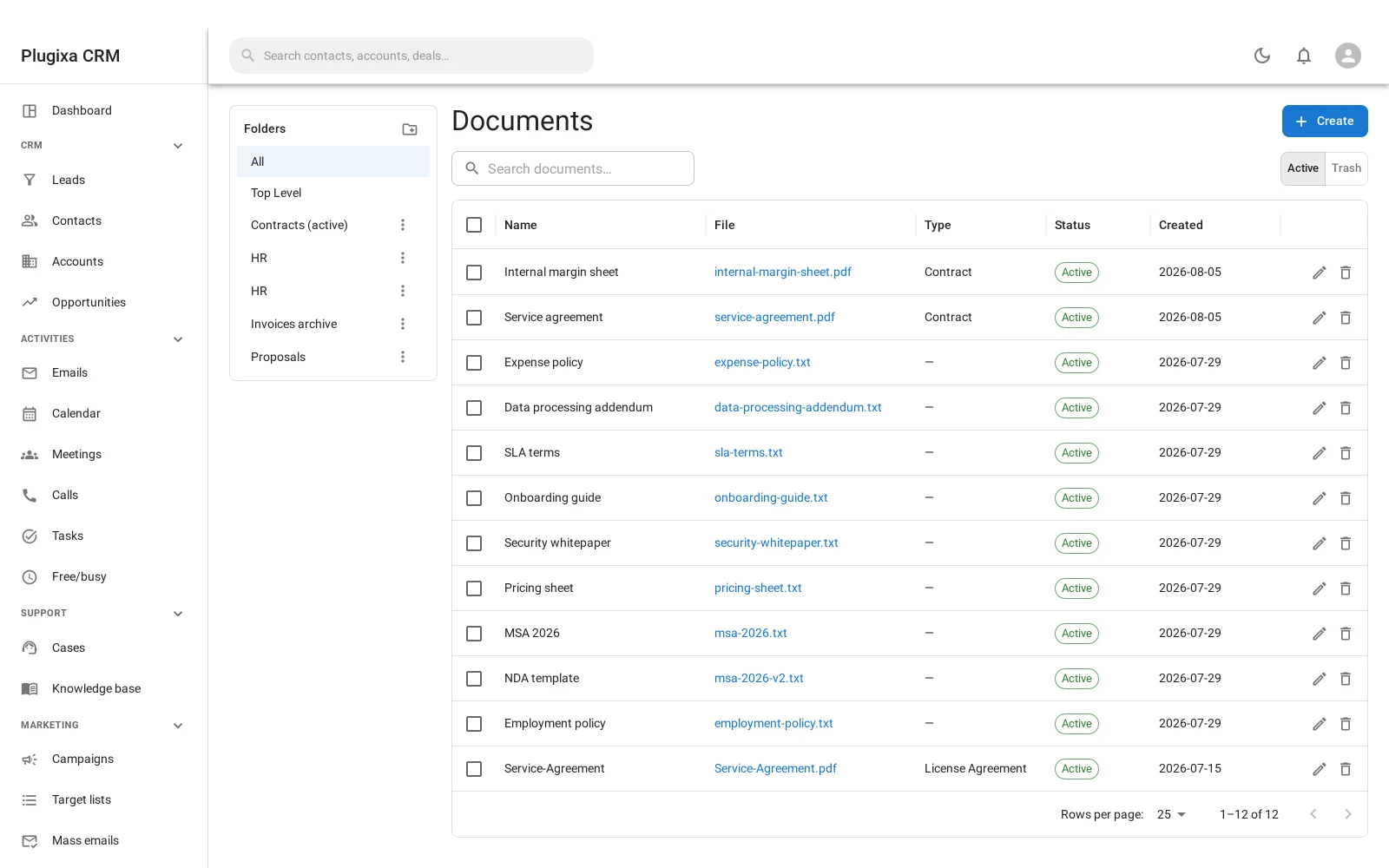
A file library with folders, for the documents that belong to the business rather than to one record.
It is not the same as files on a record
Both store files, and they answer different questions.
| Files on a record | The library | |
|---|---|---|
| Lives | On one account, deal or case | In a folder tree of its own |
| Found by | Opening that record | Browsing or searching the library |
| For | This contract, this signed quote | The price list, the terms, the brochure |
| Linked to records | It is the link | Optionally, to as many as you like |
The current price list is not an attachment on one deal. It belongs to the business, and forty deals should be able to point at the same copy rather than carrying forty copies that drift apart.
See Notes, Files, Tags and the Stream for the per-record kind.
Folders
A tree you build. Move documents between folders, and the path is what you browse by.
Linking a document to records
A library document can be linked to any number of accounts, contacts, deals or cases. The link is what makes it appear on those records, and one document can appear on many.
That is the whole reason the library exists: one file, many records, one copy.
The same three barriers
Library files are stored exactly the way per-record attachments are: an
unguessable name on disk, an inert .bin extension, a server deny rule, and a
health check that writes a canary and asks the web server for it over HTTP to
prove the rule is actually in force.
Nothing in this library is in the WordPress media library.
Reaching a customer
A library document reaches somebody in the customer portal only when three things are all true:
- The portal’s Documents panel is switched on. It starts off.
- The document’s own Visible in portal switch is on. It starts off.
- The document is linked to that customer or their company.
Three gates rather than one, because “the price list is in the library” and “this customer may download it” are different decisions and should not be the same tick.
Troubleshooting
| Symptom | Usual cause |
|---|---|
| A customer cannot see a document | One of the three gates is closed. Check all three. |
| A document is on no record | It does not have to be. Link it if you want it to appear on one. |
| Deleting the document from a record deleted it everywhere | Removing a link is not deleting the document. Check which you did. |
| A file is in the media library | It should not be. Library files are stored separately. |
| The folder tree will not let me delete a folder | Documents are still in it. Move them first. |
| Two records show the same document | That is the point. One file, many links. |
| A download has the wrong filename | The real name is stored and restored on download. Report it if not. |
What to do next
- Files that belong to one record: Notes, Files, Tags and the Stream.
- Sharing with customers: Customer Portal.
- Generating documents instead of storing them: PDF Templates.