

Contents
Tasks - Plugixa CRM
A task is something one person owes by a date. That is the whole of it, and it is what separates a task from a meeting.
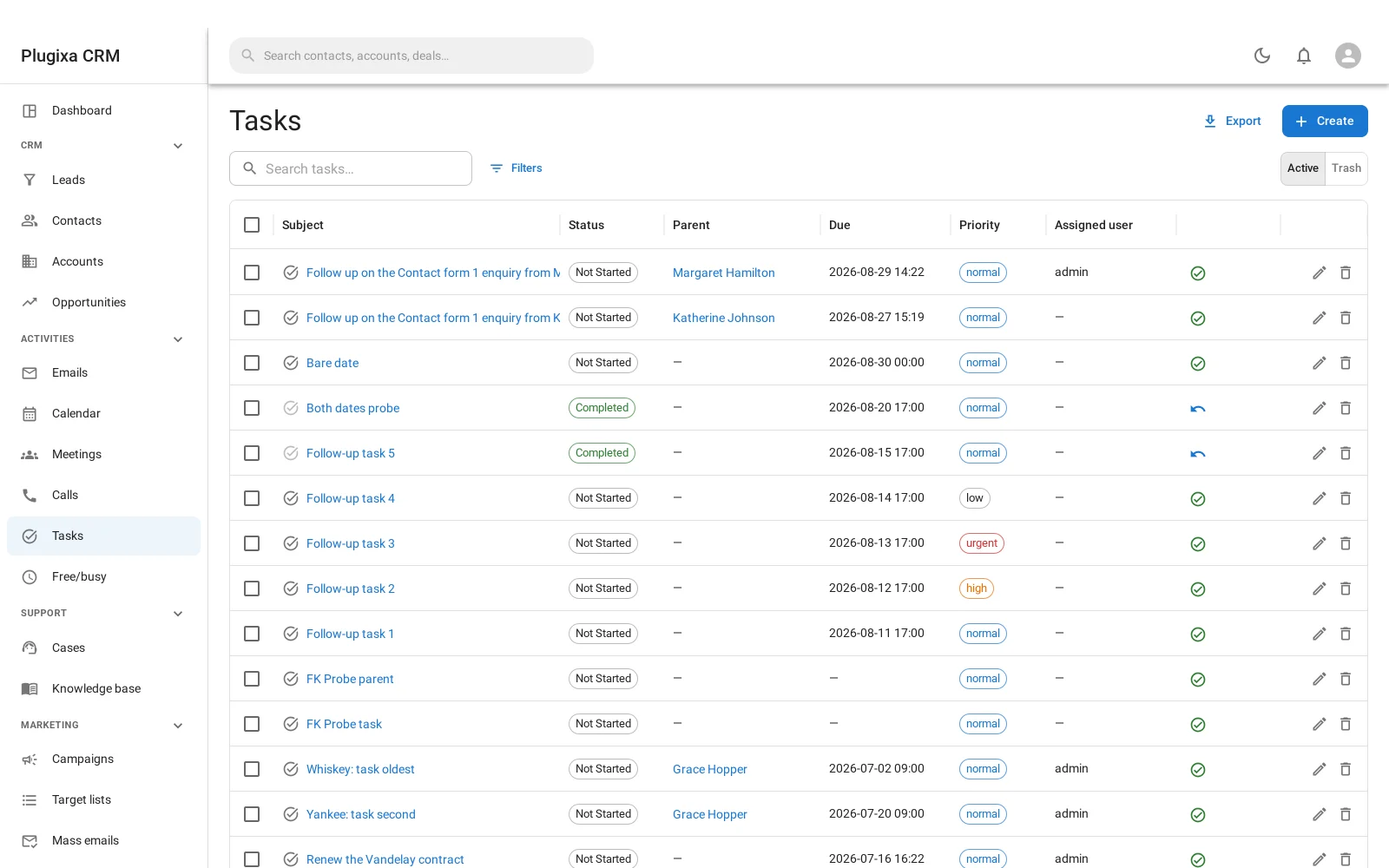
A task has no attendees
Meetings and calls carry attendees because people attend them. A task is owed by one person, so there is nobody to invite - and that is why it does not make its owner busy on the calendar the way a meeting does.
It still appears on the calendar, because a deadline belongs on the week you are looking at. It just does not block the slot.
Fields
| Field | Why |
|---|---|
| Subject | What has to happen |
| Due date | When by |
| Priority | Low, normal, high or urgent |
| Status | Planned, in progress, completed or cancelled |
| Parent record | The account, contact, lead, deal or case it belongs to |
| Description | The detail |
| Assigned user | Who owes it |
Four statuses, not three
Tasks have one more than meetings and calls: in progress.
It earns its place. A task that somebody has started but not finished is a different thing from one nobody has touched, and on a list of twenty overdue items that distinction is the one that tells you where to help.
| Status | Means |
|---|---|
| Planned | Not started |
| In progress | Started |
| Completed | Done |
| Cancelled | Not happening, and kept so the record says so |
Overdue
A task is overdue when its due date has passed and its status is neither completed nor cancelled. The Overdue figure on the dashboard counts exactly those.
If that number never goes down, the usual cause is that people finish tasks without marking them complete.
Files attach here
Tasks are the one activity that carries file attachments directly, which suits what they are usually used for: send the quote, review the contract, upload the signed copy. See Notes, Files, Tags and the Stream.
Troubleshooting
| Symptom | Usual cause |
|---|---|
| Overdue never falls | Tasks are being done but not marked complete. |
| A task does not block the calendar | Correct. A task is a deadline, not an appointment. |
| There is no attendee field | By design. A task is owed by one person. |
| It does not show on the deal | It has no parent record. Attach it. |
| Priority does not change the order | Sort by it. Priority is a field, not an automatic ordering. |
| A cancelled task still appears | Deliberately. Filter it out rather than deleting it. |
| Somebody cannot see their task | Role scoping. Check what their role allows on tasks. |
What to do next
- The activities with attendees: Meetings and Calls.
- See everything at once: Calendar and Availability.
- Get told before it is due: Reminders and Notifications.