

Contents
Cases - Plugixa CRM
A case is a support request: a question, an incident or a problem, belonging to a contact and usually to their company.
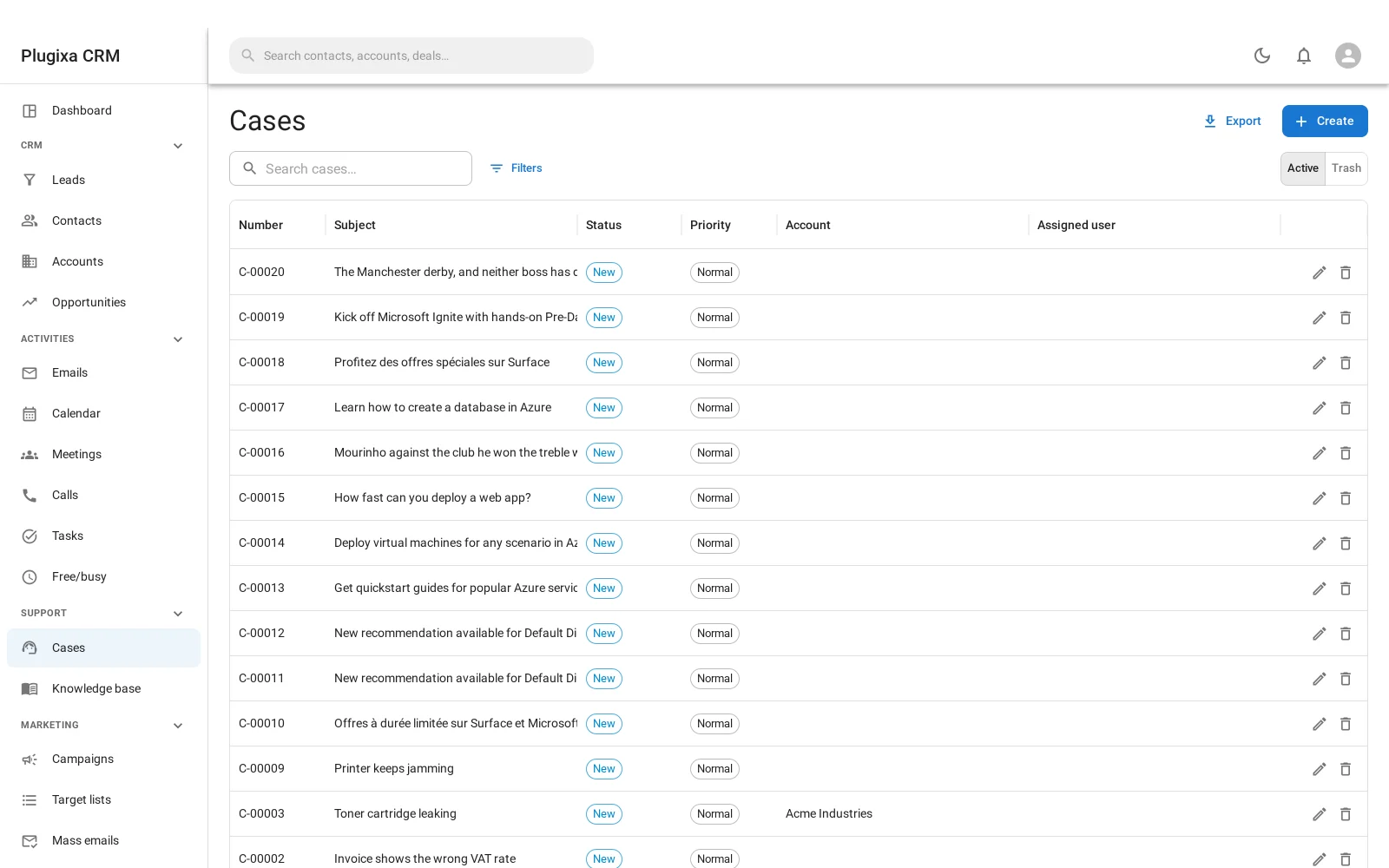
Fields
| Field | Why |
|---|---|
| Number | The human reference. See below, it is more interesting than it looks |
| Subject | What the request is |
| Status | Where it is |
| Priority | Low, normal, high or urgent |
| Type | Question, incident or problem |
| Contact and account | Who asked, and for whom |
| Description | The detail |
| Assigned user | Who owns it |
Statuses
| Status | Means |
|---|---|
| New | Just arrived |
| Assigned | Somebody owns it |
| Pending | Waiting on somebody, usually the customer |
| Closed | Resolved |
| Rejected | Not something you will do |
| Duplicate | The same request as another case |
Rejected and duplicate both matter. Closing everything you will not do as “closed” makes your resolution figures meaningless.
Three types
A question wants an answer. An incident is something broken for one customer. A problem is the underlying cause behind several incidents.
Using all three is what lets you see that eleven incidents this month were one problem.
The case number is stored, not derived
This looks like a detail and is not.
A case number ends up in an email subject and in the customer’s own ticketing system, so it has to survive being exported and re-imported. A number derived from the database row id does not: reimport the data and every reference a customer is holding points at something else.
So the number is allocated once, stored, and never recalculated.
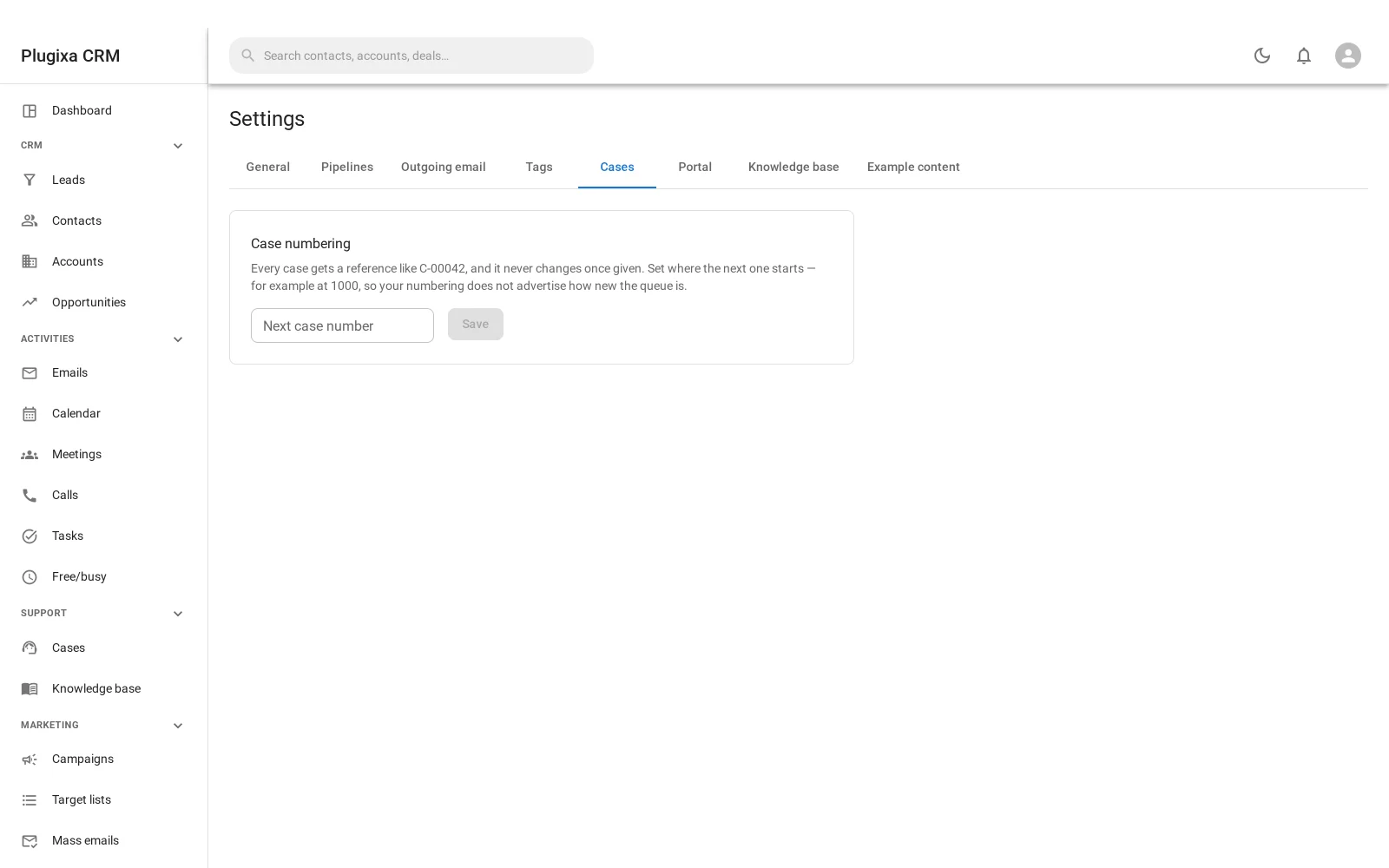
Settings -> Cases sets the prefix and the counter.
The counter only ever moves forward. Setting it to a number already used is refused, and the screen says so: otherwise two cases would end up with the same reference, which is the one thing a reference may not do.
Where cases come from
- Typed in by staff.
- Email to a monitored group address, which opens one automatically and threads replies onto it. See Inbound Email.
- The customer portal, when you let customers open their own. See Customer Portal.
Cases and the knowledge base
An article can be linked to the cases it answers. That is how the second person to ask the same question gets a link instead of a retyped reply, and how you find out which articles are worth writing. See Knowledge Base.
What a customer sees
Only what you allow. Case notes are private by default, and the portal panel that shows cases at all is a setting. A customer never sees your internal discussion unless you deliberately publish it.
Troubleshooting
| Symptom | Usual cause |
|---|---|
| “That number has already been used” | The counter only moves forward. Set it higher, not lower. |
| Numbers have gaps | Expected. A number is allocated when a case is created, not when it is saved. |
| Replies open new cases | The reply carried no In-Reply-To header. See Inbound Email. |
| A case has no owner | The mailbox assignment strategy is set to none. |
| A customer cannot see their case | The portal cases panel is off, or they are not a portal user. |
| A customer saw an internal note | Notes are private by default; one was published. Check the note. |
| Resolution figures look too good | Rejected and duplicate cases are being closed as “closed”. |
What to do next
- Where they arrive from: Inbound Email and Email-to-Case.
- Answer them once: Knowledge Base.
- Let customers in: Customer Portal.